
Screenshots





About this app
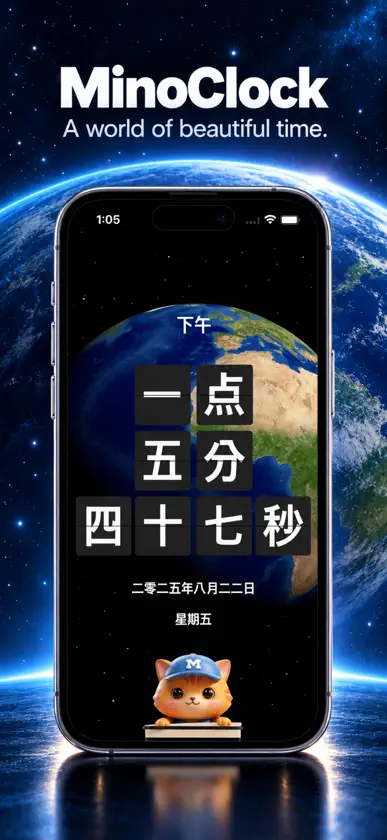
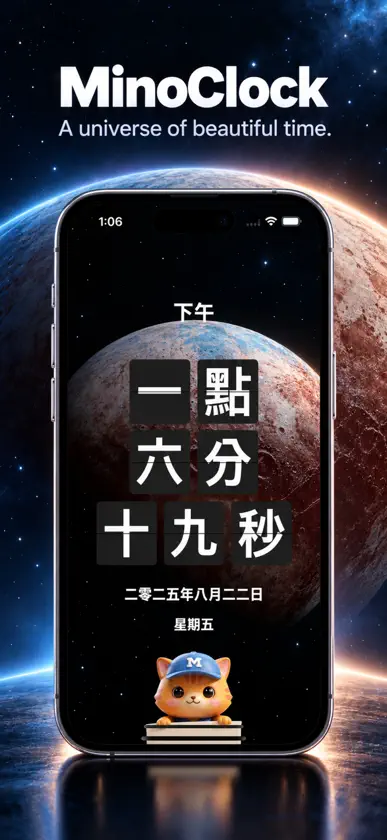
MinoClock — Experience Time in Words Make time part of your space. MinoClock displays the current time as words in multiple languages, or as a familiar digital clock. Choose a style, theme, and background that fit your day. Digital and selected English word clocks, themes, and backgrounds are included. MinoClock Pro is a one-time in-app purchase that unlocks additional clock styles, themes, backgrounds, and announcement options. TIME, YOUR WAY • Read the time in words in languages including English, Korean, Japanese, Chinese, French, Spanish, Arabic, German, Italian, Portuguese, Russian, Vietnamese, Indonesian, Malay, and Urdu. • Switch between word clocks and digital displays, including a dot digital clock with Pro. • Choose 12-hour or 24-hour time, show the date and weekday, and adjust the clock's size and layout. • Keep the display awake while you use the clock. BACKGROUNDS AND THEMES • Explore more than 30 backgrounds, including animated weather, space scenes, patterns, and colorful designs. • Watch the Earth, Moon, Sun, and planets rotate, or choose rain, lightning, snowfall, drifting clouds, and raindrops on a window. • Try animated Diamond Lattice, digital rain, and other visual effects. • Choose from more than 30 clock themes, adjust colors, and use background blur to help the time stand out. HEAR AND SHARE THE TIME • Hear voice announcements on the hour or at selected five-minute marks while the app is running. Adjust the announcement volume and use available system voices. • Tap MinoCat to hear the current time. • Schedule local time notifications for the points you choose each hour, even when the app is closed. Notification permission is required. • Add tick or heartbeat-inspired sounds to your clock. • Share your clock screen as a JPEG along with the time and an app link. MADE FOR YOUR DEVICE • On Mac, check the time from a compact menu bar clock while you work. • On supported touch devices, swipe to change clock styles or backgrounds, pinch to resize the clock, and long-press to switch layouts. Gesture availability varies by device. Whether you're working, studying, or relaxing, make your screen a clock that feels like yours. We welcome feedback and feature suggestions. MINOWORKS https://minoworks.net
What's new
Version 26.11.0 · Nov 8, 2026
• Added the animated Diamond Lattice background to Patterns. • Share your clock screen as a JPEG with the displayed clock text, app link, and hashtags.
In-app purchases
The most popular purchases on the App Store.
- MinoClock ProConsumableUSD 4.99
More from MINOWORKS


You might also like
 KanjiClock - 漢字時計Bazooka Corp.
 TimeInWordsStefan Arnhold
 time4wordsBuddhaCat Publishing
 FaceFrame: Face Shape DetectorImran Khan
 24ClockAox.design Co., Ltd.
 Niva: Habit & Mood TrackerEnes Oz
 Clock Plus - Photo Flip Timersekleung chang
 ColorTimer - Fullscreen Timer仲辉 黄
 Talking Clock: Time AnnouncerAkash Sinha
 WordClockGerhard Lentschik