
PDFOne
ANTONIO PADALINO
No ratings yetProductivityAges 4+
Screenshots




About this app
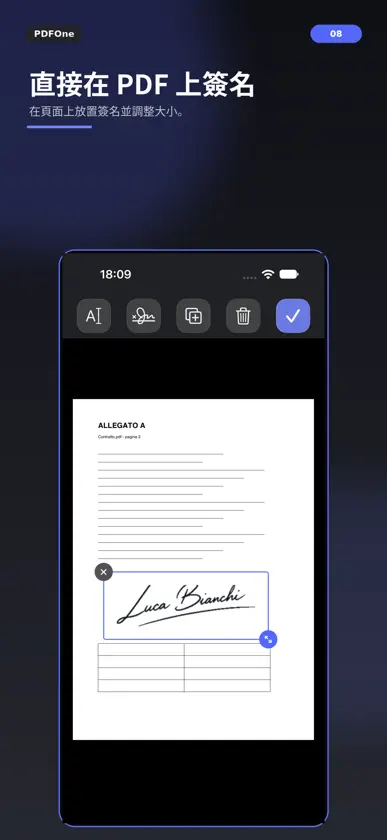
**在 iPhone 上,快速整理、填寫與簽署 PDF。** PDFOne 讓你直接在 iPhone 上處理 PDF 文件。你可以整理頁面、加入新內容、填寫文字、插入簽名,並輕鬆儲存或分享完成的文件。 介面簡潔直覺,讓你專注在文件本身,不必面對複雜又多餘的工具。 無論只是調整幾個頁面,還是重新整理內容較多的 PDF,PDFOne 都能幫助你快速完成工作。 **整理 PDF 頁面** 使用格狀、輪播或列表檢視文件,依照需求選擇最適合的方式。 你可以: • 拖曳重新排列頁面 • 一次選取多個頁面 • 建立與管理頁面堆疊 • 複製或刪除頁面 • 取代指定頁面 • 擷取並重新整理文件內容 **加入新內容** 在文件中的指定位置插入新內容,或建立新的頁面。 支援: • PDF 文件 • 照片圖庫中的圖片 • 空白頁面 **填寫 PDF** 直接在 PDF 頁面上加入文字。 你可以自由移動文字位置並調整大小,在確認後再將內容套用到文件中。 適合填寫表單、行政文件,以及需要補充文字資訊的 PDF。 **加入簽名** 匯入你的簽名並儲存在簽名庫中,之後需要時即可快速再次使用。 你可以: • 儲存多個簽名 • 將簽名移動到適當位置 • 調整簽名大小 • 在套用前移除簽名 **儲存與分享** 完成編輯後,你可以儲存修改、建立文件副本,或使用 iOS 與 iPadOS 的系統分享功能分享 PDF。 **簡單,就是 PDFOne 的設計方式** PDFOne 採用符合 Apple 平台使用習慣的原生設計,提供熟悉的操作方式、直接的互動體驗,並支援淺色與深色模式。 沒有不必要的複雜功能。 只有整理、填寫、簽署與管理 PDF 真正需要的工具。
What's new
Version 1.6.4 · Nov 1, 2026
Scan with DocOne Express: on iPhone, launch the companion app from PDFOne and import your scanned pages. More reliable app handoff: completed scans can be recovered when you return to PDFOne, without duplicate imports. Search scanned documents: find words even on image-only pages using on-device text recognition. Clearer search feedback: see when a search is running, with results refreshed when the document changes. More reliable PDF imports: opening, adding and replacing pages now include extra safeguards, including when an operation is interrupted. Better handling of complex PDFs: get a warning before importing or exporting pages if bookmarks, forms or attachments may not be kept. Original-file protection: operations that would strip security from encrypted PDFs are prevented. Safer saving: unchanged PDFs stay intact, and files modified elsewhere are not overwritten without checking. Document details retained: where possible, edited copies keep the original PDF's title, author and other information. Better photo handling: fewer repeated image compressions and a more careful balance between file size and quality. Easier photo insertion: tap a page to insert before it, or tap empty space to add the photo at the end. Simpler selection: tap empty space to deselect selected pages. More polished interactions: improved page transitions, dragging and automatic scrolling, with better support for Reduce Motion. Clearer details: new untitled documents are identified, and What's New in Settings is expandable.
More from ANTONIO PADALINO


You might also like
 Scooch - Room & Floor PlannerEmils Ozols
 Video Transcriber - 影音轉文字华芳 张
 Cadre ContactsSomething Punny, LLC
 Nescanner – 文件掃描器Global Tech Distribution s.r.o.
 SnapScanner+ PDF, Docs & CardsRoxwin Vietnam Technologies Company Limited
 GlobalScan Pro: PDF ScannerERKAN ARDIC
 工時記-兼職零工打卡記工加班費時薪統計手帳·本地版Xiamen City Fanyou Network Technology Co., Ltd.
 秒速解壓縮檔案 - ZIP RAR 7ZTsz Chung Chau
 Structured Flow: 每日規劃Jorge Alves
 Narration RoomStefan Schmitt