
QA Steps: Learn QA Testing
Artsiom Rusau
No ratings yetEducationAges 17+
Screenshots



About this app
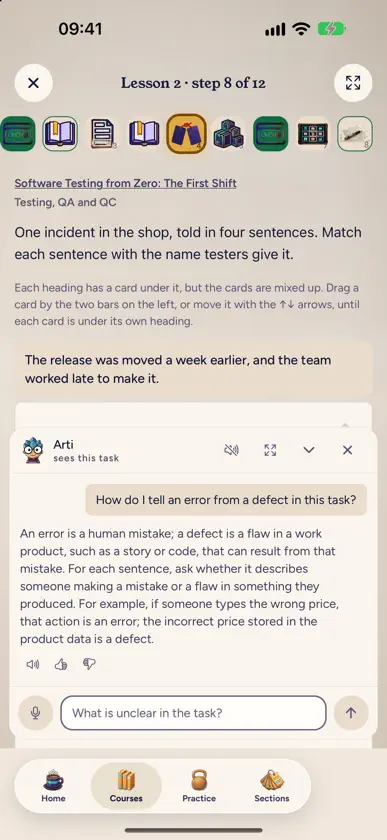
QA Steps teaches the everyday work of a manual software tester through short lessons and practice that is checked the moment you answer. It starts from zero and suits career changers and junior testers who want to fill gaps. WHAT YOU LEARN Test design and test cases, bug reports, testing websites with browser DevTools, APIs with Postman, SQL and databases, logs and metrics, mobile apps, the command line, Git and CI. Separate courses take one API protocol each: REST, GraphQL, gRPC, WebSocket and SOAP. Two more cover a working day of SQL and AI in testing. HOW A LESSON WORKS Each lesson opens on a problem from the night shift at Shelf, a made-up online shop. It teaches what you need to solve it, with text and screenshots of the real tools, and ends with tasks: pick answers, match pairs, put steps in order, fill gaps and type values. Every answer is checked at once, and you see what is right and what to fix. There is no video, so you read at your own pace and can find any step again. ARTI, THE AI HELPER Arti sits next to every task. Ask for a hint or an explanation, typed or spoken, and Arti can read the reply aloud. Arti is built to explain, not to hand you the answer. REVIEW AND PRACTICE Test questions on the lessons, with an explanation for each option, and a timed mock exam. Flashcards with spaced review: a card comes back when you are about to forget it. Short word games every day: crosswords, word searches, anagrams and quizzes. Notes on any step, search across the lessons, and home screen widgets with your streak, the cards due today and the lesson where you stopped. CERTIFICATES Finish a course and reach its pass mark to get a certificate with a page anyone can open to check it. ONE ACCOUNT Sign in with your QA Steps account or create one in the app. Your progress is the same on the phone and on a computer, so you can read a lesson on the bus and carry on at your desk. On the inner screen of iPhone Duo and on iPad, a lesson opens in two columns: the theory on one side, the task on the other. The whole first course is free, and so are the first two lessons of every other course. QA STEPS PLUS AND PRO QA Steps Plus opens every course, every test question and flashcard deck, the drills, the cheat sheets and the API sandboxes, and raises the limits for Arti. QA Steps Pro adds the voice interview simulator, resume review and the highest AI limits. Both are auto-renewable subscriptions, offered monthly and yearly. The price for your country is shown in the app before you confirm. The yearly plans start with a 7-day free trial if your Apple Account has not had one; any unused part of the trial ends when you buy a subscription. Payment is charged to your Apple Account when you confirm the purchase. A subscription renews automatically unless auto-renew is turned off at least 24 hours before the end of the current period, and the renewal is charged within the 24 hours before the period ends. You can manage or cancel a subscription in Settings > [your name] > Subscriptions on your iPhone or iPad. Terms of Use (EULA): https://qasteps.com/terms Privacy Policy: https://qasteps.com/privacy
What's new
Version 1.0.17 · Nov 8, 2026
Redeem an App Store offer code right on the subscription screen. From November 27 to December 2, new subscribers get 25% off the first year of a yearly Plus or Pro plan: the codes are on the home screen.
In-app purchases
The most popular purchases on the App Store.
- QA Steps Pro, yearlySubscription · 7 days free trialUSD 199.99 / year
- QA Steps Pro, monthlySubscriptionUSD 29.99 / month
- QA Steps Plus, yearlySubscription · 7 days free trialUSD 99.99 / year
- QA Steps Plus, monthlySubscriptionUSD 14.99 / month


