
SimBeam
Kirill Sidorov
No ratings yetDeveloper ToolsAges 4+
Screenshots

About this app
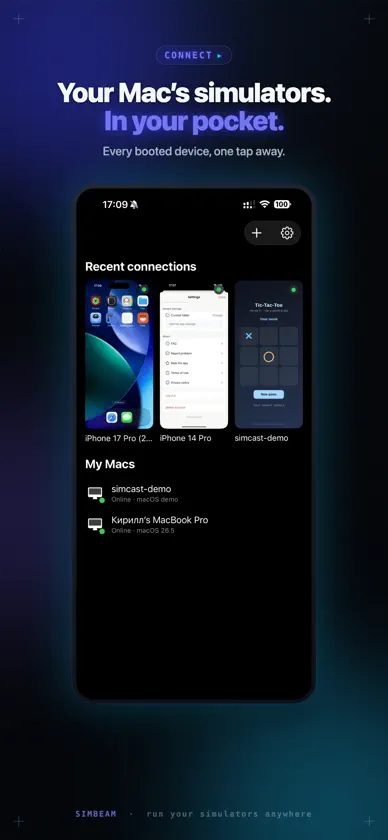
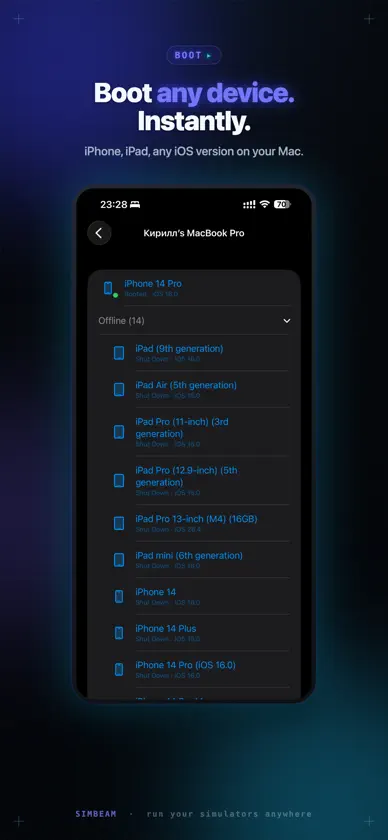
SimBeam turns your iPhone or iPad into a live remote for the iOS Simulators running on your Mac. Pair the app with your Mac once by scanning a QR code, then connect any time to see all the simulators on that Mac, open any one of them, and watch its screen as a real-time video stream. Your taps, swipes, and the Home button are sent straight back to the simulator, so you can actually use it from your device — not just look at it. WHAT YOU CAN DO • See every simulator on a paired Mac, with its iOS version and status • Stream a simulator's screen live, with low latency • Control it remotely — tap, swipe, and press Home • Boot or shut down a simulator right from your device • Jump back into recent simulators in one tap from the main screen • Pair and keep multiple Macs, and switch between them any time BUILT FOR DEVELOPERS AND QA Test how a build feels in the hand without unplugging from your desk. Show a running simulator to a colleague across the room. Keep an eye on a long scenario from the couch. REQUIRES A MAC SimBeam is a companion to the SimBeam app on macOS. You need a Mac running the SimBeam companion with at least one iOS Simulator to pair with and stream from. Pairing is secure and takes a single scan. PRIVACY Your pairing identity stays on your device. SimBeam has no account to create, shows no ads, and does not track you.
What's new
Version 1.5 · Aug 10, 2026
Connection speed was significantly improved!


