
asklog Code
Hira Mani
No ratings yetDeveloper ToolsAges 4+
Screenshots


About this app
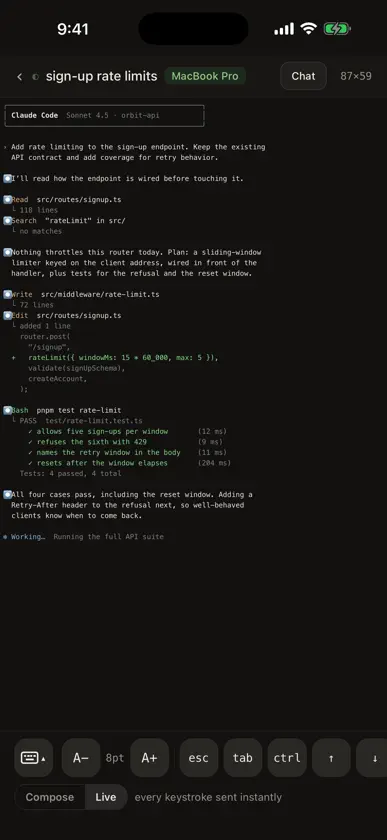
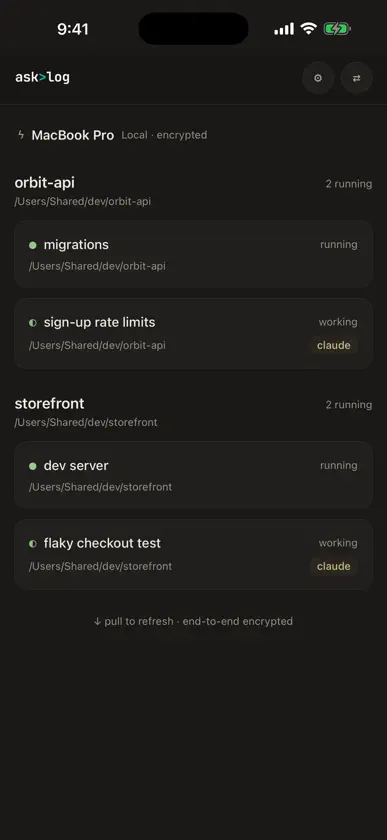
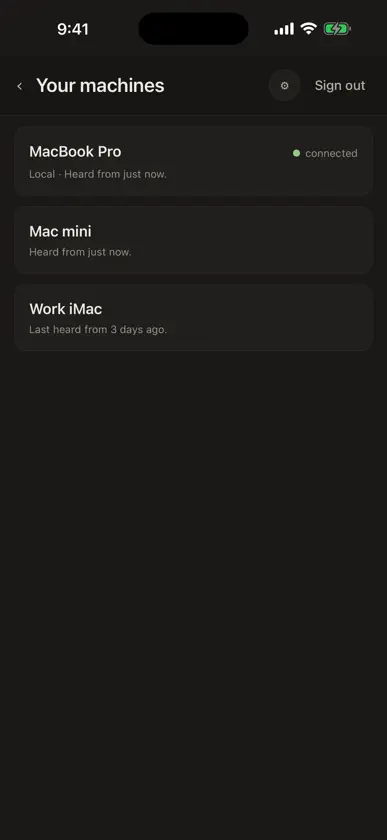
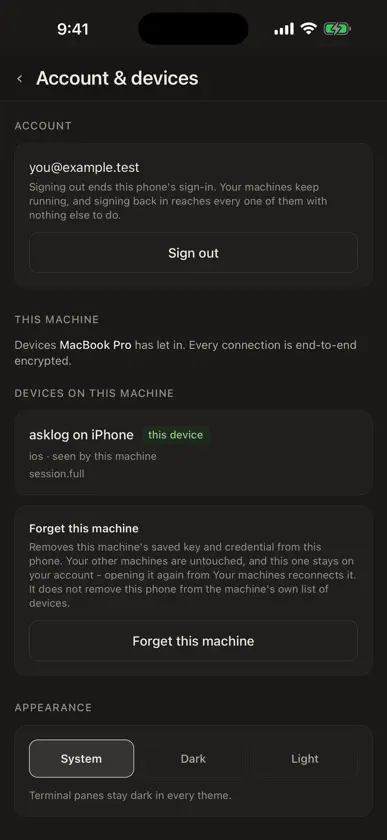
Your AI coding agents don't stop working when you stand up. asklog keeps you attached to the terminal sessions running on your own computer, so you can check on a long-running agent, answer its question, and keep the work moving. THE REAL TERMINAL, LIVE Attach to any session on your computer and see what a terminal sees: full scrollback, colors, cursor, TUIs. Type from your phone with a terminal-first keyboard row - esc, tab, ctrl, arrows, paste - or compose a whole prompt and send it once. Tap, scroll and long-press map to real terminal input, so mouse-aware programs behave the way they do on your computer. Pinch to resize the type, or let the pane fit a full 80 columns. BUILT FOR AI CODING AGENTS Made for sessions running agent CLIs such as Claude Code and Codex: watch the agent work, interrupt it, answer when it needs you. Switch between the raw terminal and a chat view of the agent's conversation, and reply from either. Sessions live on your computer and keep running when your phone disconnects - come back later and pick up where the agent is now. Sessions are grouped by project workspace, with live state at a glance. YOUR MACHINE STAYS YOURS The machine is your own. asklog does not run your code in a data center, and your source never has to leave your machine. Terminal content is end-to-end encrypted between your phone and your machine's own key; asklog's servers handle account and connection metadata, never your session content. Your phone pins your machine's key on first connect and refuses a machine whose identity changed. Devices can be revoked from the machine at any time. HOW IT WORKS 1. Install asklog on your computer - macOS, Windows or Linux - from asklog.ai/install and sign in. 2. Create your free account in the app, or sign in with the one you already have, on your phone. 3. Your machines appear - tap one, pick a session, and you're attached. asklog requires an asklog account and a computer running the asklog app. It is a client for your own machine: nothing runs on the phone itself, and the phone cannot reach any machine your account does not own.
What's new
Version 0.13.0 · Oct 28, 2026
What's new in 0.13.0: - Three tabs: Chief, Work and Machines. Chief opens on your conversation with Chief, Work shows what your agents are doing on every computer, and Machines lists each computer and its workspaces. - Review finished work from your phone: Chief's review card shows the change and its checks, and you can merge it from there. - Session tabs: keep several sessions open and switch between them from the strip at the top. - A computer's tabs, grouped the way the desktop app shows them: rename or close a tab, bring one to the front, or group agents into one tab. - Chief's brain: browse and search what Chief remembers about you and your projects. - Faster terminal streaming, and many smaller fixes.
More from Hira Mani

You might also like
 MuxySaeed Vaziry
 SSHHIP - Modern SSH ClientKun Chen
 ChellCerulin, Inc.
 LunelSoham Bharambe
 Macky: Remote Mac & TerminalVelosify Private Limited
 Mobile SSH TerminalBinaryscript Private Limited
 Happy: Codex & Claude Code AppBulka, LLC
 Network SnifferCHENGDU MIAOZHI TECHNOLOGY CO., LTD.
 Orca IDELovecast LLC
 Vicoa: Claude Code & Codex IDEBetterBit