
Screenshots




About this app
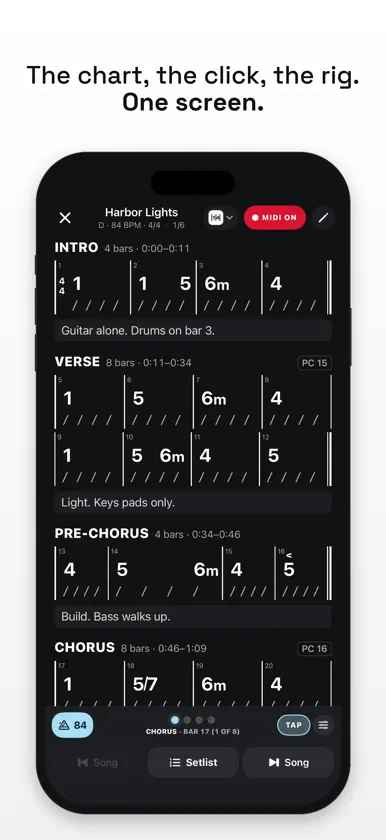
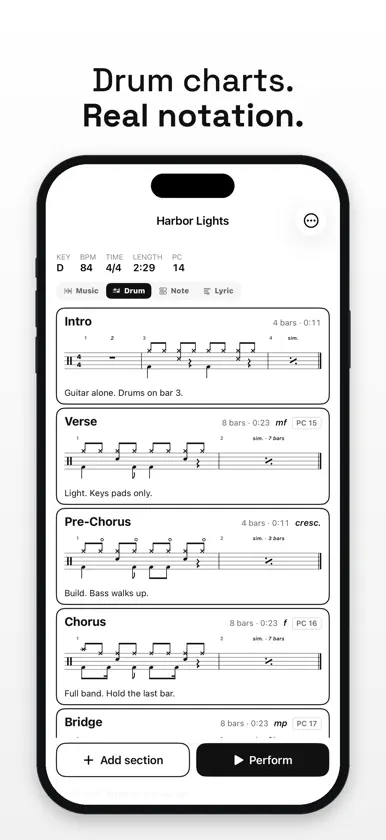
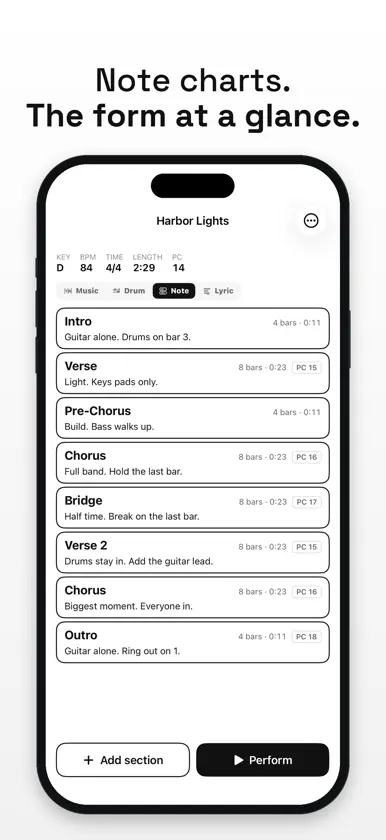
ChartCodex is a chart, a setlist, a metronome and a MIDI controller in one app. Write the song, build the set, and on stage one tap puts the chart on the screen, starts the click and sends the patch and tempo to your gear. TRY ALL OF IT, THEN PAY ONCE Free download with a 30-day trial of everything. Then one one-time unlock. No subscription. When the trial ends your charts stay: you can still open them, read them on stage, import and export them. FOUR KINDS OF CHART FOR THE SAME SONG • Music: the chords, bar by bar. • Drum: grooves, fills and hits in real drum notation. • Note: each section with a note, the song's form at a glance. • Lyric: the words and cue lines for the singer. Same sections, same timing. The music director reads one, the drummer another, the singer a third. THREE WAYS TO READ THE MUSIC CHART • Numbers with bar lines and beat slashes: one chart for every key. • Chord names, spelled correctly for the key. 1 2 6 3 in C reads C Dm Am Em. • A Nashville chart: boxed sections, numbers in a row, and beat marks over split bars. A SETLIST THAT RUNS THE SHOW • Every gig in date order, the next one up top. • Open a set and the page goes dark for the stage. The current song is the one white card and played songs fade. • Tap a song: its patch and tempo go out and the receipt says what was sent. • Next, previous and play straight through, from the screen or your foot controller. A METRONOME THAT KNOWS THE SONG • One switch for the whole set. Each song counts itself in at its own tempo. • Follows every tempo and time change in the chart, sample accurate. • Bars count through the whole song, so the chorus at bar 20 says bar 20. • Tap a section and it is cued to the next downbeat. • Follow arrangement moves the click, the chart and your rig through the song together. MIDI TO YOUR EXTERNAL DEVICES • A Program Change, Bank Select and CCs per song and per section, for any device that follows them. • MIDI Clock at the song's tempo, or tap-tempo CC pulses. Change the BPM from the set and the clock is sent again. • Send to: tick the devices that get the changes. USB units appear when plugged in; Bluetooth MIDI pairs inside the app; Wi-Fi MIDI too. • MIDI Map: tap Set, press a switch. Next song, previous song, chart and metronome, from your feet. SAFE ON STAGE • MIDI ON / MIDI OFF is always on screen. Off means nothing leaves the device. • Reading, scrolling and editing never send MIDI. Only deliberate actions do. • Panic: stop the clock, all notes off on every channel. CHART IT FAST • A keypad that speaks Nashville: 1 to 7, flats and sharps, m, 7, maj7, sus, slash bass, split bars, push, hold, stop, rest, repeat bar. • Or type it: 1 5 6m 4 (5 6m) 1! 5^ • Repeats, 1st and 2nd endings, Segno, Coda, D.S., D.C., Fine. Timing counts the repeats. • Key, time and tempo changes from any section. • Notes under every section, right where your eyes are on stage. SHARE A SONG, A SETLIST OR A PDF • Send a song or a whole set to another ChartCodex user by AirDrop, Messages or Mail. Share it again after a change and their copy updates. • Export any chart as a PDF to print. • Everything is saved on the device and works offline. No account. IPHONE AND IPAD iPhone for the pocket, iPad for the music stand, with the list beside the chart. Made for worship teams, music directors, touring, wedding and cover bands: players who want the chart, the click and the rig to change on the same tap.
