
Screenshots


About this app
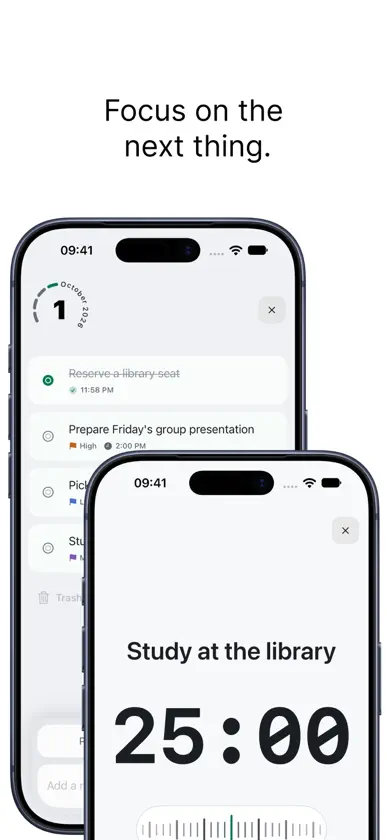
Weeeeek turns task planning into a calm weekly rhythm. Your week is the home screen. Scan all seven days, open any day, and capture what matters without digging through lists or projects. When it is time to work, start a focus timer directly from the task and keep the timer visible with Live Activities. Features: • A week-first view that keeps every day in context • Fast task capture, editing, priorities, start times, and notes • Swipe to complete, delete, or start a focus timer • Focus sessions with progress history and Live Activities • Monthly overview and completion statistics • Optional iCloud sync across your Apple devices • Local start-time notifications • Light, dark, and customizable color themes • Dynamic Type and VoiceOver support No account is required. Your tasks stay on your device, or in your private iCloud container when you enable sync. Plan the week. Focus on the next thing. Make progress one day at a time.
What's new
Version 1.2.1 · Oct 28, 2026
• Improved iPhone Duo layouts, with side-by-side week and day views and system sidebar controls. • Refined focus timer alignment and layouts when folding or unfolding. • Fixed task swipe content extending beyond the detail view and clipped dates when restoring tasks. • Improved widget updates across day and week changes.
In-app purchases
The most popular purchases on the App Store.
- Support the developerConsumable2,99 €


