
Screenshots




About this app
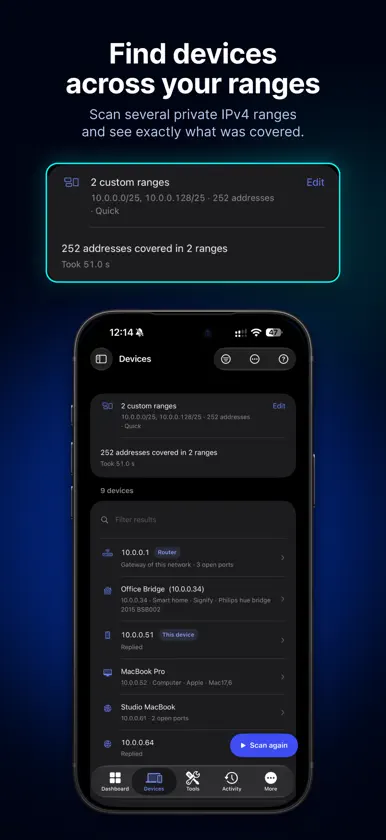
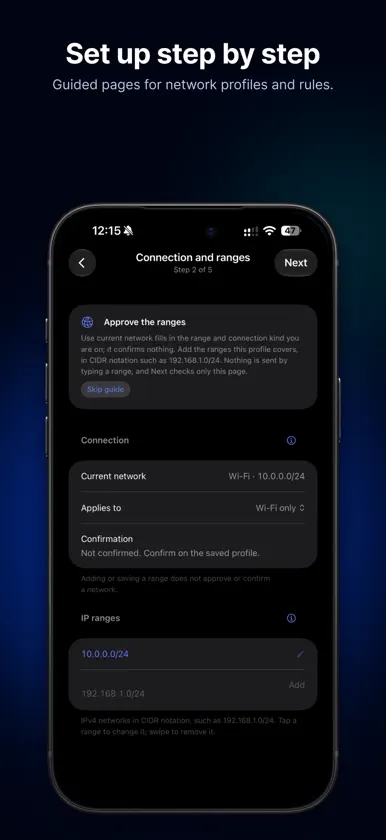
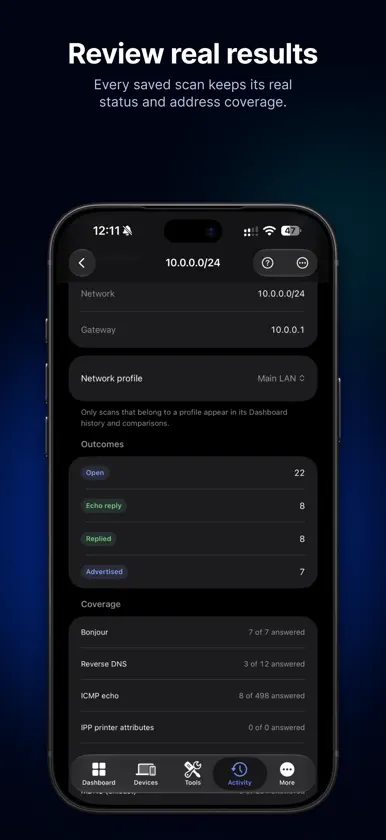
Understand your network, one measurement at a time. ACNet is a network discovery and diagnostics app for iPhone and iPad. Find the devices that respond on your local network, investigate connection problems and keep every result on your device. DISCOVER DEVICES - Scan one or more IPv4 ranges of the network you are connected to. - See each device's address, reported name, advertised services and open ports, together with the evidence ACNet found: ICMP echo, Bonjour (mDNS), SSDP/UPnP, TCP connections and reverse DNS. - Add your own labels to devices you know. DIAGNOSE CONNECTIONS - Ping (IPv4 and IPv6), Diagnose Host, DNS Lookup, Port Scan, TLS & HTTP Check, RDAP / WHOIS and Wake on LAN. - Optional read-only SNMP (v2c or v3) for equipment you manage. Credentials you enter are stored in the iOS Keychain. ORGANIZE YOUR NETWORKS - Network profiles for home, office or other networks, with the address ranges you approve for scanning and labels for your devices. - Rules with reminders: ACNet reminds you with a notification or a Live Activity, and a check runs only when you tap Start check. Opening the app or receiving a reminder never starts a check. REVIEW RESULTS - Every scan, lookup and check is saved in Activity with its real status and address coverage. - Compare two sessions, view charts of saved measurements, and export results as PDF, CSV or JSON. PRIVACY - No account, no advertising and no analytics. Scans, profiles and history are stored on your device. - Network tools contact only the devices, DNS resolvers, registries or endpoints needed for the check you start. - An optional public-address rule sends a request only to an HTTPS endpoint you enter and approve. GOOD TO KNOW - Results depend on iOS permissions, your network configuration and whether devices respond. A device that does not reply may not appear. - Device scans cover IPv4 ranges. Some information, such as hardware addresses, is shown only when the available evidence supports it. - A check you started can continue briefly after you leave the app, as far as iOS allows. ACNet does not provide continuous background monitoring. Available in English, German, French and Italian. Use ACNet only on networks and devices you own or have permission to test.
What's new
Version 1.1 · Oct 26, 2026
Scan through your VPN The Dashboard now shows your real connection while a VPN is active, including the VPN tunnel, its address, DNS servers and the underlying Wi-Fi, Ethernet or cellular link. Devices, the Dashboard and profile set-up offer a "Network to scan" choice: your current network, the VPN tunnel network, or a saved profile that you reach through a VPN (for example your office). Network profiles can record that they are reached through a VPN, with a name you choose. Over a VPN, ranges are checked with Ping, TCP ports, DNS and SNMP; Bonjour and the neighbour table need the local network. Network details update within seconds when a VPN connects or disconnects. German wording refined (formal Sie). Checks still start only when you tap Start check or Scan. Nothing runs on its own.
More from atefi milad

You might also like
 CubRemoteCLYB
 TIANYI GATEWAY四川天邑康和通信股份有限公司
 Throughput: iPerf3 Speed TestYet to be Named Enterprise
 Photo Trim – Library OrganizerTechnabit e.U.
 Analizador WiFi: Escáner RedEMRE KOTUN
 ZapPDF: Unir, Dividir, EditarYasar Berker Gungor
 RansomfeedDario Fadda
 Precio Justo: Peso y VolumenIrina Begezhanova
 Slope Hi-FiLUIGI DI MAURO
 Nuclias UnityD-Link Corporation