
amscan
Dariush Majidi
No ratings yetUtilitiesAges 4+
Screenshots


About this app
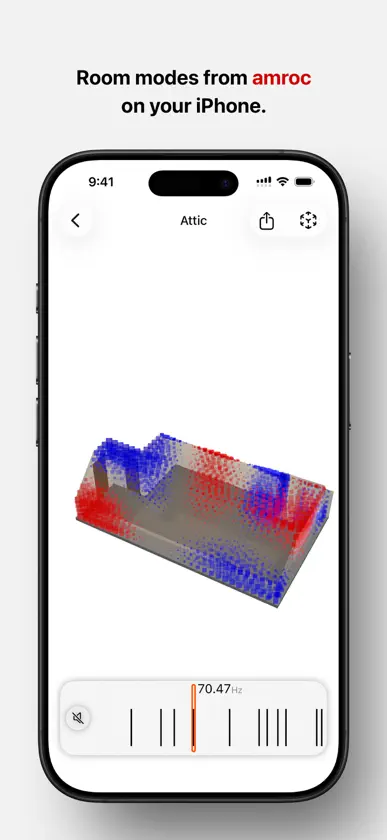
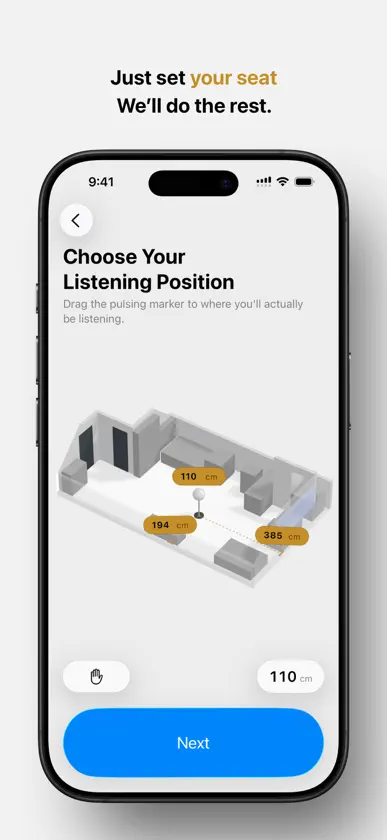
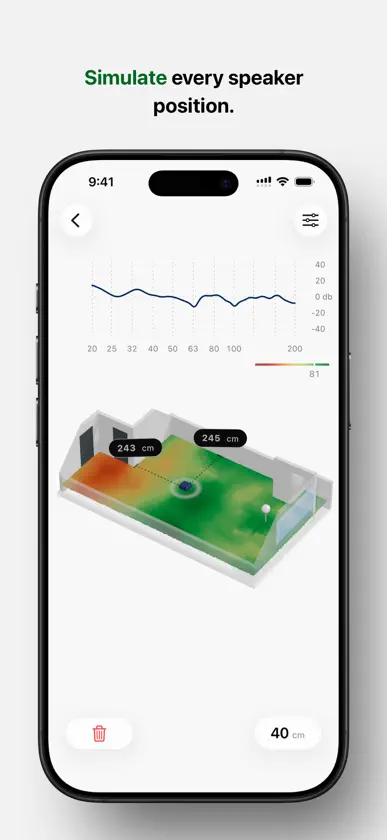
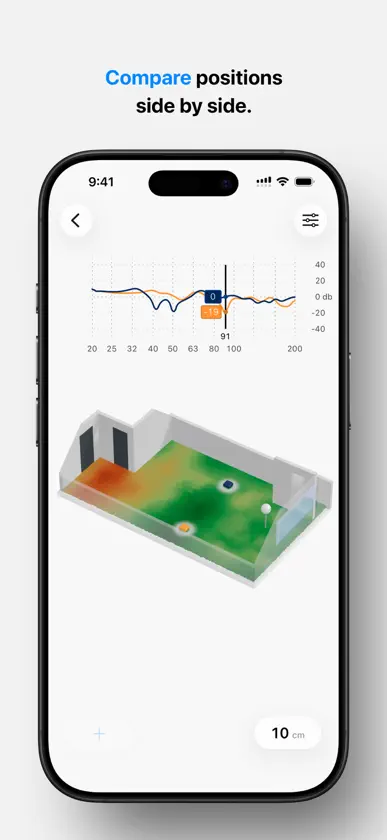
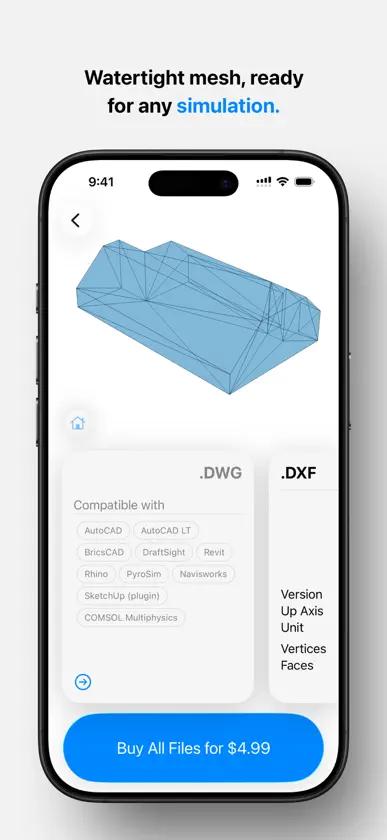
Acoustics just got easier. Scan your room with LiDAR, then see its room modes, simulate where a speaker could go, and export the geometry for your own simulation work. Part of the growing amcoustics-tools family, built on amroc THE room mode calculator. Capture your room's geometry once, and work from that one scan. It's a game-changer for anyone who has ever used the popular amroc and amroc pro calculators. For whom this app is for: audiophiles, home theater enthusiasts, home studio owners, and professional acousticians who want to see the acoustic behavior of a room in 3D without the hassle. Discuss listening positions, speaker placement, and absorber strategies while seeing the modal behavior of your room. A LiDAR-enabled iPhone or iPad is required to use scanning feature! How it works: 1. Open the app and scan your room with your device's Lidar sensor. 2. The app automatically creates a 3D model. 3. You can calculate the first 5 room modes for free. 4. From there, choose what you want to do with the room: see all relevant modes, run a speaker placement simulation, or export the geometry. 5. Each of those is an in-app purchase, calculated once for that room. What's included: - Free to Download: The app is completely free to install. No upfront charges, no login. Just install and use. - Unlimited Scanning: Scan as many rooms as you like. - 5 Free Room Modes: Instantly calculate and visualize your first five modes for every room you scan. - Basic Acoustic Data: Reverberation time estimate, Schroeder frequency, and room volume. - All Room Modes: Use the in-app purchase to get all relevant modes, up to roughly the Schroeder frequency. Sweep through the frequency range and play the selected mode through your speakers, so you can hear the resonance while you see it. - AR Preview: Place the scanned room and its modal pattern in front of you through the camera, and walk around the model. - Speaker Placement: Set your listening position, and the room is simulated from there. You get a map of how even the response would be at every point in the room, and you can place up to two speaker positions and compare their frequency response curves side by side. - Export Simulation Geometry: Download a low-polygon, closed, watertight and manifold mesh in OBJ, STL, DXF, STEP or DWG. This allows you to perform any type of simulation you desire later, in the software you already use. About the speaker placement: This is a simulation, not a measurement. It is calculated from the geometry we scanned, so it will not match a microphone in your room exactly. Use it to understand how your room behaves at low frequencies. Decide where to start from, then trust your ears. amscan transforms complex acoustic calculations into a simple, visual, and intuitive process. Stop guessing and start designing your sound. Privacy Policy: https://amcoustics.com/privacy Terms and Conditions: https://amcoustics.com/terms
What's new
Version 2.0.1 · Sep 22, 2026
- Fix a bug in checkout step for Speaker Placement.
In-app purchases
The most popular purchases on the App Store.
- Additional Room ModesConsumable$149.00
- Speaker PlacementConsumable$149.00
- Simulation GeometryConsumable$89.00
More from Dariush Majidi

You might also like
 soniflex RaumakustikmessungCellofoam GmbH & Co. KG
 Building Acoustics PartnerHottinger Bruel & Kjaer A/S
 Room Tuner: Room AcousticsAndrew Thompson
 White Mark Acoustic ToolboxWhite Mark Management Ltd
 SpectralScan Audio Analyzer dBOtsukare AB
 CarSweep: Ecualizador de AutoJannes Oppermann
 HouseCurveGreg Wilding
 Touchscreen Pro: Test móvilSeiya.k
 Sonómetro (SPL meter)庆鸿 林
 Room Scanner: medición de áreaMeasure Square Corp.