
Autenticador: Códigos 2FA
Radhika Pillai
No ratings yetProductivityAges 4+
Screenshots




About this app
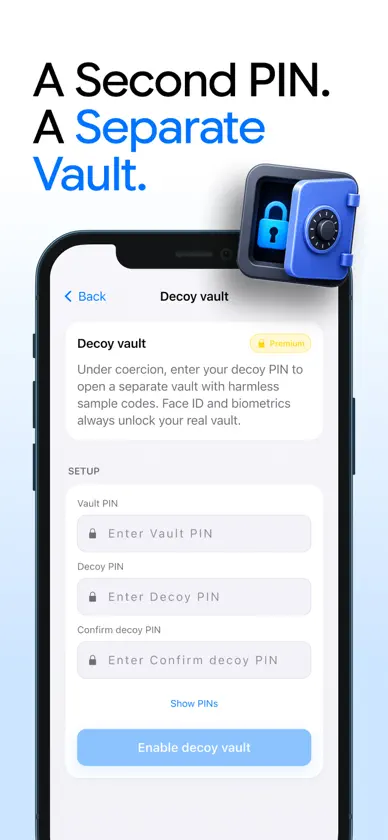
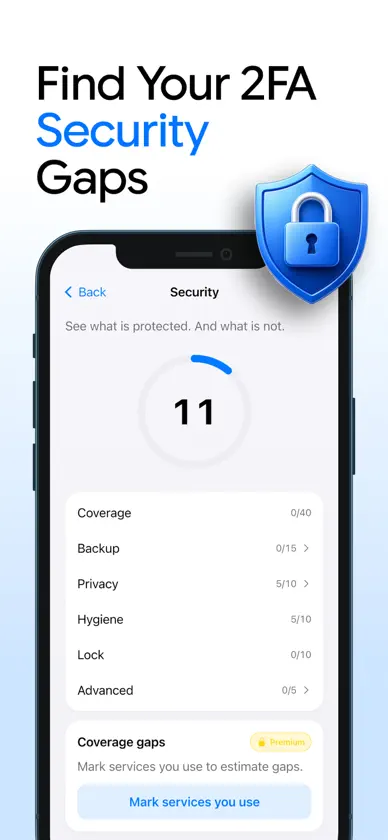
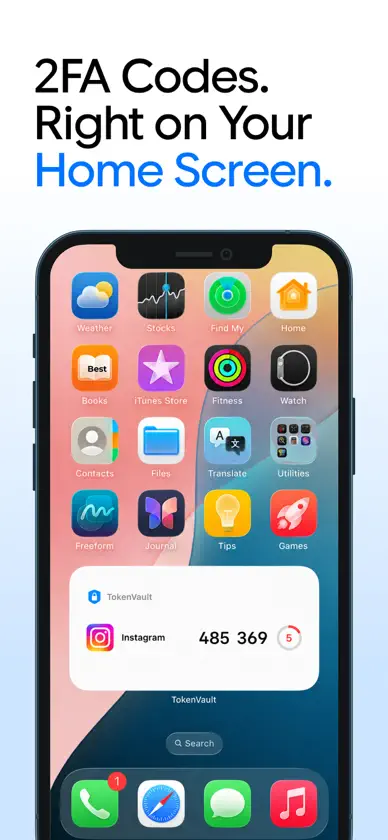
Most authenticator apps show you codes. TokenVault shows you your whole security picture — what is protected, what is not, and exactly what to fix next. A private, offline-first security companion for iPhone. No account. No tracking. Your codes never leave your device unless you choose to back them up — encrypted, with a passphrase only you hold. WHAT MAKES IT DIFFERENT • Security Score — a live 0–100 score for your account security, with a clear breakdown and one-tap fixes. Watch it climb as your protection improves. • 2FA Coverage Gaps — see popular services you use that support authenticator codes but are not protected yet, with step-by-step guides to enable them. • Decoy Vault — a separate duress PIN opens a believable second vault, keeping your real one out of sight if you are ever forced to unlock. Face ID always opens your real vault. • AutoFill with Verified Domains — on iOS 18, your codes appear right above the keyboard in Safari and in apps. If the site does not match the account a code belongs to, you see a clear warning before it fills. A calm, practical layer against phishing. • Offline Device-to-Device Transfer — moving to a new iPhone? Hand off your entire vault with an animated QR transfer. No account, no cloud, no network — nothing is transmitted. • Privacy Shield — codes stay hidden until you tap, the app blurs itself in the app switcher, and if a screenshot or screen recording is detected, codes are masked instantly. • Smart Organization — automatic icon matching, duplicate detection with safe merge, and a cleanup assistant for stale or broken entries. A vault with a hundred codes stays effortless. EVERYTHING YOU EXPECT, DONE PROPERLY • Standard TOTP codes (SHA-1, SHA-256, SHA-512, 6 or 8 digits) compatible with thousands of services • Add accounts by QR scan or manual entry; import from Google Authenticator and other apps • Face ID and PIN lock, with per-account Face ID for your most sensitive codes • Encrypted iCloud backups protected by a passphrase only you know • Pinned favorites, folders, instant search, and one-tap copy with an auto-clearing clipboard • Smooth, quiet animations throughout — fast, fluid, and respectful of Reduce Motion PRIVATE BY DESIGN • Works fully offline — code generation never touches a network • No account, no email, no analytics profiles • Secrets live in an encrypted vault, with keys protected by the iOS Keychain • Backups and transfers are end-to-end encrypted with your passphrase Two-factor codes are among the strongest protections your accounts can have. this app makes them effortless — and shows you where you still need them. For an uninterrupted experience, consider subscribing to access all app features without ads through an auto-renewing subscription available on a weekly, monthly, or yearly basis. Manage your subscription settings and turn off auto-renewal within your iTunes Account Settings after purchase, ensuring flexibility and control over your subscription. Current subscription may not be canceled during the active subscription period; however, you can manage your subscription and/or turn off auto-renewal by visiting your iTunes Account Settings after purchase. Read our full Terms of Service and our Privacy Policy at: Link to Privacy Policy: https://radhikapillai.netlify.app/privacy-policy.html Link to Terms of use: https://radhikapillai.netlify.app/terms-conditions.html
What's new
Version 4.0 · Sep 4, 2026
bug fix.
In-app purchases
The most popular purchases on the App Store.
- Monthly PlanSubscription$129.00 / month
- Weekly PlanSubscription · 3 days free trial$69.00 / 7 days
- Lifetime PlanConsumable$299.00


