
Bloom: Focus & Study Timer
Mohammed Elzeki
No ratings yetProductivityAges 4+
Screenshots


About this app
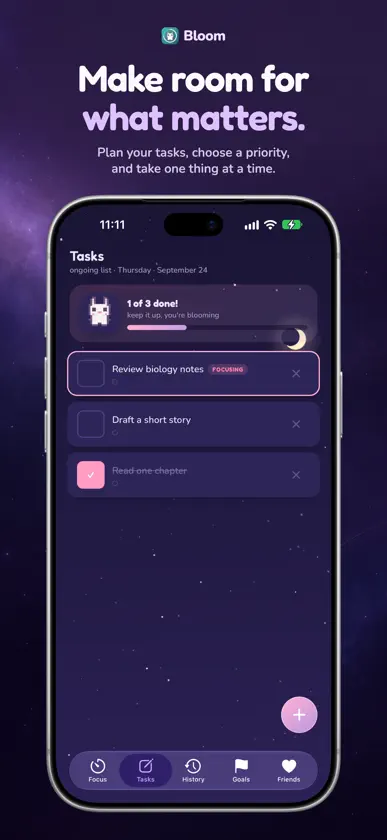
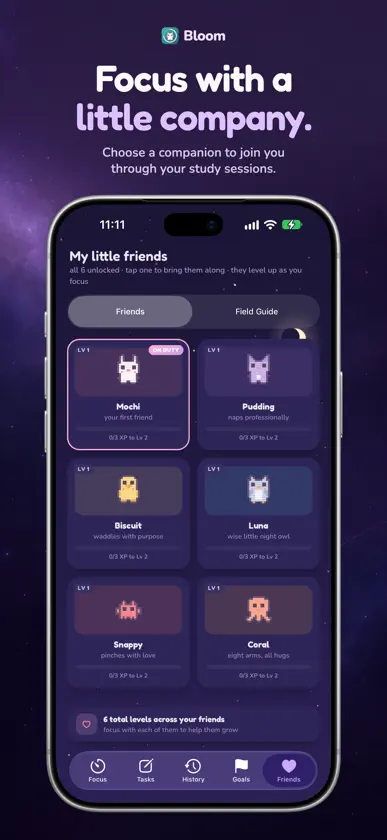
Make room for your next focused session. Bloom brings flexible timers, practical planning, and personal insights together in a calm space for studying and getting things done. FIND YOUR RHYTHM Choose adjustable Pomodoro focus sessions and short or long breaks, or use Flow mode to track an open-ended session. When starting feels difficult, try a 2- or 5-minute Tiny Start. Pause, resume, and set up the rhythm that suits your work. TURN PLANS INTO PROGRESS Organize tasks, set focus targets, and work toward goals with deadlines. Choose a daily target and give each session a clear intention. Keep your next step visible without turning your plan into a wall of numbers. UNDERSTAND YOUR FOCUS Review your session history, task completions, and weekly progress. Optional check-ins help you notice distraction patterns and explore what helps you start, stay with a task, and return after an interruption. Correct recorded work when your history needs an adjustment. MAKE DISTRACTIONS EASIER TO HANDLE Park a thought for later, prepare a small first action, and explore the offline Field Guide for practical focus exercises. Use optional rain, waves, or hush while the app is active. A CALMER PLACE TO STUDY Switch between day and night themes, choose a pixel companion, and see its progress grow alongside your completed sessions. On supported devices, Live Activities and completion alerts help you keep track of your timer. Alert availability depends on your device and system permissions. PRIVATE AND READY OFFLINE No account is required. Bloom saves your tasks, goals, settings, and history on your device and works offline. There are no ads or cross-device sync. Deleting the app removes its local data. Whether you are preparing for an exam, reading a chapter, or finishing a project, start with one manageable session.
More from Mohammed Elzeki

You might also like
 Habit Tracker 247Duy Son Phan
 Pomodoro Focus: TemporizadorMikail Yurt
 To Do List & Task ManagerIhor Rakhanskyi
 HabitvMentor: Path to SuccessSanatorija
 Kaizen: Temporizador EstudioMK Development
 Focus To-Do: Pomo Time TrackerHALOHUB., LTD
 Yot: Rastreador de HábitosMatthew Shulman
 Lista de tareas compartidaKOTONO Inc.
 HabitTracker Pro+Polymath Company Limited
 Todogether - Hábitos DiariosMohamed Chamekh