
boardAR
Neeraj Shetkar
No ratings yetEducationAges 4+
Screenshots


About this app
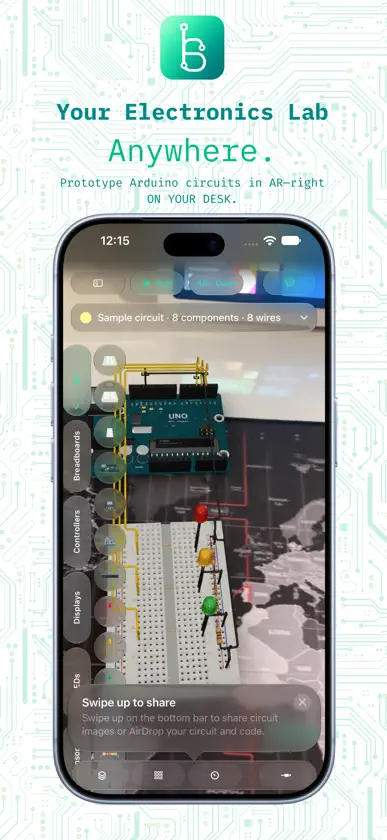
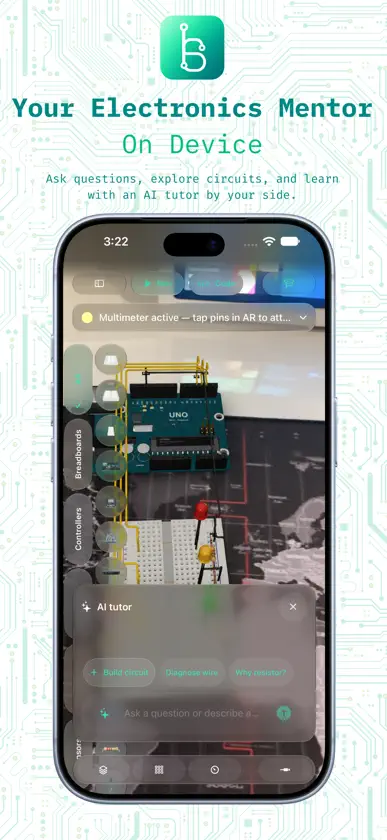
Turn the table in front of you into an electronics workbench. boardAR lets you explore components, build circuits in augmented reality, and see how wiring and code work together. BUILD IN YOUR SPACE Place 3D electronic parts on a tracked surface, mount components on breadboards, and connect individual pins. Move and resize assemblies, inspect component guides, and check connections in a 2D wiring view. CODE AND EXPERIMENT Write, verify, and run supported Arduino sketches for Uno and Pro Mini inside the app. Watch connected LEDs blink, explore PWM brightness, and try DC motor projects. Use the serial console and virtual multimeter to investigate supported circuit behaviour. LEARN AS YOU GO Start with 11 built-in projects and explore a catalogue of 32 component assets. Learning Mode follows your circuit and code, while AI Tutor can explain connections and help generate supported LED and motor circuits on compatible devices. Review generated designs before placing them in AR, then save them locally to revisit later. MADE FOR IPHONE AND IPAD AR requires a supported device running iOS or iPadOS 18 or later and camera access. On-device AI features require iOS or iPadOS 26 or later, a compatible Apple Intelligence device, and Apple Intelligence enabled and ready. Built-in guidance and projects remain available when AI is unavailable. Optional external research requires a network connection and separately configured provider credentials. boardAR is an educational simulator. The component catalogue includes parts whose behaviour is not simulated. Arduino execution supports a subset of the language and selected digital, PWM, pushbutton, and motor behaviours; it does not upload firmware to physical boards or simulate arbitrary analog circuits and sensor protocols.

