
BrideToDo
Mayar Sherif Ibrahim Hassan
No ratings yetLifestyleAges 4+
Screenshots




About this app
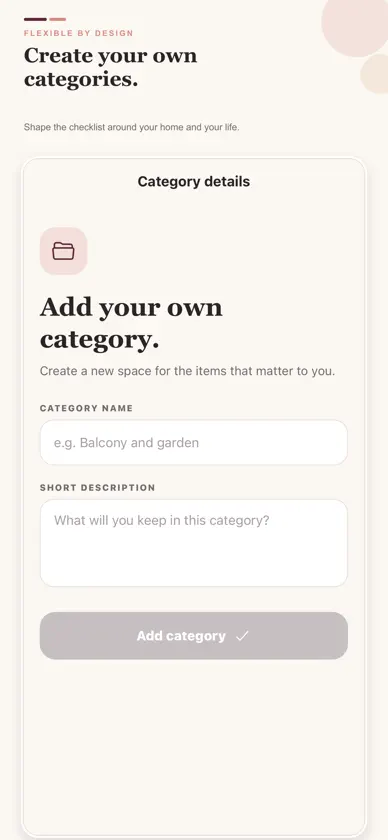
Prepare your new home one thoughtful step at a time. BrideToDo gives you a practical starter checklist across 14 categories, from kitchenware and bedding to personal care and wedding-week essentials. Compare product options while preparing your home. Select photos for a checklist item, keep up to six options together, and add a note to each one for details such as size, colour, price, model or shop. BrideToDo copies only the photos you select into private app storage on your device. Comparison photos and notes are not automatically uploaded to your BrideToDo account. Use BrideToDo in English or Arabic. Search and filter your checklist, mark what is ready, and add, edit or remove items and categories so the list suits your home. Continue as a guest, or create an optional private account using email or Sign in with Apple. Your private profile can include your name, wedding date and preferred language. You can edit your profile, recover your password, sign out or permanently delete your account. Your checklist progress, custom categories and items, bought amounts, product photos and comparison notes stay on your device. This planning data is not automatically uploaded or synced to your account and can be used without an internet connection. When you shop gradually, save one running amount already bought for each item. BrideToDo reminds you when an amount is already saved, helping you avoid accidental duplicate purchases while always letting you continue. BrideToDo is free and contains no advertising, subscriptions or in-app purchases. Starter suggestions are flexible—not requirements. Keep what fits, remove what does not and make the checklist yours.
What's new
Version 1.3.0 · Nov 5, 2026
Save product photos beside a checklist item and compare up to six options. Open Compare photos directly from the checklist row or the item menu, and see a thumbnail and option count once photos are saved. Add notes for details such as size, colour and price to help you choose. Your selected photos and comparison notes stay on your device, and the checklist works offline.
You might also like
 دفتر العروس: تنظيم حفل الزفافELHANAN FOR PODACSTS
 Çeyiz Evim: Çeyiz Listesillkcan YILMAZ
 Wifey For LifeyNariman Bakr
 DazzifyNada Osma
 Worth It-01Niloufar Shahsavar
 Mood Check-In: Tracker JournalIaroslav Morgunov
 Wedbloom: Wedding PlannerBOGDAN SZARKA
 أركان: مواقيت الصلاة والأذانMohamed ElZoghbi
 Kleano ServicesKleano Provider
 ADViSiON ProKhaled Aladawy