
Screenshots

About this app
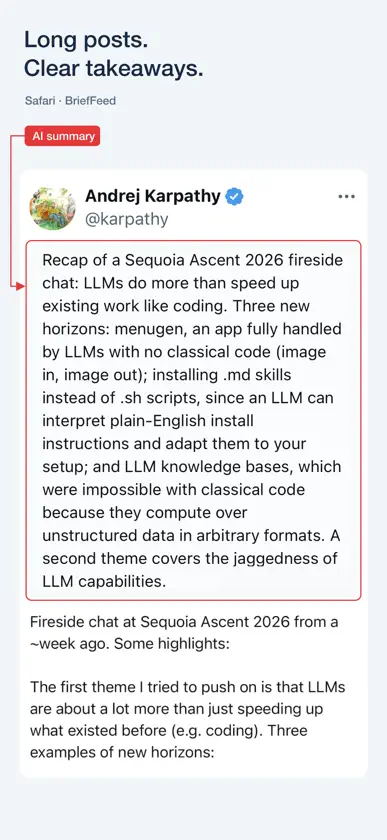
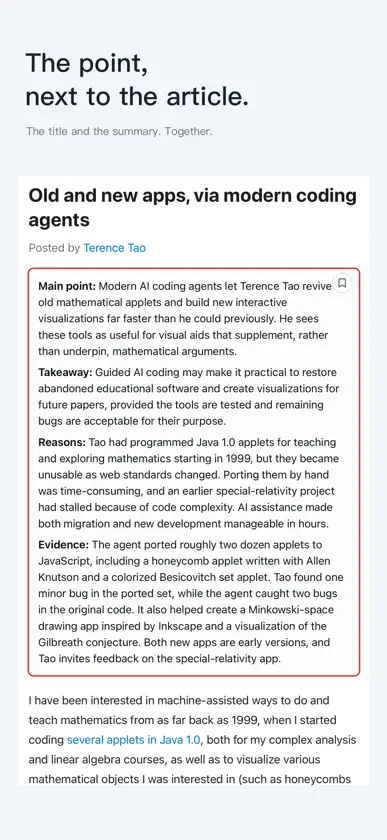
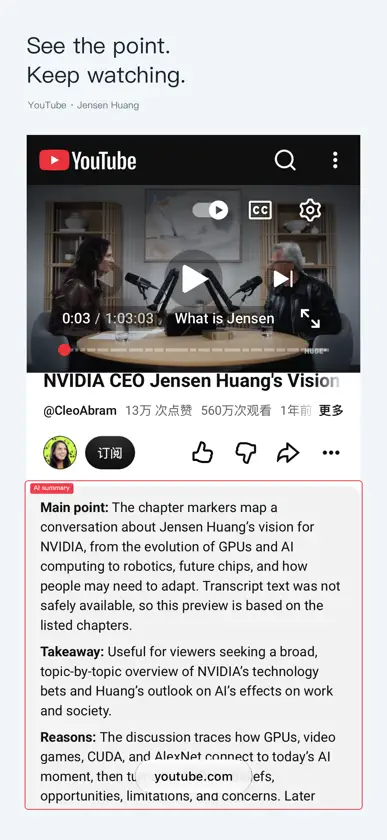
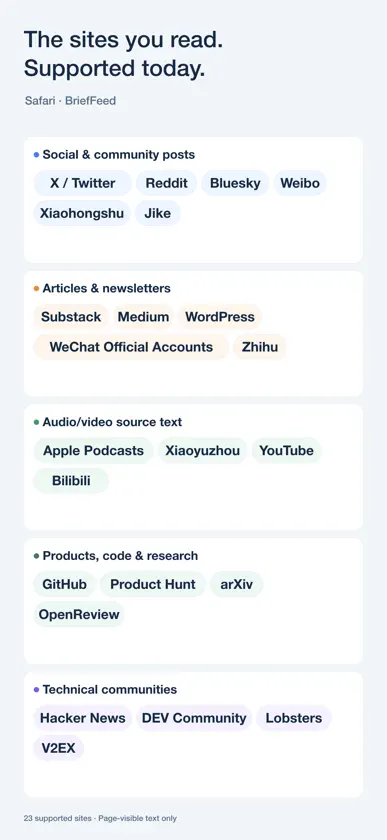
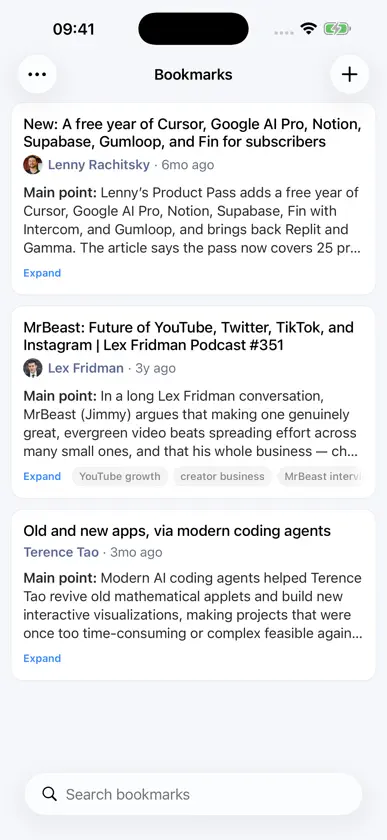
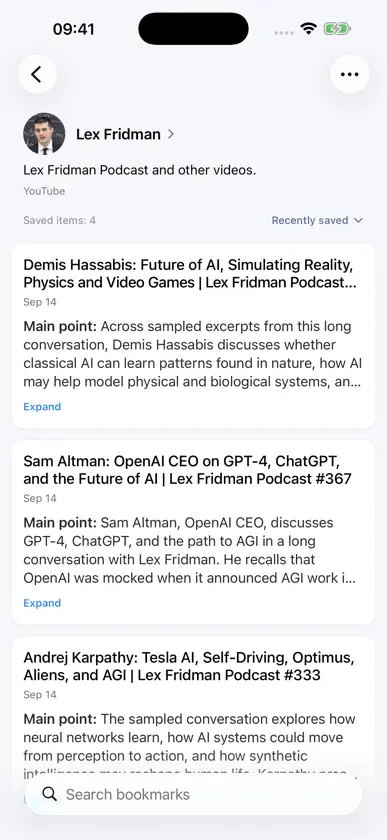
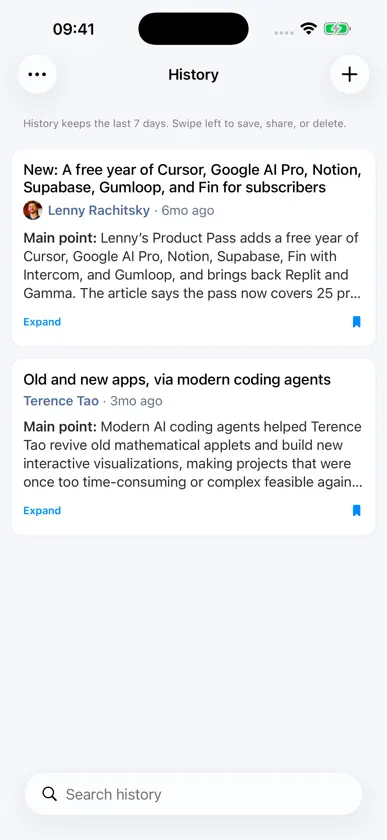
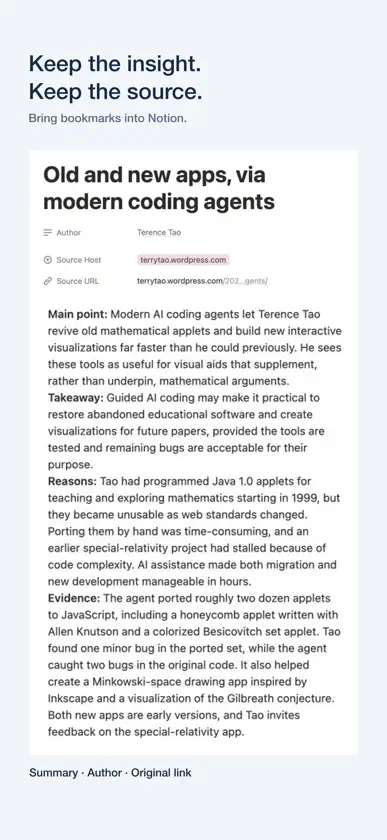
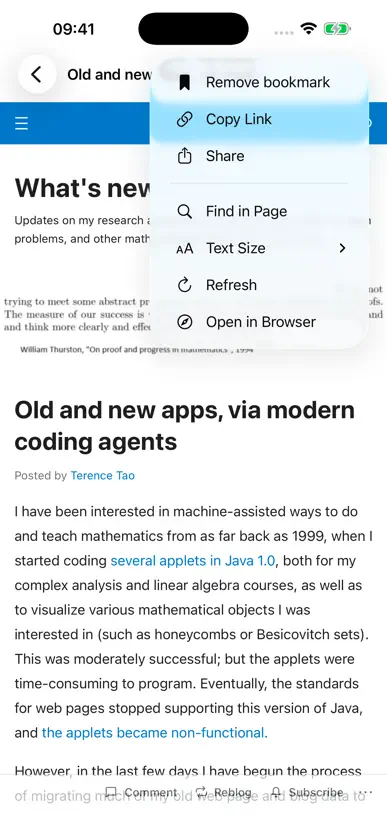
See the key points, then decide what to read in depth. BriefFeed uses AI to summarize supported articles, posts, and web content, keeping source links close so you can return to the original. Explore all features, real examples, and the demo video: https://brieffeed.app Share a link to see an AI summary Share a link from another app or paste a URL into BriefFeed. For supported content, BriefFeed generates a summary after fetching or opening the page. Some pages need to load and have their text expanded in the reader first. See key points while browsing Safari Enable the included Safari extension on iPhone and iPad to see AI summaries beside supported posts, discussions, and pages. The extension summarizes supported content already loaded on the page, helping you choose what to read in depth. Keep what is worth returning to Save summaries with their source links and browse your saved items by author. Sync your library across iPhone, iPad, and Mac through your Apple iCloud account, without creating a separate BriefFeed account. Find what you read Search recent reading by words you remember, open the original source, or save a useful item from history. Revisit retained content by author, with portraits and biographies when available. History contains only supported content encountered by BriefFeed within the selected retention period. Continue from the browser extension Connect a compatible BriefFeed browser extension on your Mac to sync saved items and browsing history within your selected retention period while the Mac app is running. Synced items continue through your Apple iCloud account to iPhone, iPad, and Mac, so you can find a source from your computer when you need it on your phone. Supported content On selected websites, the Safari extension supports social posts, discussions, articles, repositories, paper pages, podcast show notes, and available video text. Support depends on the site, page type, and accessible content. Video summaries use only the current video's available transcript, subtitles, timeline text, or chapters. Podcast summaries use show notes. BriefFeed does not directly analyze audio or video frames. Links that cannot be summarized can still be saved for later. Optional Notion sync Connect your own Notion integration to sync items you explicitly save in the Safari extension. The Notion token stays in that extension's local storage. Synced content goes directly from Safari to Notion, without passing through BriefFeed servers. Stay connected to the source Summary requests use the source text and limited source information needed for the summary. The extension does not send cookies or account sessions to BriefFeed. Original links remain available so you can check details and read in context.
What's new
Version 1.0.44 · Nov 7, 2026
Simplified author pages to focus on your saved content.
You might also like
 1Lens均伟 朱
 Event Days Timer: CountdownWujie Yibang (fuzhou) Software Technology Co., Ltd
 ShiftFlow: Turnos y calendarioPengPeng Li
 EverPass: Expiry ReminderNUPHOTO, INC.
 Sticky Notea镓聪 杨
 OneDay: Focus on today’s todo悠然 廖
 OneVoice: Offline RecorderFreedom Dimension (shenzhen) Technology Co., Ltd
 WorkplaceLog慧慧 高
 返航Freedom Dimension (shenzhen) Technology Co., Ltd
 OneOpen: Visor de archivosFreedom Dimension (shenzhen) Technology Co., Ltd