
Central Staffing
Nursa Inc.
No ratings yetMedicalAges 4+
Screenshots



About this app
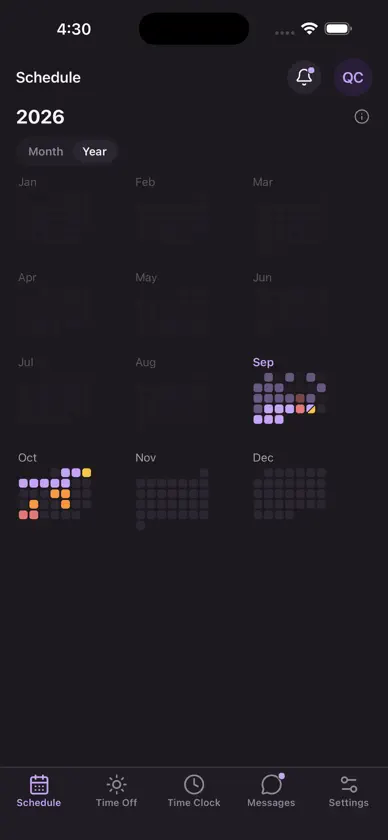
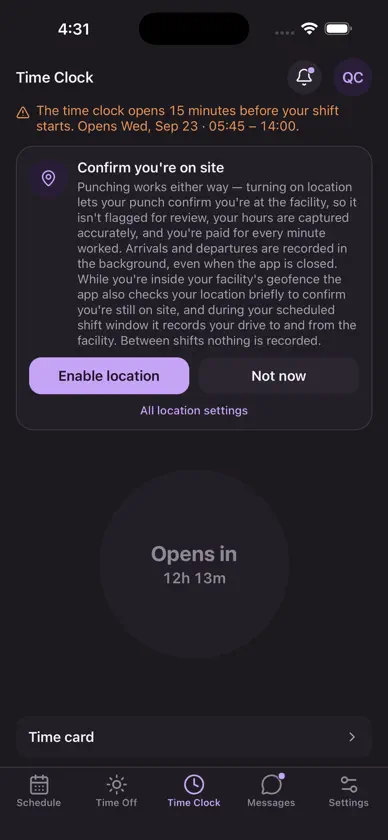
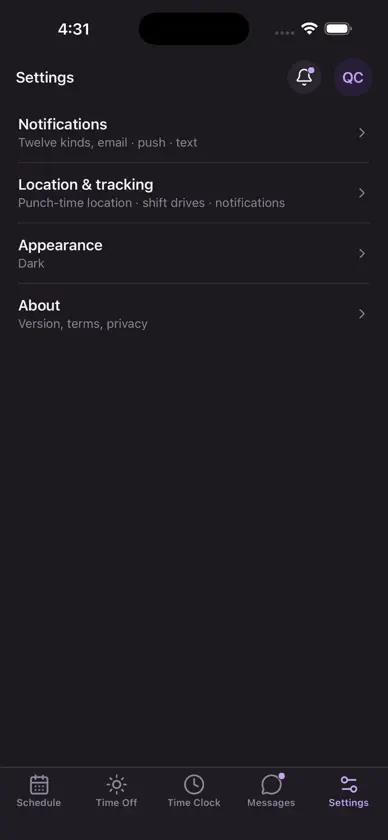
Central Staffing puts your work schedule in your pocket. Built for healthcare professionals, it's a fast, native way to see your upcoming shifts, pick up open shifts as they post, clock in and out, and stay in touch with your scheduler. • See your full upcoming schedule at a glance • Pick up open shifts the moment they're posted • Clock in and out, with on-site confirmation at your assigned facility • Message your scheduler and your team • Request time off and set your availability and shift preferences • View shift details — facility, role, date, and times • Secure sign-in Location: Central Staffing uses your location — including in the background — only to confirm arrival and record on-site time at facilities you are assigned to. Recording is confined to your assigned facility's geofence. Central Staffing requires an account provided by your employer or staffing agency.
What's new
Version 1.7.11 · Nov 3, 2026
• Identical open shifts with the same hours are one card with a “×2” badge (spoken “2 openings”). One ask covers them all; once you've asked, the card says how many more are still open. • Your own open-shift request reads “Requested” (it was “You asked for this”), and the shift page says “Your request”. Once you're on the shift it reads Approved. • If every shift with those hours fills while your request is pending, it reads “Standing by”: it stays with your manager in case one opens up, and you can withdraw it from My requests. • A request that closed on its own (you were scheduled for the same hours, your time off was approved, a teammate is no longer free, or you left the staff list) reads “Closed” with the reason — never “Declined”. • A shift that an LPN or a CNA may fill says so — “LPN or CNA” — wherever it's offered or asked for. When its CNA spot is taken, other CNAs no longer see it as open, and a request already on it reads “Standing by”. • Managers: Deny can carry an optional note; the person sees it on open-shift, split, time-off and trade requests. • Managers: asks for identical open shifts are one Inbox card (“2 open · 3 asks”). Each approval fills one shift; the other asks move to another open shift with the same hours or stand by. • Managers: on an overnight shift, Change times and Cut can set a start past midnight (“+1 Thu”). Type a time in any time stepper. Split tails can be re-timed and undone from the phone. • Managers: an approval that would go past an either-or shift's limit says so first (“This would be the 2nd CNA on a shift that takes 1”), and Assign asks before going past it. • Managers: Add a one-off shift on a live week lands on that seat's Cover step, so posting it is the next tap. • Fix: a removed room line in Messages no longer shows as “Room updated”. • Location on iPhone: only your arrival and departure at your facility are recorded. Drive time and on-site check-ins are no longer recorded on iPhone. Also new since 1.7.6: • Your rooms, duty and shift tasks sit in one card on your shift; while you're on shift, a “Your assignments” strip on the schedule opens it. • My schedule, rebuilt: set how you work one week at a time — mark days, choose “either” days, go flexible or set a rotation — and send it to your manager. • Your shift shows its unit and hall; float and on-call shifts are marked. Who's working is grouped by unit and hall. Days you're on leave read “On leave”. • At facilities with door tags, tap your phone on the tag by the time clock to clock in. A short chime confirms it. • Settings › Calendar: add your shifts to Apple, Google or Outlook. • A seat's break rule is the one in force when the seat ends (matches payroll). • Messages: only managers can send photos; you still see every photo in your conversations. • Managers: undo a call-out (whole, part, or clear it); set or cancel a last day, mark leave, deactivate a person; Record call-out takes the time called and marks Excused or Unexcused. • Managers: the Assign picker has search and says why someone can't take a seat, including an overlap or the 16 h on / 8 h rest rule. • Managers: “By hall” views on Today and the Schedule tab; the Role filter takes several roles at once; day buttons show the date with a dot on days that need you. • Managers: posted shifts — star favorites who may be booked automatically, decide each request in the Inbox, post the rest of a shift someone called out of, see the booked clinician's contact and timesheet on the seat, and link a shift booked directly on the marketplace to its seat. • Managers: add a one-off shift for any role; program your facility's door tags from Settings; an on-call shift is never posted or texted out as open. • Fixes: the Inbox applicants list loads again; the Open shifts and Trades week strip follows your scrolling.


