
ClockPlan: Schedule Widget
Ekaterina Tretiakova
No ratings yetUtilitiesAges 4+
Screenshots





About this app
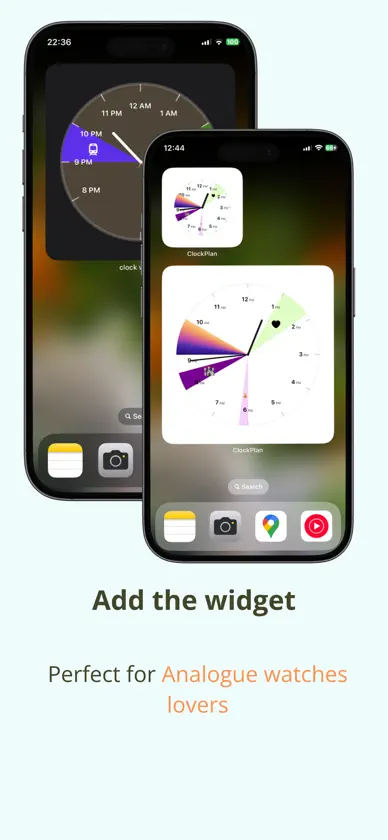
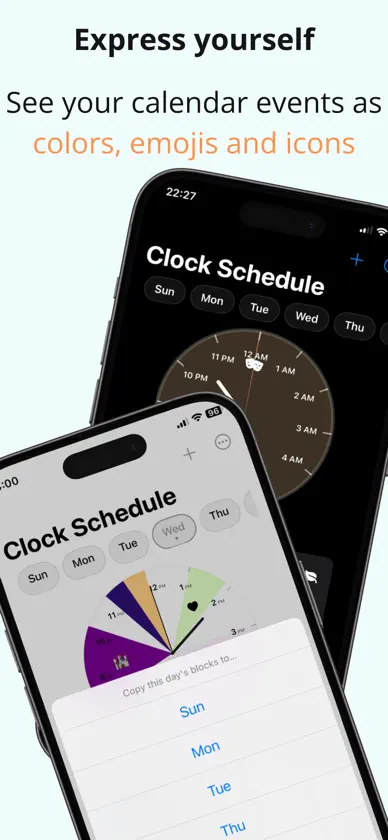
ClockPlan: Beautiful analog clock widgets that paint your daily schedule. Transform your day with ClockPlan – the elegant schedule app that turns your iPhone's clock into a beautiful visual timeline. VISUAL SCHEDULE PLANNING • Create colorful activity blocks on an analog clock face • See your entire day at a glance with intuitive time wedges • Customize activities with emojis, SF Symbols, and colors • Plan different schedules for each day of the week BEAUTIFUL HOME SCREEN WIDGETS • Add stunning analog clock widgets to your Home Screen • Choose from small and large widget sizes • Watch your schedule come alive with real-time updates • Gorgeous gradient backgrounds and smooth animations SMART & SIMPLE • Intuitive drag-and-drop schedule editing • Copy schedules between days for recurring routines • Clear visual feedback prevents scheduling conflicts • Instant preview of your changes Perfect for students, professionals, parents, and anyone who wants to visualize their time beautifully. Whether you're tracking work blocks, study sessions, fitness routines, or family time – ClockPlan makes scheduling visual, simple, and stunning. Turn time into art. Download ClockPlan today.
What's new
Version 1.2 · Oct 27, 2026
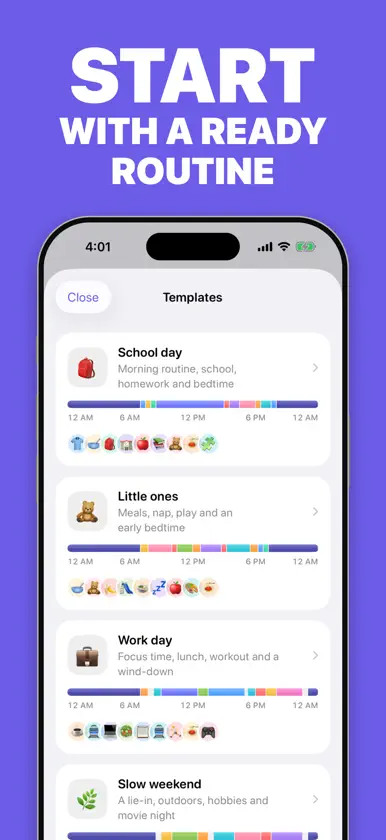
ClockPlan 1.2 is a complete redesign. • A new clock face: your day as colorful segments around the dial, with what's happening now, and until when, big in the middle • Home Screen widgets in three sizes, including a new medium widget that shows what's next • New Lock Screen widgets • Ready-made routines: School day, Little ones, Work day and Slow weekend fill one day, your weekdays, the weekend or the whole week in one tap • 8 color themes, plus a choice of an activity face or classic clock hands • A week strip that previews every day, and copying a day's plan to other days • Emoji or symbols for every activity, 12 colors or any custom color, quick durations and one-tap suggestions from activities you've used before • Clear warnings when activities overlap, even across midnight • Better support for large text and VoiceOver • A fresh app icon • Fixes for daylight-saving days and overnight activities
More from Ekaterina Tretiakova
 Declutter Quest: Casa LimpiaEkaterina Tretiakova
 Eating30: reto 30 plantasEkaterina Tretiakova
 Greek Alphabet For BeginnersEkaterina Tretiakova
 Color Code HackerEkaterina Tretiakova
 Learn Russian AlphabetEkaterina Tretiakova
 Изучаем Итальянский ЯзыкEkaterina Tretiakova
 LogicBox: Juegos mentalesEkaterina Tretiakova
 Sell Smart - Stock Exit CalcEkaterina Tretiakova


