
Control - Mac Remote Control
Ryan Whitney
No ratings yetUtilitiesAges 4+
Screenshots


About this app
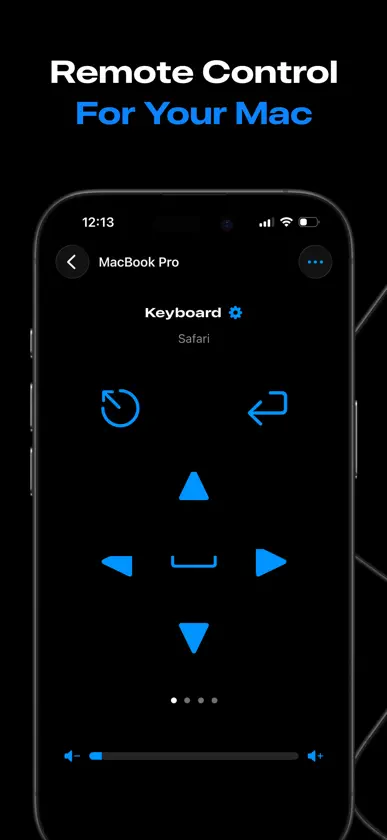
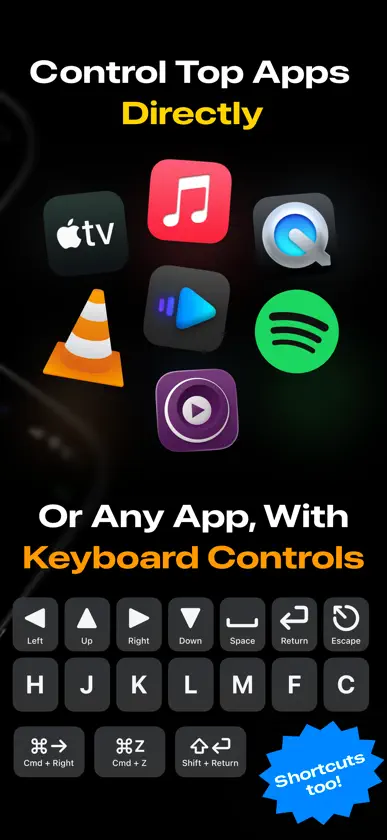
The simplest and fastest way to control media playback, volume, and more on your Mac. Control connects directly over your local network, so you never have to install or run a companion app. 【NEW】Control any app, video, or website with Keyboard controls. Re-arrange your keypad and add the commands (and shortcuts!) that are useful to you. Additionally, Control always supports system-level volume controls and *direct* playback controls for the following apps: • TV.app • Music.app • QuickTime Player • VLC • IINA • mpv • Spotify • Safari (experimental) No subscriptions, no payments, no ads, no tracking. Control is privacy-first and doesn't collect any data. It connects directly across your local network, so your information never even touches the internet. Need more Control? Send a request anytime. I'd love to make the app as useful as possible. Note: Control’s connection to your Mac is managed via built-in macOS permissions. Once accepted, Control will work forever with no additional setup. It requires being on the same network and enabling Remote Access. Some VPN clients may interfere, depending on settings. Powered by AppleScript.
What's new
Version 2.1.1 · Jul 30, 2026
Control any app or website on your Mac. (Finally.) • Adds a new keyboard control pane that lets you send key commands to any app. • Keyboard controls are customizable. Re-arrange the keypad and add the keys that you need. Shortcuts, too. • Improved guidance on macOS permissions issues. • Improved guidance on how to find your macOS username.
You might also like
 FullControl: Remote for MacFrancesco Burelli
 Scan to PDF & Text OCRVU LE THANH
 Rimote: Mac Remote ControlFarhaj Shahid
 NetWizard: Scan & AnalyzeESRA OZTURK ISICELIK
 Remote Buddy Mobile 2IOSPIRIT GmbH
 AI Translator : Text and VoiceDeep Ahirwar
 SubverterMarco Tini
 Convertidor de Archivos y PDFFurkan KAYA
 Bluetooth Microphone: EasyMicMustafa Baysal
 Dayz TillCory Sebastian