
Coperniq
Coperniq Inc.
No ratings yetBusinessAges 4+
Screenshots






About this app
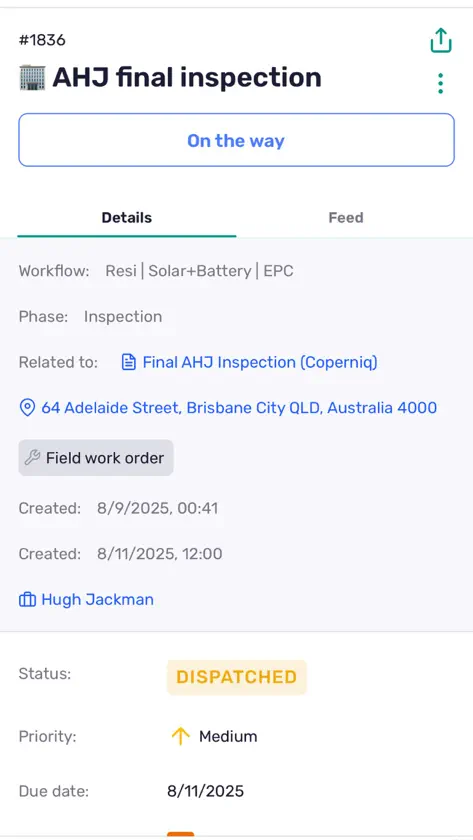
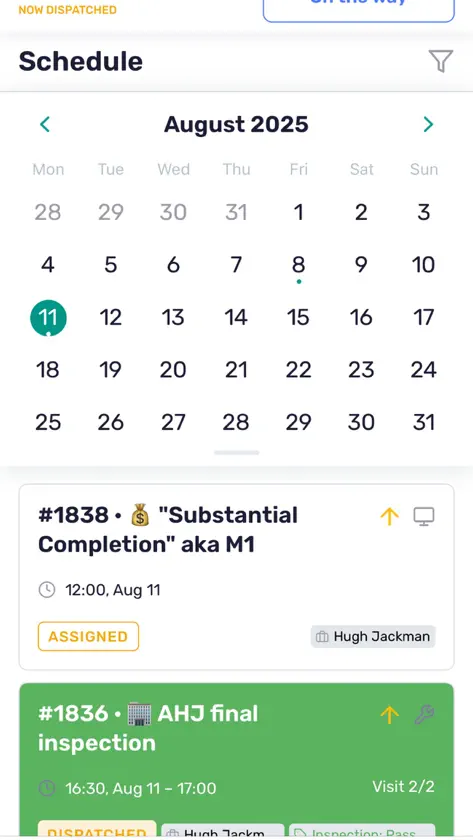
Workflow management software for solar & energy contractors. Manage your solar installation & service business on the go. Access project tracking, schedules, inspection forms, checklists, & more.
What's new
Version 3.1.2 · Nov 3, 2026
Proposals - Lines hidden from the customer on web are hidden in the mobile builder too, and you can hide a line from Edit Options. Totals do not change. - Discounts show their name. - “Sign now” in present mode jumps straight to the signing block. Work orders - The status now sits on the visit date line, and a work order in review gets a Mark as completed button. The action buttons have their full width back. - Due dates saved without a time show just the date on Home, Schedule and Search. - Sites show the address you typed, and “open in maps” navigates to it. Forms - New form screen: the work order link up top, a full-width Complete button and Form / Details tabs. Other status changes live in the ⋮ menu. - Photo fields have new tiles: upload progress under each photo, a trash icon and a + tile to add more. - The upload sheet is now “Upload files”: pick recent photos, your gallery or files. - The field you are typing in stays in view while the keyboard is open. - The keyboard Done bar only shows on number and phone pads. - Required fields show a red asterisk. - The dictation mic sits inside every text field. Tap it, talk, done. - A cancelled form no longer offers Complete. - Markup on photos and PDFs saves on its own, like on web. No Save button. - Markup no longer shows twice on a photo. Records and search - Upload files to file properties, open them and remove them. - Archived custom properties are hidden on create screens and read-only on records. - Workflow and pipeline pickers no longer list archived workflows, and sort like web. - Search results show the record’s photo in bordered cards, and long phase names no longer hide the title. - The Create button stays at the bottom while you type instead of covering the form. Polish - Success messages now read “Site created”, “Form updated” and so on. - The Create button keeps its label while saving. - The template field is labelled Template. - Sign in no longer shows asterisks on Email and Password. Fixes - Fixed a freeze when scrolling a record’s feed on iOS. - Fixed a crash when adding large videos to a form on iOS. - iOS: videos stored only in iCloud can now be picked from the gallery. - Links opened with no connection wait for the network instead of failing. - Plus other bug fixes and speed improvements.


