
CTRL Micro
MedHue Labs
No ratings yetUtilitiesAges 4+
Screenshots




About this app
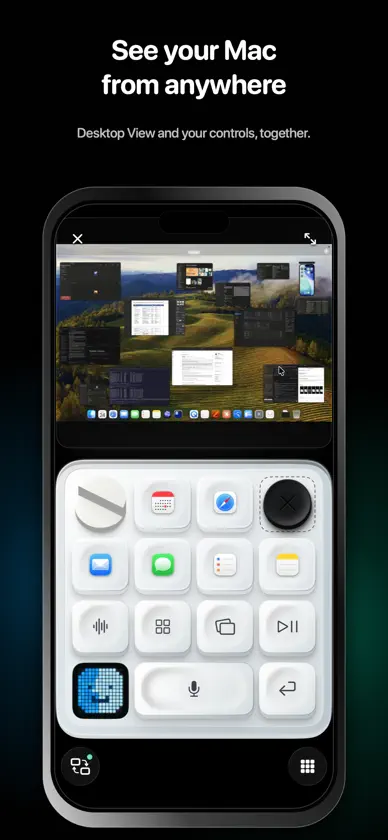
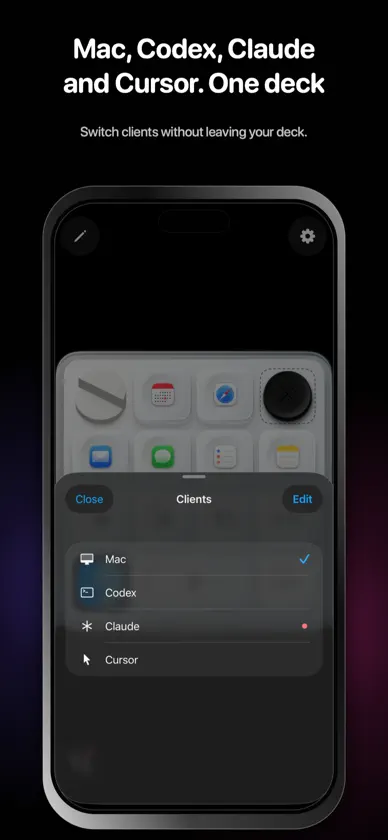
CTRL Micro turns your iPhone or iPad into a tactile control deck for your Mac and AI agents. HAPTIC CONTROL DECK • Feel responsive haptics, sounds, and visual feedback • Arrange controls where they feel right • Switch between Mac, Codex, Claude, and Cursor from one deck CONTROL YOUR MAC • Launch applications • Control volume, brightness, media, and windows • Move the pointer, scroll, click, run Shortcuts, and talk to Siri MONITOR AI AGENTS • See task progress and attention states at a glance • Open recent tasks and start new ones • Use client-specific controls for Codex, Claude, and Cursor SPEAK NATURALLY • Dictate into desktop apps from your deck • Transcription is processed locally by CTRL Micro Host on your Mac SEE YOUR MAC • Watch your Mac respond as you use the control deck, Trackpad, or Keyboard • Open Desktop View nearby or through Remote Anywhere • Keep the live screen above your controls or expand it full screen • Pinch, pan, and double-tap to inspect your Mac screen PRIVATE BY DESIGN • No CTRL Micro account required • Nearby connections stay directly between your devices • Remote Anywhere is end-to-end encrypted; the relay forwards opaque data and cannot read your screen or control content • Screen frames, keyboard input, commands, and dictation content are not recorded or stored CTRL Micro requires the separate CTRL Micro Host app for Mac, available from ctrlmicro.com. Pair your iPhone or iPad with one selected Mac and control it nearby or through Remote Anywhere.
What's new
Version 1.0.10 · Oct 5, 2026
Chat task keys now use Recent ordering and open the task shown in the preview. Existing Sidebar settings migrate automatically. Update the Mac Host for the matching fix.


