
DeckMate - Control Deck
Wonkyoung Seo
No ratings yetUtilitiesAges 4+
Screenshots
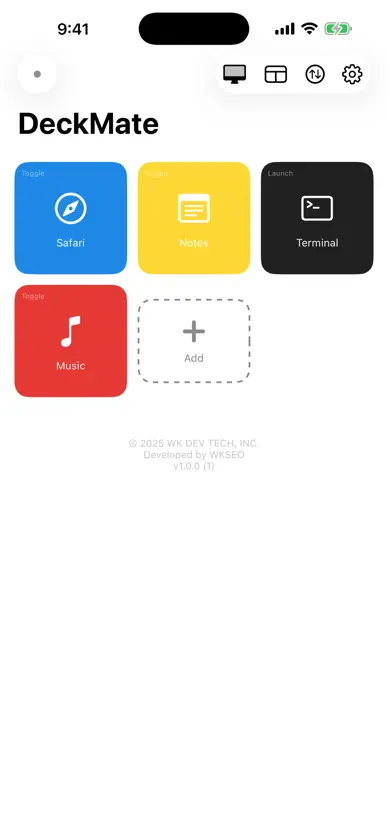

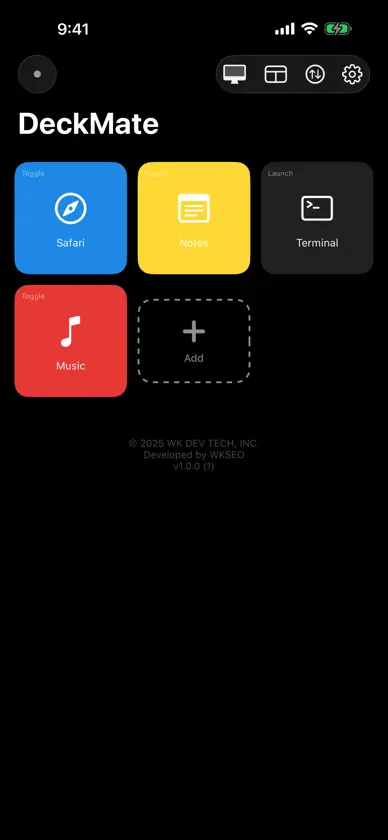
About this app
Turn your iPhone into a custom control deck for your Mac. DeckMate lets you create a customizable button grid on your iPhone to launch, quit, or toggle Mac apps with a single tap. Features: • Custom Button Grid — Pick apps from your Mac and build your own control deck • One-Tap Control — Launch or Toggle actions for instant app control • Real-Time Status — See which apps are running with green indicators • Show Desktop & Mission Control — Trigger remotely from your iPhone • Auto Discovery — Finds your Mac automatically on the same Wi-Fi • Drag & Drop — Rearrange buttons however you like • Color Customization — 7 rainbow presets + custom colors • Screen Keep-Awake — Prevent screen dimming while in use How to use: 1. Install and run DeckMate Mac (free companion app) on your Mac 2. Open DeckMate on your iPhone — it finds your Mac automatically 3. Enter the token and connect 4. Add buttons and control your Mac apps with one tap! Requirements: • Mac companion app required (free download at https://wkdevtech.com/DeskMate) • iPhone and Mac must be on the same Wi-Fi network
What's new
Version 1.0.7 · Jun 11, 2026
Fixed auto-reconnect when switching Wi-Fi networks, resolved a layout issue after rotating the device, and added a notice when the companion Mac app needs updating.
More from Wonkyoung Seo


You might also like
 MACH ControlMACH ACQUISITION, INC
 Deck HopperKristyna Kralova
 Aerotech iLaunchAerotech
 MissionControl MobileXarion Comoretto
 Nomad-AIRed Noir Soft.
 Volumen App: a medida por appCHIH YU LIN
 CaptionKitJAMES HUNT
 Lenovo MyHubLenovo(Beijing) Limited
 FluxCast - Car Screen MirrorPlanetX Soft
 Launch AIOBDLaunch Tech Co., Ltd