
Elastic Player
Kadir Caner Ergun
No ratings yetEntertainmentAges 17+
Screenshots

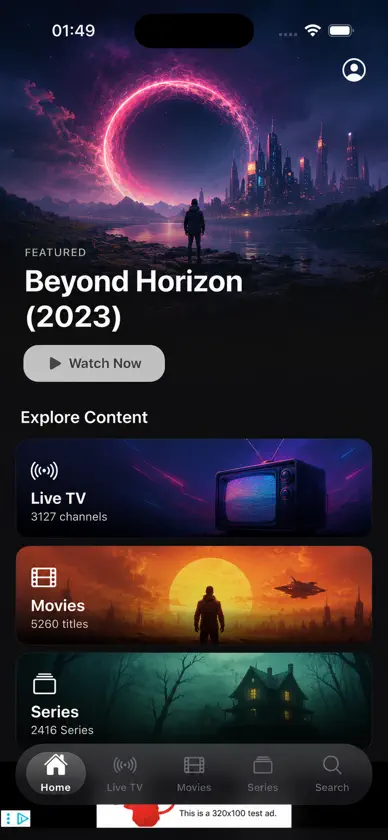


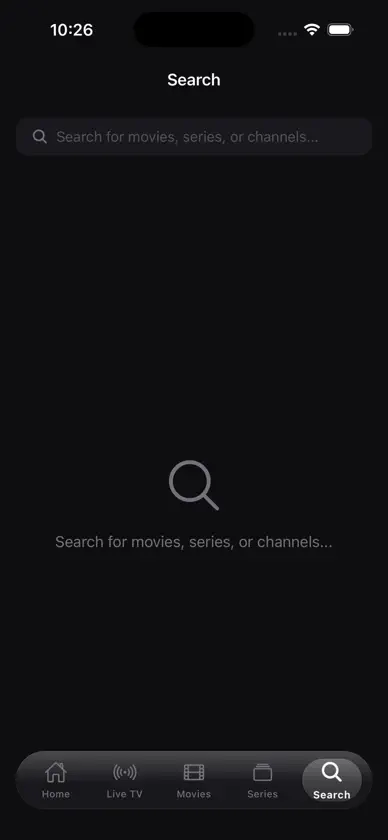

About this app
Elastic Player es un reproductor rápido y moderno para el servicio IPTV que ya tienes. Agrega tu lista M3U o tus datos de acceso Xtream Codes una sola vez, y tus canales en vivo, películas y series quedarán organizados, se podrán buscar y estarán listos para seguir donde los dejaste. TV EN VIVO, PELÍCULAS Y SERIES • Canales en vivo ordenados por categorías, con una guía de TV (EPG) que muestra qué se emite ahora y a continuación • Películas y series con pósteres, detalles, temporadas y episodios • Seguir viendo retoma la reproducción justo donde la dejaste • Favoritos e historial, a un toque desde la pantalla de Inicio • Busca en todo a la vez UNA REPRODUCCIÓN QUE SIMPLEMENTE FUNCIONA • Potente motor basado en VLC compatible con HLS y la mayoría de los formatos de transmisión • Selección de pista de audio y subtítulos, velocidad de reproducción y relación de aspecto • Imagen en imagen, para seguir viendo mientras usas otras apps • Transmite a televisores y dispositivos de streaming de tu red HECHO TAMBIÉN PARA TU TV • Envía una lista a tu TV escaneando el código que aparece en su pantalla, sin escribir con el control remoto • Usa tu teléfono como control remoto de Elastic Player en tu televisor, con teclado para buscar TUYO Y PRIVADO • No tienes que crear ninguna cuenta. Tus listas, favoritos e historial se quedan en tu dispositivo • Control parental: bloquea categorías y títulos con un PIN • Disponible en 13 idiomas, siguiendo automáticamente el idioma de tu teléfono IMPORTANTE Elastic Player es únicamente un reproductor multimedia. No ofrece, aloja ni vende canales, películas, series ni listas, y no incluye ningún contenido. Para usarlo necesitas una lista o unos datos de acceso de un proveedor de IPTV que tengas derecho a utilizar.
What's new
Version 1.4.0 · Oct 18, 2026
A big update for how you watch and organise. WATCH FROM THE START Missed the beginning? On channels where your provider keeps an archive, open a programme in the TV Guide and choose From start. AIRPLAY Tap the AirPlay button in the player to send what you're watching to an Apple TV or another AirPlay screen. If a stream can't be sent, the app tells you and carries on playing on your phone. SLEEP TIMER Tap the moon in the player and choose how long to keep playing, or stop at the end of the film or episode. SMOOTHER PLAYBACK • The next episode starts by itself after a short countdown. You can turn this off in Settings → Player Settings • A live channel that drops now reconnects on its own, and films carry on from where they stopped LIGHT THEME Choose Light, Dark or follow your device in Settings → Theme. The light theme has been reworked so text and buttons are easy to read. MAKE IT YOURS • Rename any category: press and hold it, then choose Rename • Sort favourites into your own groups: press and hold a favourite • Wrong or missing guide for a channel? Press and hold the channel and choose Assign TV guide DISCOVER MORE • New Home rows for recently added films and series • Tap an actor or director to see more of their titles in your library FIXES • Privacy Settings now opens from the Settings screen Plus fixes and refinements throughout the app.
More from Kadir Caner Ergun


You might also like
 NaboTVWatchBetter, Inc.
 Crivid IPTV Player: M3U XtreamCrivid AS
 Fjord IPTV PlayerEven Larsen
 Spectati: Reproductor IPTVJacob Søndergaard
 RunTV - IPTV Player & Remotedubi mesika
 IPTV Deck: reproductor y EPGZbigniew Szepczyski
 Zaply: IPTV y TV en directoGoodfolks
 NowSeen - IPTV & Media PlayerRicardo Dimmendaal
 Vireko IPTV PlayerAleksi Kiltala
 StreamX – IPTV Player & M3UStreamX Technologies L.L.C-FZ