
FaceBack
Bin Hua
No ratings yetPhoto & VideoAges 4+
Screenshots


About this app
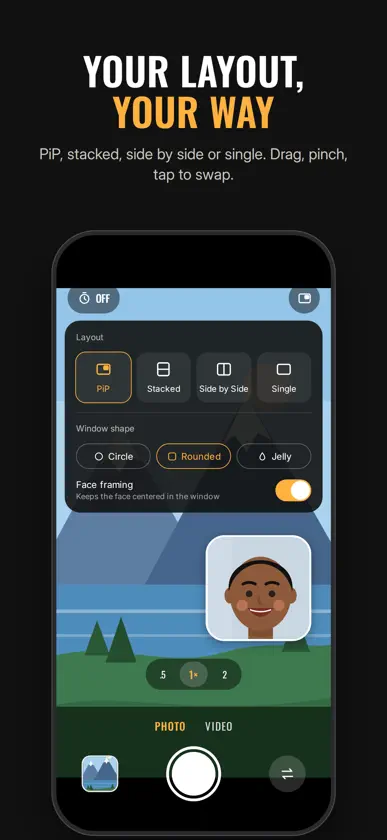
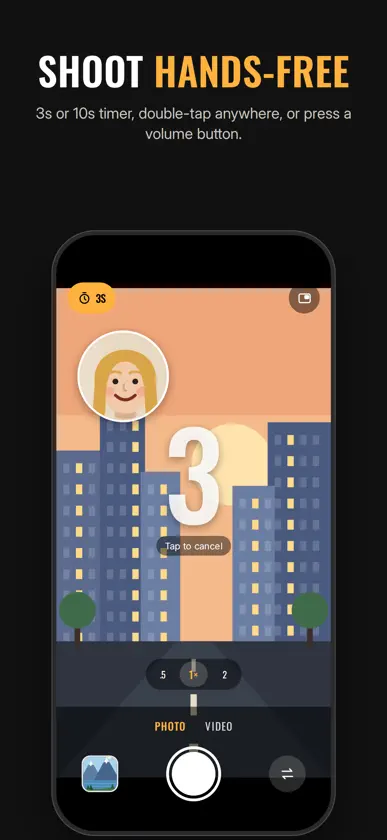
Shoot with your front and back cameras at the same time. Frame both views live in the viewfinder, and save exactly what you see. Capture the view and your reaction in one photo. Film the road ahead and yourself in one video. Arrange both cameras the way you like before you press the shutter. There's nothing to edit afterwards. LIVE LAYOUTS - Picture in picture: a floating window over the full-screen view. Drag it anywhere, pinch to resize, tap to swap cameras. - Stacked or side by side: split the frame and drag the divider to change the balance. - Single: one camera at a time when you want it. - Window shapes: circle, rounded square, or jelly. DIRECT WHILE YOU RECORD Switch layouts while you're filming. Every switch is recorded into the video, so you can cut between your view and your face as it happens. JELLY WINDOW AND FACE FRAMING The jelly window wobbles and bounces when the head inside it moves. Face framing keeps the face centered and at a steady size in the window, even if you move. Face detection runs entirely on your iPhone and only finds where a face is. Nothing is recognized, stored, or uploaded. PHOTOS AND VIDEO - Full-resolution photos from both cameras, composed into one image. - Video with sound, recorded straight into the layout on screen. - Portrait or landscape. - Ultra-wide on the back camera on supported iPhones. HANDS-FREE - Double-tap anywhere to take a photo. - Press a volume button to take a photo or start and stop recording. - 3-second or 10-second timer. Everything you shoot is saved to your Photos library. FaceBack has no account and no ads, and it doesn't collect any data. Requires an iPhone that can use both cameras at the same time (iPhone XS, iPhone XR or later).
What's new
Version 2.3 · Oct 26, 2026
FaceBack has been rebuilt from the ground up. - Live layouts: picture in picture, stacked, side by side and single - Record video with sound, from both cameras at once - Switch layouts live while you record - New jelly window that wobbles when your head moves - Face framing keeps your face centered in the window - Landscape shooting - Timer, double-tap to shoot, and volume button shutter - Full-resolution photos from both cameras - New app icon
More from Bin Hua


You might also like
 F-captions: auto subtitlesBohdan Kolesnyk
 Object Remover: Borrar objetos通 张
 Crear stickers y foto editorIntelectiva
 Video Joiner & Trimmer Pro丽譞 牛
 Front & Back Camera RecordingKeyurbhai Tavethiya
 Plex PhotosPlex Inc.
 Editor de Vídeo LentoLoyal Foundry, Inc.
 Reproductor de vídeo - HD, 4kAshish Kumar
 VideoLUTEnrique Garcia
 PLAY'ASwearl, LLC