
Farol Remote
Lucas Neves Pereira
No ratings yetDeveloper ToolsAges 4+
Screenshots
About this app
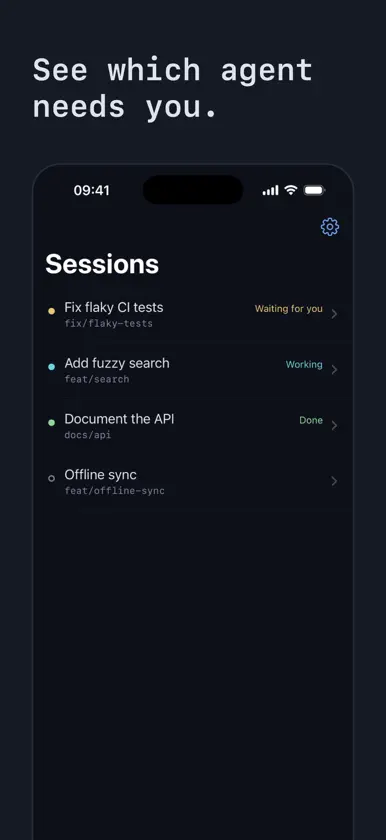
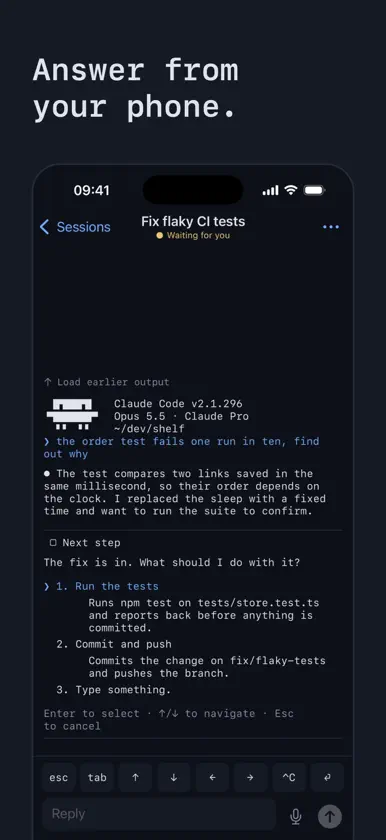
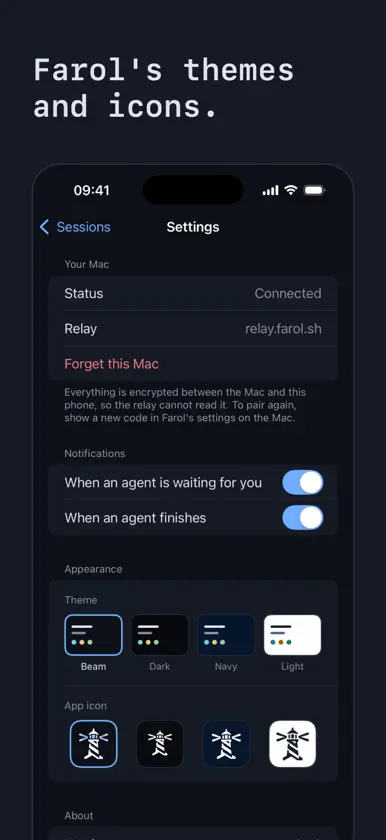
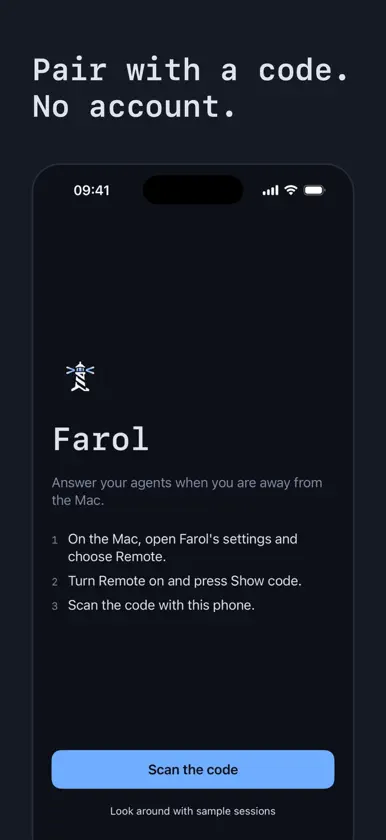
Farol Remote is the companion to Farol, the macOS terminal for coding agents. It needs Farol running on your Mac. Run Claude Code or Codex in Farol on your Mac, then leave. When an agent stops to ask you something, your phone tells you, and you answer from where you are. See every session The same list as Farol's sidebar: which agent is working, which is waiting for you and which is done. The ones that need you come first. Answer from your phone Open a session to read what the agent printed. Tap an option to choose it, type a reply or speak it. The keys a phone keyboard lacks are one tap away: Escape, Tab, the arrows, Control-C and Return. Know when you are needed A notification names the session that is waiting or has finished. Tap it to go straight there. Choose which of the two you want. Private by design Pair by scanning a code on your Mac. Everything between your Mac and your phone is encrypted end to end, and the relay in between cannot read it. There is no account and no tracking. The protocol and the relay are open source. Made to match Farol's four themes and app icons, a terminal reshaped to read well on a phone, and Face ID before your sessions are shown. The agents run on your Mac, so it has to stay on.
What's new
Version 0.2.0 · Nov 8, 2026
A live terminal. Open any session's terminal and type into it as on your Mac: it fits your phone, scrolls full-screen programs like Claude Code, and lets you select, copy and tap links. The keys a phone keyboard lacks sit right above it. Start a task on its own branch from your phone. Pick the agent, the project and what to do, and it opens on your last choice next time. See what a waiting agent asks, in its row, its notification and the Live Activity, and answer it from the notification. Long-press a session to interrupt or close it. Filter the list by Mac or server. Four new themes from Farol: Fog, Dusk, Ember and Dawn. Easier reading: copy code, larger text, the pictures you sent, and tool calls that failed or that you stopped. Saved replies and commands now live under Settings, Shortcuts. Tap the version in Settings to copy it.
