
FindTheBrick
Massimiliano Bottaro
No ratings yetEntertainmentAges 4+
Screenshots






About this app
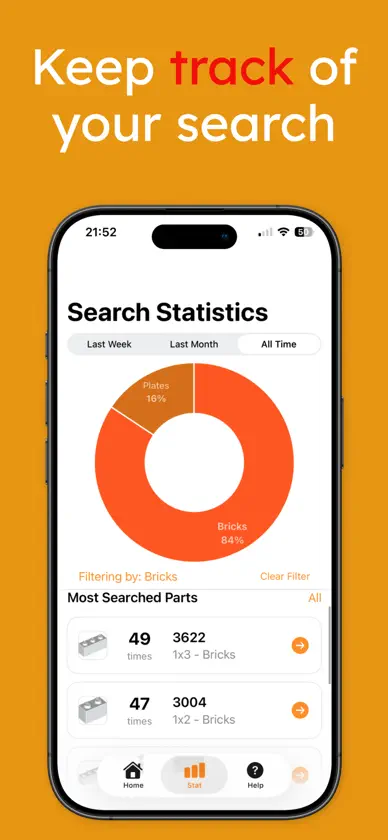
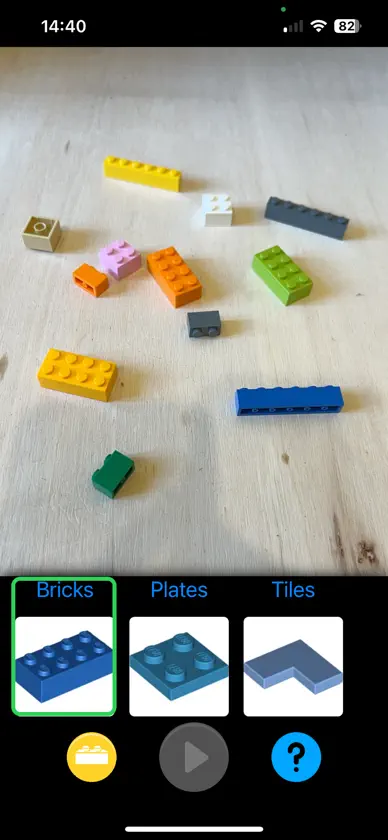
Welcome to Find the Brick Move your iPhone on top of your bricks, and let it find the parts you are searching for. 1. Prepare your Bricks Flatten your bricks on a table without making piles. Make sure the bricks are well enlightned. iPhone won't be able to see what you can't. 2. Select the part In this version you can choose between plain bricks, plates and tiles categories (Beta). Then choose the part you want to find and press Play. 3. Scan your bricks Move your iphone around the table at about 30-40cm from bricks. The parts you're searching for will be highlited. Future developments Despite this app is powered by A.I.-based algorithms, there's huge margin of improvement. That's why this app and its algorithms will be constantly updated and needs your support and encouragment. Feel free to send comments and suggestions
What's new
Version 2.0.7 · Nov 4, 2026
Patch updating
You might also like
 Brick Scanner - Escanea y creaJeremy Hoffmann
 Brickly Scan: Minifig ScannerAHMET TURK
 Master Brick Build Custom ToysDamir Nigomedyanov
 Pileometer by BrickitBrickit Inc.
 BrickScan: AI Minifig ScannerBrickMonkey LLC
 Brickit: Collection de briquesBrickit Inc.
 omgbricks for LEGO Setsomgbricks Ltd.
 App LEGO® TECHNIC™ ARLEGO
 LEGO® POWERED UPLEGO
 LEGO® PlayLEGO