
Flotogram
Lucky Bulldozer Limited
No ratings yetPhoto & VideoAges 4+
Screenshots



About this app
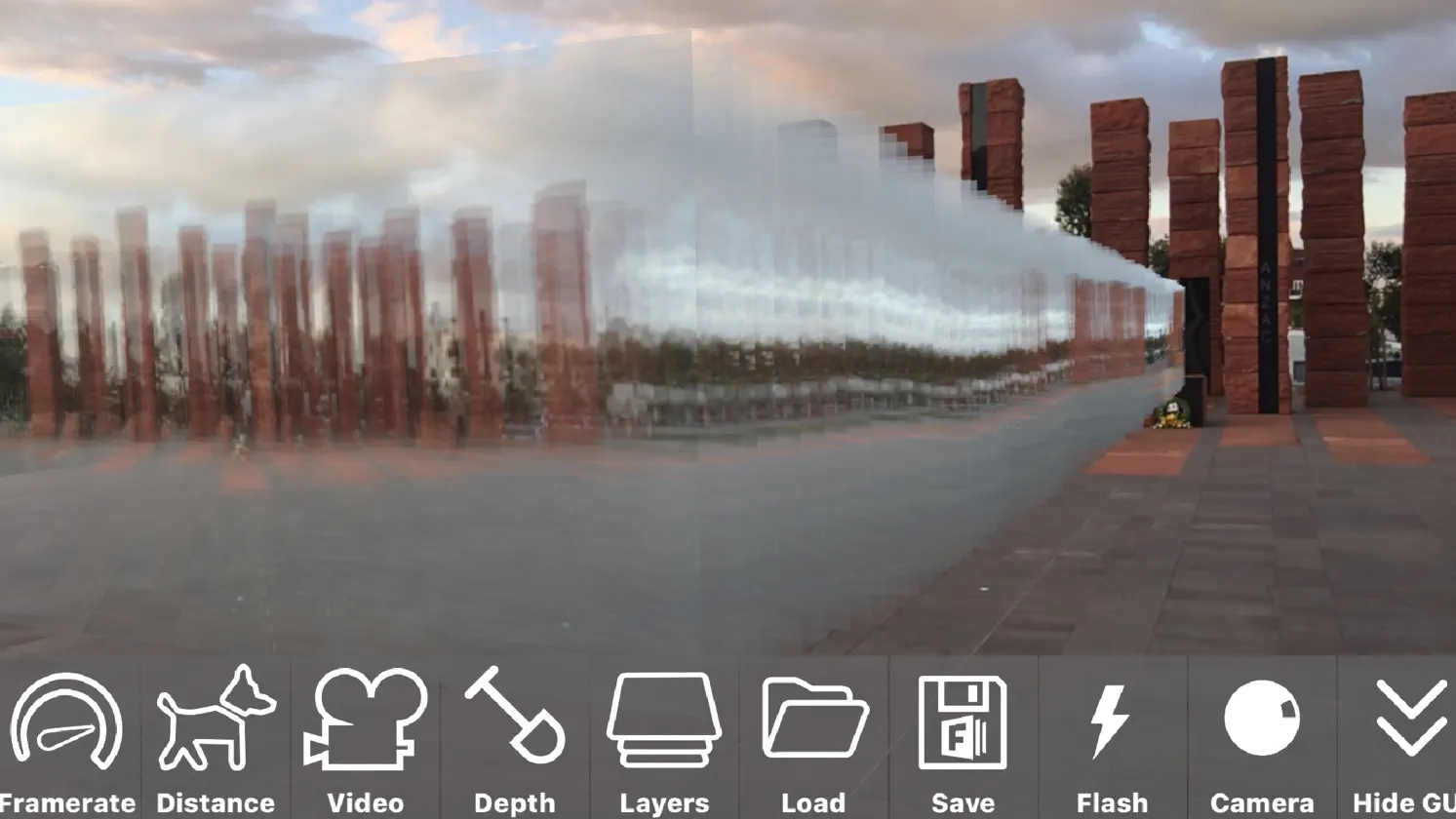
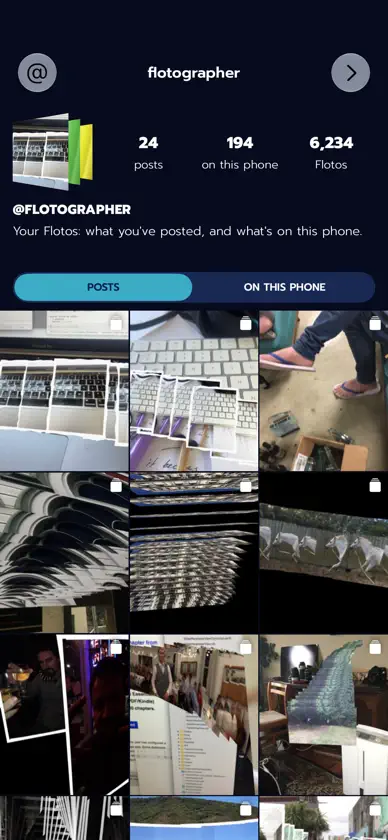
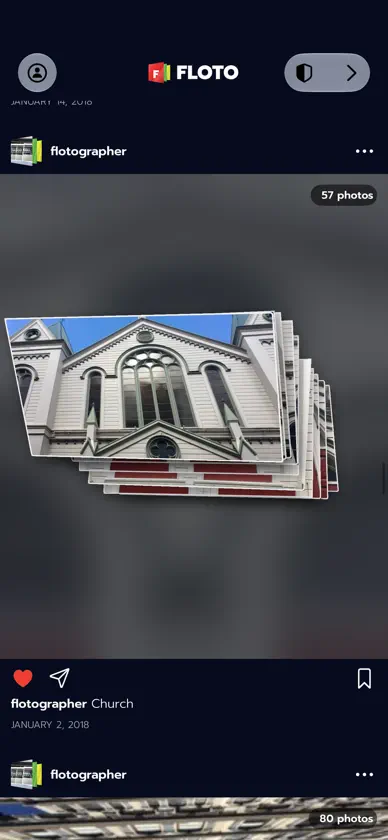
Floto leaves your photos right where you take them. Look slowly round the room, tap the red button, and the photo stays there. Take a step to the side. It kept its shape. Take another and another and you've got a stack of photos hanging in the air, yours to walk round. WALK AND TAKE Switch on distance mode and just walk. Floto takes a photo every half metre or so, and lays them out behind you like a trail. Or hold the red button and it films, sound and all, at whatever frame rate you like, and turns the video into a stack. PLAY IT BACK Press Play and your wave happens again, right where it happened. Forwards, backwards, or ping-pong it over and over. Slow it right down, or speed it up to 60 frames a second. Sync plays it back at the speed you filmed it, with its sound. Solo shows one frame at a time, each standing where it was taken. IN 3D On an iPhone with LiDAR, everything you film keeps its depth as well. Choose Point cloud and the take stands back up in the room as dots, life-size, where it happened. Walk round your friend while they move. Pick People or Subject and the room drops away, leaving just them. MOVE THEM Drag one with a finger. Pinch to size it, twist to turn it, two fingers up to raise it. Hold and drag to pull off a copy. Drag one into a bottom corner to bin it, and Undo brings it back. LIFT SOMETHING OUT OF THE ROOM Hold your finger on a mug, a plant or your other hand. Floto lifts it off as a cut-out with real depth, sitting right on top of the original. Slide it off to the side. MAKE IT LOOK LIKE SOMETHING Put your photos on paper: Polaroid, thin or torn borders, plain, semi-gloss, worn. Make them as thick as a brick if you like. Cut out the people, or whatever stands out, and leave the rest behind. BRING THINGS IN Pull in a video from Photos, sound and all. Cut up a sheet of frames, Muybridge style. Paste a link to a GIF. Each one turns into a stack you can stand in the room. MAKE A SHAPE OF THEM Turn a stack into a line, a panorama, a carousel, or the path you walked. Trim every photo at once, front to back. FLY ROUND IT Swap your camera for a virtual room and orbit your photos with a finger. No walking required. KEEP IT Everything you make is saved as you go and backed up to your own private iCloud, so a new phone brings it all back. Capture a scene as a video to share. THE FEED Post a stack to the Feed and see what other people have left in their rooms. You can report a post, block someone, or delete your own whenever you like. FLOTOS Everyone starts with 500 free Flotos and every feature. A Floto is one photo in the room. After that you get 50 a day, and Captures carry a small Floto mark. Your first post to the Feed each day adds another 50. One purchase unlocks Floto for good, with no subscription and no ads. If you bought Floto when it was a paid app, it's already unlocked. Nothing to do. Floto works best on an iPhone with LiDAR (the Pro models), and still works without, with less detail in 3D. Floto is called Flotogram on the App Store. Same app. Questions: support@flotogram.com
What's new
Version 2.3.2 · Oct 6, 2026
Floto is free now, and there's a lot more of it. Photos now stay where you leave them. Hold your finger on something in the room and lift it out with real depth. Film something moving, with its sound, and play it back right where it happened, forwards, backwards or ping-pong. On an iPhone with LiDAR, play a take back as a point cloud and walk round it in 3D. Bring in videos from Photos, Muybridge sheets and GIFs. Print your photos on Polaroid, semi-gloss, paper or worn stock, with thin or torn borders, or cut out just the people. Turn a stack into a panorama, a carousel or the path you walked. Fly round it in a virtual room. Your scenes, Captures and videos back up to your own iCloud, and a new phone brings them back. There's a Feed to post to, and a short tour to start you off. The first 500 Flotos are free. If you paid for Floto before, it's all yours, and stays that way.
In-app purchases
The most popular purchases on the App Store.
- Full version, for lifeConsumable$99.00
You might also like
 MetaClean: GPS EXIF CleanerMuradiye Kayaduman
 Cambler: Y2K CCD Camcorderseokyong kim
 KondoboxJiro Feingold
 POCKLO: Diario de fotoshyeukJin kim
 ProperImage: Comprimir ImagenCHIRANJEEVI PANDEY
 Memory Camera: Sellos de fotos冬艳 王
 MemoMark瑞 汪
 Photo Stamps - KitteSonal Sojitra
 Dual Shot: Cámara Dual y VideoRETRYTECH LLP
 PickPix - Photo Cleanup晓伟 庄