
FolderStory
Ki-hwan Kim
No ratings yetProductivityAges 4+
Screenshots


About this app
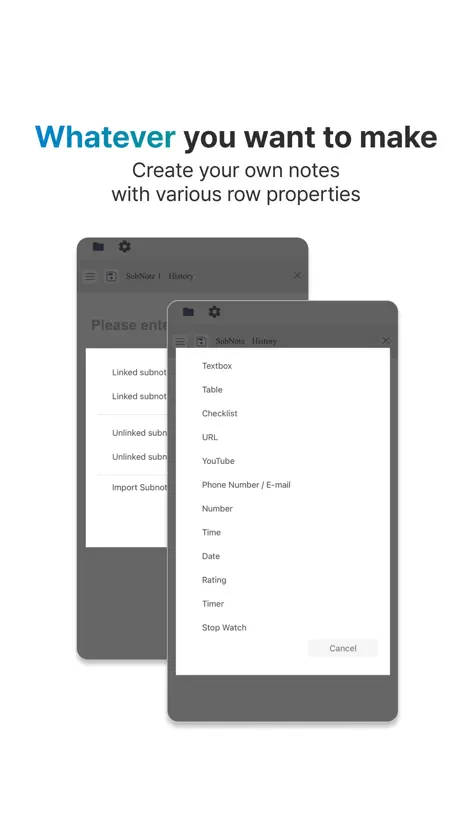
FolderStory is most powerful writing tool in the world. Thousands of writers are in use, and help them create everything they imagine. [Note ] - This is a key feature that creates and manages various settings for a novel, such as characters, synopsis, class, skills and items. - Add properties, delete unwanted properties, and reorder to create your own notes. - Various examples are provided. ex : (Character Example) 40 properties including description, age, sex, birth date, place of residence, class, personality, appearance, etc. (e.g. item example) 13 properties including description, type, grade, material, weight, manufacturer, shape, etc. (Country example) 26 properties including description, language, capital, area, population, average life span, currency, political system, etc. 10+ example notes, numerous properties, freely editable. [ Folder ] - efficiently categorize and manage notes in folders. - Whatever I want, create and organize folders that are easy for me to see. ex : (Depth1) Character ㄴ(Depth2) Main characters ㄴ(Depth2) Villains ㄴ(Depth2) Extras (Depth1) Item ㄴ(Depth2) Weapon ㄴ(Depth3) Sword ㄴ(Depth3) Bow ㄴ(Depth3) Axe ㄴ(Depth2) Armor ㄴ(Depth2) Shield [ Story ] Create and manage stories, chapters and episodes. Story : Unit that separates a novel or scenario Chapter: Unit that can contain multiple episodes. Episode: The smallest unit of story. [ Work anywhere, anytime] http://folderstory.com FolderStory supports both web and mobile web/app and is available on any device, including computers, smartphones and tablets. Simply take notes of your ideas and characters on the go with your smartphone. Conveniently write on your computer's keyboard and monitor at home. On your computer, you can display multiple notes at once, and you can view and work with your notes and stories at the same time.
What's new
Version 1.2.2 · Oct 10, 2026
1. Note Creation & Editing Features 1) Text Editor 2) Tables: Add/Edit Columns 3) Masking Tool (Study Masking Row) 4) Social Media Embed Row 5) Number Row: 1,000-unit Separator 6) Text Replacement (Shortcuts) 7) My Notes (Note Link Row) 8) Split Screen 2. Offline Writing & Synchronization 1) Online Upload Upload projects, folders, and notes created offline to your online account. Supports both individual uploads and batch uploads of multiple items. 2) Offline Download 3. Menu Tree & List Improvements 1) Tap a note in the tree to open it. 2) Jump from an expanded project or folder straight to its list. 3) Set the sort order for each folder. 4) Long-press and drag notes, folders and projects to reorder them or move them into another folder. 5) Reorder items in the list tab with a long press and drag (including online projects). 6) Remembers expanded projects and folders, and reopens on the menu tab you last used. 4. New Design & Better Note Editing 1) Refreshed look across the app. 2) Edit text editor rows right inside the note. 3) Drag rows and containers, even to another subnote. 4) Auto save on/off and save history. 5) Online/offline tabs in search, trash and templates. 6) Choose fonts and text sizes in display settings. 7) Change email, reset password and delete your account.
More from Ki-hwan Kim


You might also like
 Pencil Farm - Novelas WebJaeha Lee
 pensiv: Writing app for novelsRaum Labs
 WriteDown: Write Books, NovelsMonali Paghadal
 Planificador de relatosOtourou Da Costa
 Writer GadgetAndrew Johnson
 StoryWriterTool: AI Co-AuthorChristian Wagner
 Fox Writer志文 李
 Fictionista - Create StoriesRenasnce Studios Ltd
 Narrative: Novel Writing AppMark Muhleder
 FabulaNatalia Bosyakova