
GhostFrame
All Things AI, Inc
No ratings yetPhoto & VideoAges 4+
Screenshots





About this app
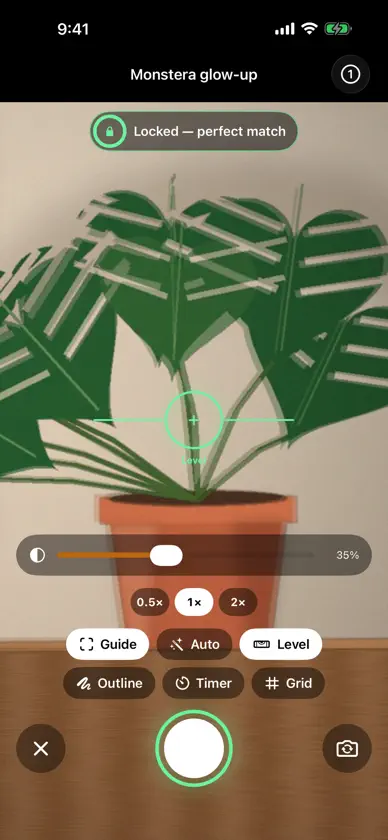
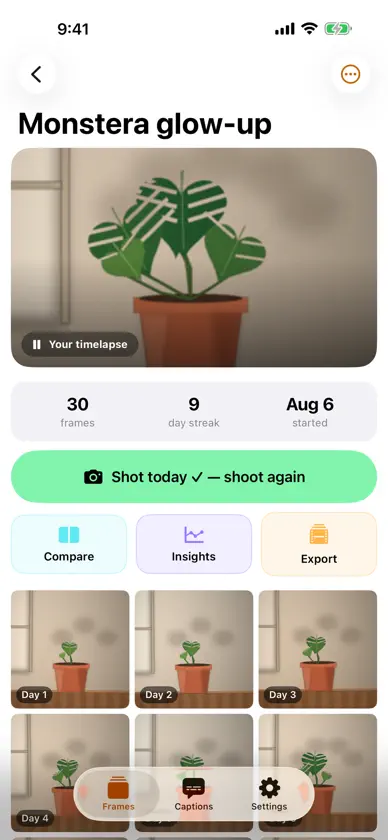
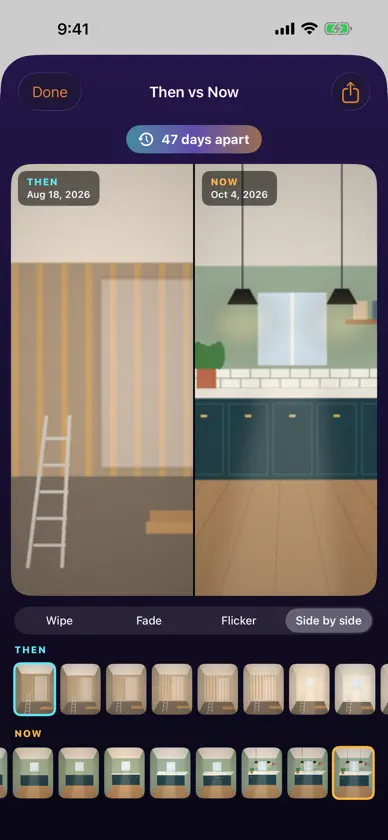
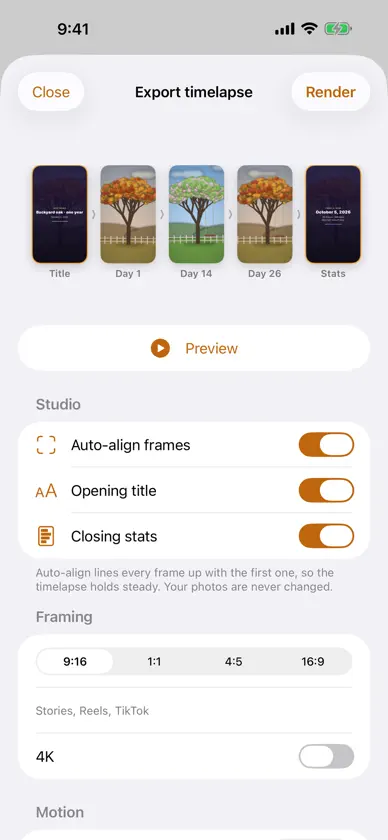
GhostFrame turns one photo a day into a timelapse that actually holds still. Pick a subject — your face, a bump, a baby, a plant, a room mid-renovation — and the camera fades yesterday's shot over the live view. New in 2.0, GhostFrame reads the ghost and the live picture on your iPhone and guides you in: when you're lined up it locks with a tap you can feel, and Auto can take the photo for you. WHAT'S NEW IN 2.0 • Live ghost guide: face tracking for selfie-style projects, scene alignment for everything else, a match score, one plain hint, and a haptic lock. • Auto-shoot and a level line. • Apple Watch: today's frames and streaks, Then vs Now on the Digital Crown, and a remote shutter for the iPhone camera. • Home Screen widget: your streak and latest frame for the project that still needs today's photo — tap to shoot. • Then vs Now: wipe, fade, flicker or side by side between any two frames, plus a share card. • Memory Lane: the photo from a month, 100 days or a year ago today. • Insights: streaks, a calendar of every day you showed up, milestones, your usual shooting time, your ghost-match score. • Export studio: a live storyboard of your video, auto-align steadies every frame; opening title and closing stats; 9:16, 1:1, 4:5, 16:9, 4K and GIF. • A living home where every project plays its own timelapse, a new icon and a new animated tour. ALSO INCLUDED Templates for Face, Bump (week cards), Baby (month cards), Fitness (front/side/back), Plant, Renovation and Anything; import photos you already have on their real dates; ghost from the previous, first or a pinned frame; outline mode; 0.5×/1×/2× lenses; reminders with quiet days that open straight into the camera; zip backups; captions for any video, transcribed on device. PRIVACY Photos and projects stay on your device; alignment runs on device. No account. Anonymous usage stats (never photos or names) can be turned off in Settings. Every feature is included. No subscription, no ads.
What's new
Version 2.2 · Oct 28, 2026
GhostFrame 2.2: small things that make the daily habit easier to keep. • Tips & what's new: if you allow notifications, GhostFrame can send an occasional tip or news of a new feature. It's optional, and you can switch it off any time in Settings → Notifications. Your daily reminders still work just as before. • Settings → Notifications shows whether notifications are on and lets you turn them on or off in one place. • Rate GhostFrame: a new row in Settings, if you'd like to tell others what you think. • Notification taps are more reliable, including when GhostFrame wasn't already open. • Under the hood: better anonymous stats about which features you use, so we know what to build next. Never your photos, project names or anything you type.
More from All Things AI, Inc


You might also like
 GhostFrame: Recreate Any PhotoAntonio Granic
 AfterImage: Daily TimelapseMustafa Kandemir
 Halation: Shared Photo AlbumsDIH
 Cami: Photo Overlay CameraHonglin Guo
 Posey: Pose Reference CameraIWAVE LLC
 projectcameraJaecheol Jung
 Morph de Caras: Video BebéKoji Yamamoto
 手帳貼相機 - 手帳風濾鏡Huang Yao-tseng
 Dnaoi: Color Mood StudioNguyen Hoang Trieu
 Lum - Cámara Dual y Stickers强 孟