
GlucoMate
Agatsa Software Pvt. Ltd.
No ratings yetLifestyleAges 4+
Screenshots


About this app
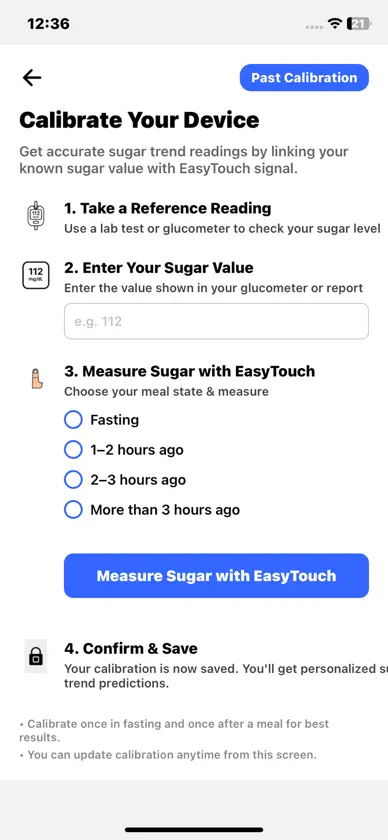
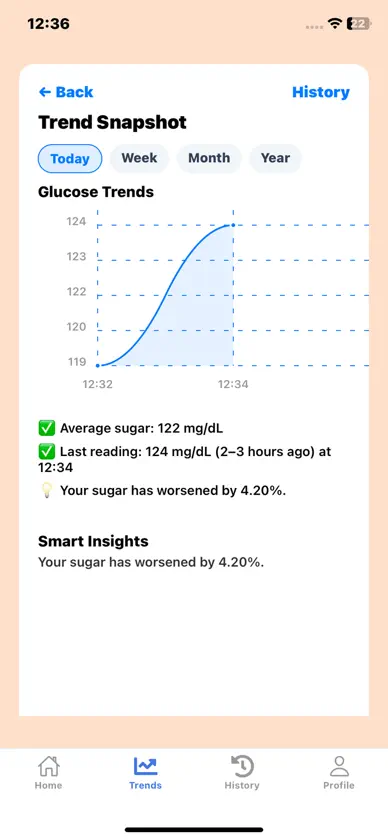
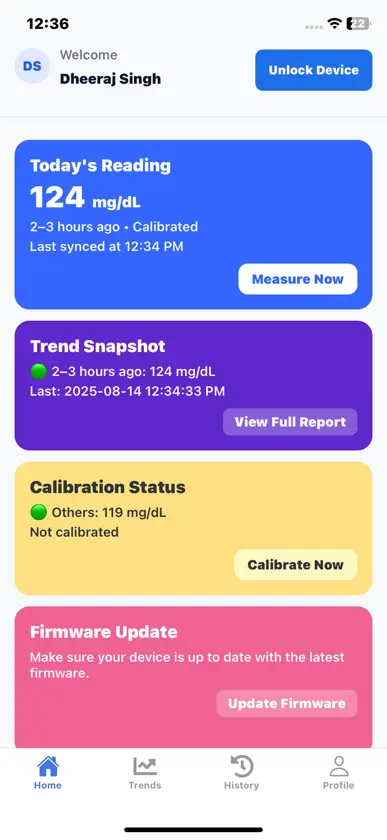
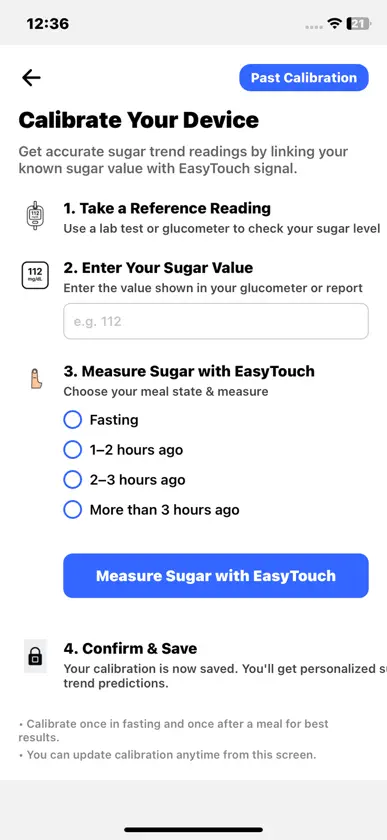
GlucoMate connects with the EasyTouch Plus glucose meter over Bluetooth so you can record and review your blood-glucose readings with a simple, guided flow. Pair once, start a measurement, follow the on-screen steps, and save your result with meal context. Calibration prompts help you confirm readings using the value shown on your meter. Highlights * EasyTouch Plus pairing via Bluetooth LE * Guided measuring with clear, step-by-step prompts (with timer) * Calibration support: enter your meter value when prompted * Meal context & notes: mark fasting/after-meal and add comments * History & trends: view recent readings and simple charts * Clean gauge view and helpful messages after each measurement * Privacy-first experience with no ads or third-party tracking How it works 1. Turn on your EasyTouch Plus meter and enable Bluetooth. 2. Open GlucoMate and Connect to the Device. 3. Follow the on-screen steps to take a reading on your meter. 4. Confirm and save the reading (add meal context, notes, and—if shown—complete calibration). 5. Review your history and trends whenever you like. Important EasyTouch Plus is not a medical device and does not provide diagnosis or treatment. Always rely on your meter for clinical decisions and consult a qualified healthcare professional for medical advice.
What's new
Version 1.0.19 · Nov 10, 2025
calibration flow change
More from Agatsa Software Pvt. Ltd.


You might also like
 EYVABluesemi Research & Development Private Limited
 DevDham Devotional PlatformAADHYATMIK TECHNOLOGIES PVT LTD
 NeoSapienNeoSapien
 NSCI MUMBAI MOBILE APPNational Sports Club of India
 BPRCSofscript Systems & Services Ltd.
 Tollygunge ClubTollygunge Club
 AppSocietyAnchorstone Software Solutions Private Limited
 Mantra ChantspacePiyush Gupta
 Ram Mantra BankJiten Modi
 Zo: Zoroastrian CalendarHanoze Boga