
GpuTerm
SANGHAK LEE
No ratings yetDeveloper ToolsAges 4+
Screenshots

About this app
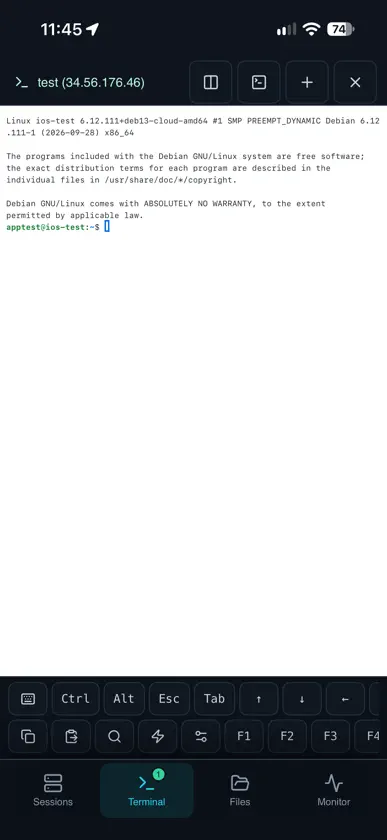
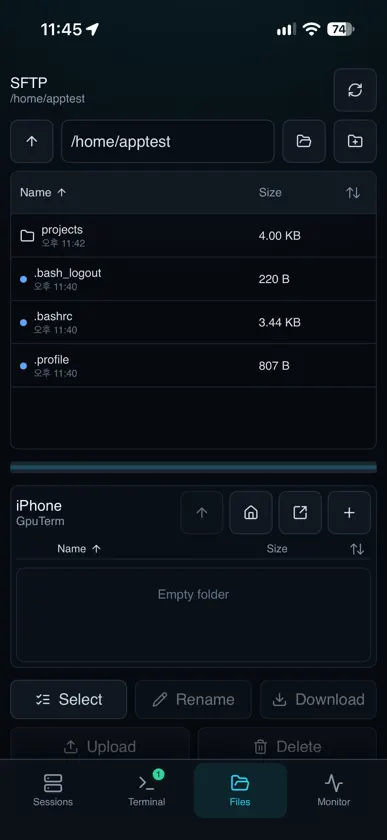
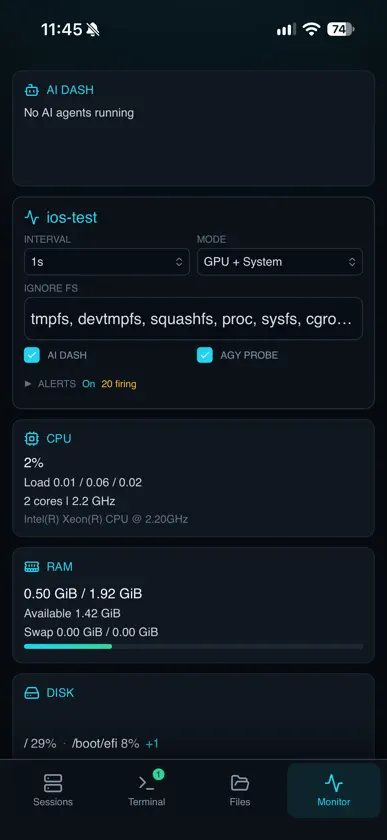
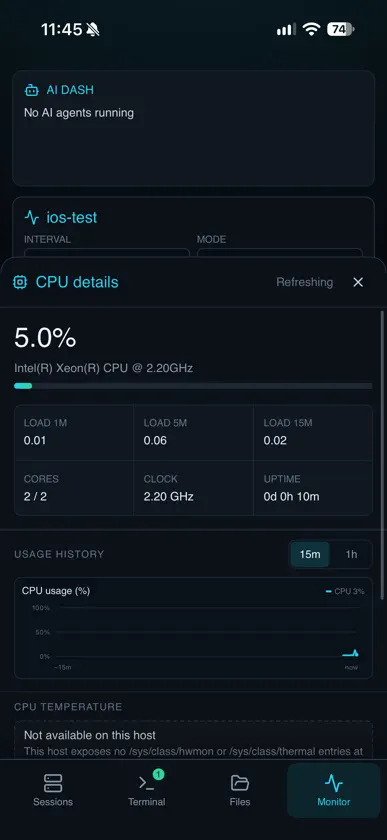
GpuTerm is a touch-first SSH client for people who run workloads on remote GPU machines. Connect to your servers, work in a full terminal, move files both ways, open the web tools running on your server and watch CPU, memory, disk, temperatures, GPUs, containers, databases and self-hosted LLM servers update live, all from your iPhone or iPad. TERMINAL • xterm-compatible terminal with split panes, tmux controls and a special-key toolbar • Scrollback search, five color themes, three typefaces and pinch to zoom • Saved command snippets, global or per server • Full hardware keyboard shortcuts on iPad WEB SERVICES • Finds Jupyter, TensorBoard, MLflow, Ray, Streamlit, Gradio, code-server and other web servers on your host, including Docker container ports • Opens them in the app through an SSH forward, with no ports to open on the server • Pin a service to forward it on every connect, and get a notice when a new one starts while the app is open • Long-press a link in the terminal to open it the same way CONNECTIONS • Password or SSH key authentication, jump hosts and ssh_config import • SSH key manager: create Ed25519, RSA and ECDSA keys, share the public key, install it on a server and use one key for several servers • Local, remote and SOCKS port forwarding • Host key verification that shows old and new fingerprints before you replace a key • Works with Ubuntu, Debian, Fedora, openSUSE, Arch, Gentoo and other Linux servers FILES • Side-by-side remote and local panels with drag and drop • Select files and folders with checkboxes and transfer them together • Upload and download whole folders with progress and cancel • Rename, create folders, delete and sort by name, kind, size or date MONITOR • Live CPU, memory, disk, users and thermal sensors • GPU utilization, memory, temperature and processes from the vendor tools on your server • Health and serving metrics for Ollama, vLLM, SGLang, TGI, llama.cpp, Triton and OpenAI-compatible servers • Docker, Podman and nerdctl containers, and Kubernetes nodes, deployments and pods. Start, stop, restart or kill a container after confirming • PostgreSQL and MySQL/MariaDB status through your server's own client • 15-minute and one-hour usage charts • Alerts for GPU temperature, VRAM, idle GPUs, memory, disk and LLM status while the app is running • Stop a runaway process, with checks that it is still the same process IPAD, FOLDABLES AND EXTERNAL DISPLAYS • Desktop workspace with sessions, terminal, files and telemetry side by side, on iPad, foldable iPhones and wide windows • Multiple windows, each with its own server and terminal • Show the terminal, a dashboard or the monitor on an external display and use the device as the keyboard • Keep the screen awake while connected, always, or never WIDGETS AND SHORTCUTS • Home Screen and Lock Screen widgets with a server's CPU, memory and GPUs • Siri and Shortcuts actions that read server status or connect to a saved server PRIVACY AND SECURITY • No GpuTerm accounts, analytics, ads or tracking. SSH and monitoring use the servers you add; web pages you open load from their own sites. • Saved passwords and keys GpuTerm creates are kept in the iOS Keychain, with optional Face ID or Touch ID protection per server. Imported key files stay in the app's storage. • Face ID or Touch ID app lock • Optional iCloud sync of profiles, snippets and trusted hosts, without private keys. A private key leaves the device only when you export it. GpuTerm requires an SSH server you can sign in to. GPU readings require the vendor's command-line tools, such as nvidia-smi, on the server. Container and database readings use docker, podman, kubectl, psql or mysql on the server.
What's new
Version 1.1.2 · Nov 3, 2026
NEW • Web services: GpuTerm finds Jupyter, TensorBoard, MLflow, Ray, Streamlit, Gradio, code-server and other web servers on your host, including Docker container ports, and opens them in the app through an SSH forward. Pin one to forward it on every connect, and get a notice when a new one starts while the app is open • Long-press a link in the terminal to open it the same way • SSH key manager: create Ed25519, RSA and ECDSA keys on your device, share the public key, install it on a server and use one key for several servers • Containers: Docker, Podman and nerdctl containers with CPU and memory, plus Kubernetes nodes, deployments and pods. Start, stop, restart or kill a container after confirming • Databases: PostgreSQL and MySQL/MariaDB status through your server's own client • Fedora, openSUSE, Arch and Gentoo support, with the distribution shown in Monitor • Files: select files and folders with checkboxes and transfer them together • Keep the screen awake while connected, always, or never • Foldable iPhones and wide windows can use the desktop workspace • Touch ID devices now say Touch ID instead of Face ID • Desktop app: a card in Sessions introduces GpuTerm for macOS, Windows and Linux. Hide it for now or choose "Don't show again"; About always links to it • Ratings: after you have used GpuTerm for a few days, Apple's standard rating prompt may appear once per version when you end a session FIXES • The Server Status widget is back in the widget gallery • On an external display, the terminal no longer goes blank after switching from Dashboard back to Terminal • Cancelling a port forward no longer closes the app


