
Helix Training
Dmitrii Gumennikov
No ratings yetHealth & FitnessAges 4+
Screenshots



About this app
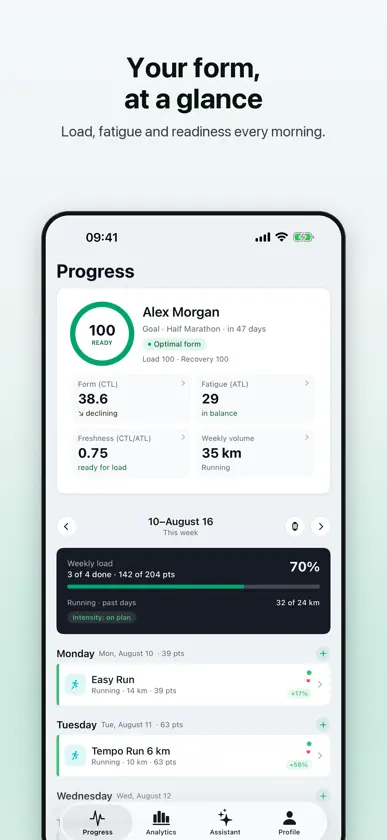
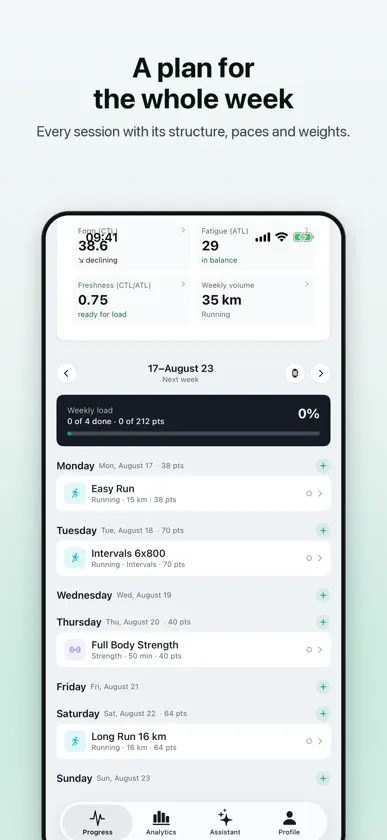
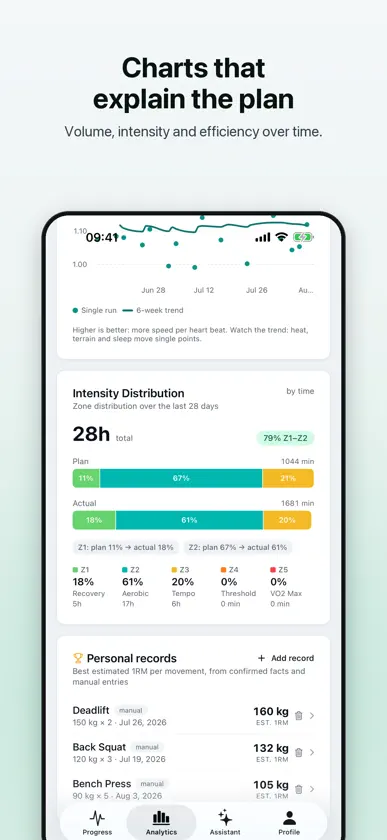
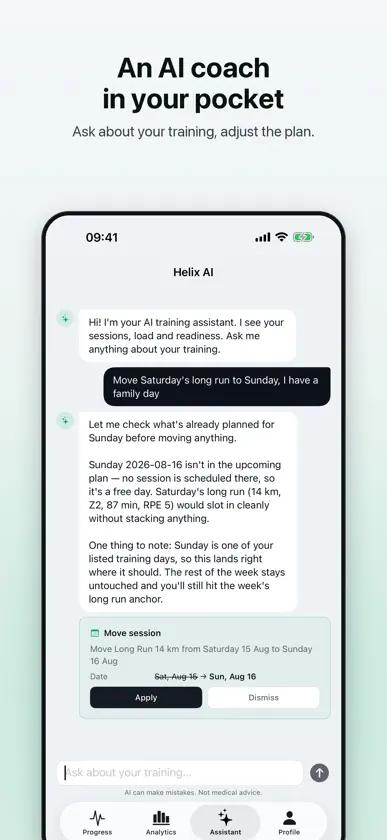
Train yourself like you have a coach. Helix is an app for self-coached athletes: AI builds a plan for your goal, workouts go straight to your Apple Watch, and your results, sleep and heart data sync from Apple Health on their own. One picture of your load: running, cycling, swimming, strength, HYROX. WHAT YOU GET • An AI plan for your goal. A 4-week plan built around your race, HYROX event or hybrid goal and your schedule. Generated in a minute — then make it yours. • One load score. A single load scale across every activity type, including strength work. Actuals close themselves from Apple Health (Strava connects too) — so you finally see how hard you really trained this week. • Fitness and fatigue. ATL, CTL and readiness show whether you're building form or digging a hole. Readiness accounts for sleep, resting heart rate and HRV from Apple Health. In plain language, not a chart you have to decode. • An AI assistant. Ask “why is my readiness 54?” or have it swap tomorrow's run for an indoor ride. The assistant knows your data and proposes every change as a before → after card — you apply it. YOUR PHONE AND WATCH DO THE ROUTINE FOR YOU • Apple Health syncs itself: type, time, distance, heart rate — and your morning data feeds straight into readiness. • Plans go to Apple Watch: intervals, alerts for your heart-rate zones, strength steps — in the native Workout app, no separate watch app needed. • Notifications that matter: your plan in the morning, your result logged after the workout. • All your analytics in your pocket: ATL/CTL, readiness, plan vs actual, weekly volume. Requires iOS 17+. Privacy policy: https://helixtraining.ai/en/privacy
What's new
Version 1.1.3 · Oct 27, 2026
• Your week as dots. On Progress, under the weekly banner, seven dots for the days: the colour shows the workout type, a ring means planned, a dashed ring means missed. Tap a day to jump to it. • Training history: the button next to the Progress title. Weeks in rows of seven dots, how many weeks in a row you have trained, and your workouts over 30 days and all time. Tap a day to see its workouts. • Cardio and strength in Analytics: what your last 28 days of training were made of by time, and how that compares with your plan. Walks are not counted.
You might also like
 DIY GainsJonathan Searle
 Rest Assured: Workout LogKartik Sanil
 Muscle Up GJordan Fuchs
 LuckOut TimerLucky Chawla
 BarC.Mohammad Adnan Kamil Shaban
 base.Judson Dunne
 QualitySetsROHITH PRABAKAR
 Repstack: CalisthenicsJakub Chojnacki
 ZON: Gimnasio, Pesas y HyroxTom AGRO
 Statik – Calisthenics CoachBenedikt Heizmann