
Homiletics
Noah Tatko
No ratings yetProductivityAges 4+
Screenshots





About this app
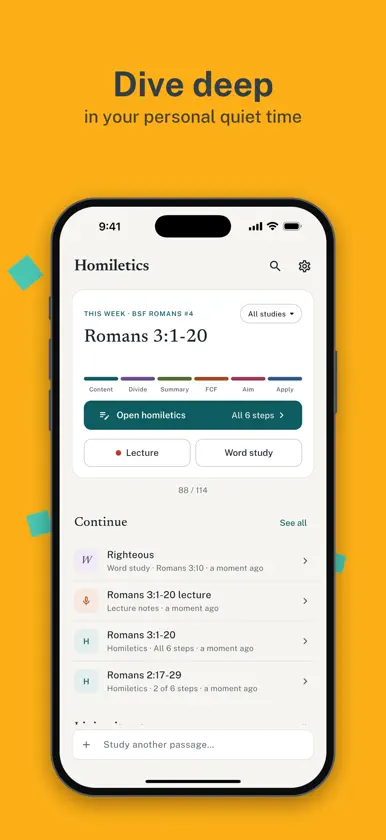
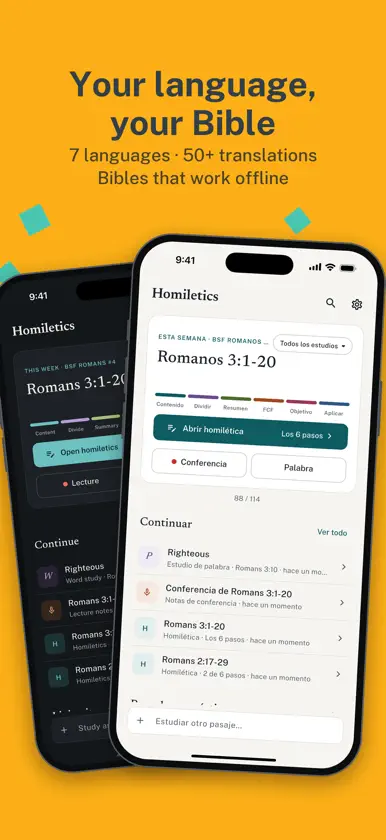
Homiletics walks you through studying a Bible passage the way good teachers prepare: read it closely, summarize it verse by verse, find its natural divisions, boil it down to one sentence, and decide how to live it out. STUDY A PASSAGE, STEP BY STEP • The passage sits right beside your notes, so you never lose your place. Tap a verse number to start a summary there. • Guided steps: Content, Divisions, Summary sentence, Aim and Application, with help on each step if you're new to homiletics. • This week's passage is ready on the home screen, along with everything you've studied before. LECTURE NOTES WITH RECORDING • Record a lecture or sermon while you take notes. Recording keeps going when your screen turns off. • Add time marks as you write, then tap one to hear that moment again. • Get a transcript made on your device. Your audio is never uploaded. WORD STUDIES • Dig into one word: its definition, where else it's used in Scripture, what it means in context, and how it applies to you. BIBLES AND LANGUAGES • Many Bible translations, plus offline Bibles you can download once and read anywhere. • The app speaks English, Spanish, French, Portuguese, Swahili and Chinese (Simplified and Traditional). SHARE, PRINT AND BACK UP • Print a clean PDF for class, or share a study as a link that opens in the app or in any web browser. AirDrop works too. • Back up all your studies to one file and keep it wherever you like: iCloud Drive, Files, email. • Free up space by removing old recordings while keeping your notes and transcripts. PRIVATE BY DESIGN No accounts, no ads, no tracking. Your studies and recordings stay on your device. Homiletics is an independent project and is not affiliated with or endorsed by Bible Study Fellowship.
What's new
Version 3.2.0 · Oct 25, 2026
- On Mac, the Bible passage scrolls with the trackpad again, and you can select and copy text, tap verse numbers to start a summary, and use "Read full chapter". - Printing on Mac no longer freezes. - See which words repeat in a passage, listed right under the text. - The Content step shows how many summaries you've written again, and a friendly hen checks in before a 21st. - Shared study images now have a solid background and match light or dark mode. - Ready for iPhone Duo: buttons move into the side bar, and the passage and study split at the fold. - Press Escape to close search.
More from Noah Tatko


You might also like
 Bible Note for ChristianKwun Yu Lam
 VerseCloud - Bible Study ToolQuantum Quinn LLC
 LA-BibleGPTTECHNOAVA TECHNOLOGIES
 AlignedAI For ChurchesApollo Eleven Inc.
 Wrinkly – Bible MemoryOakwood Software Consulting, Inc.
 Christian AIOstokone
 Church MetricsGloo, LLC
 Samaritan's Purse Event HubSamaritan's Purse
 Gift of ChristmasPrestonwood Baptist Church, INC.
 P.E.O. AppThe International Chapter of the P.E.O. Sisterhood