
Image Expert
福恩 毛
No ratings yetPhoto & VideoAges 4+
Screenshots






About this app
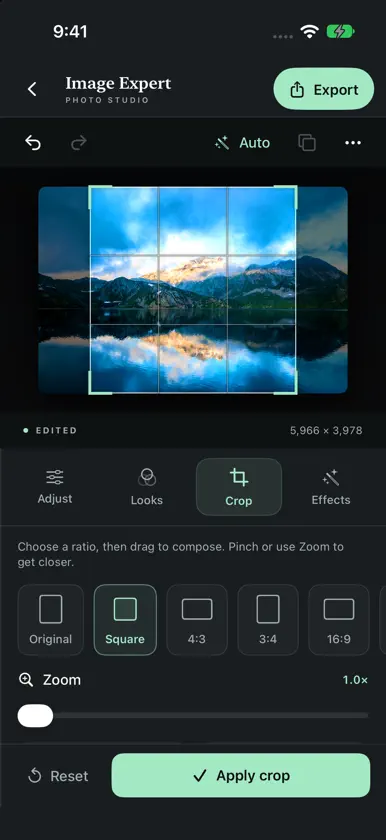
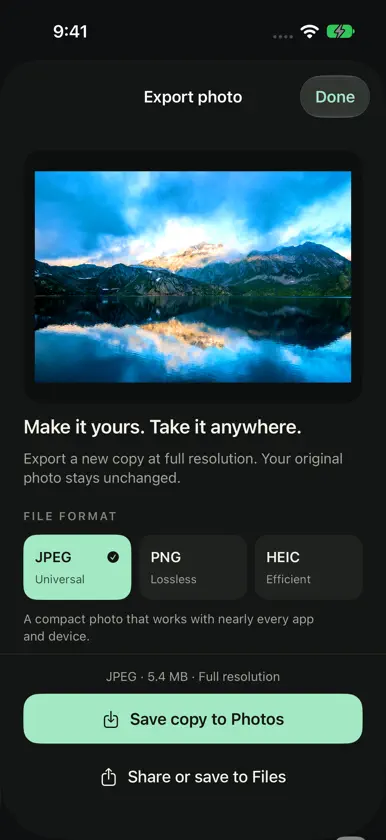
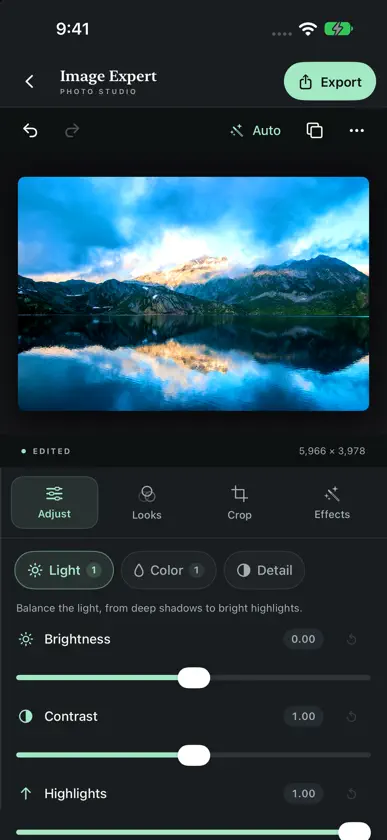
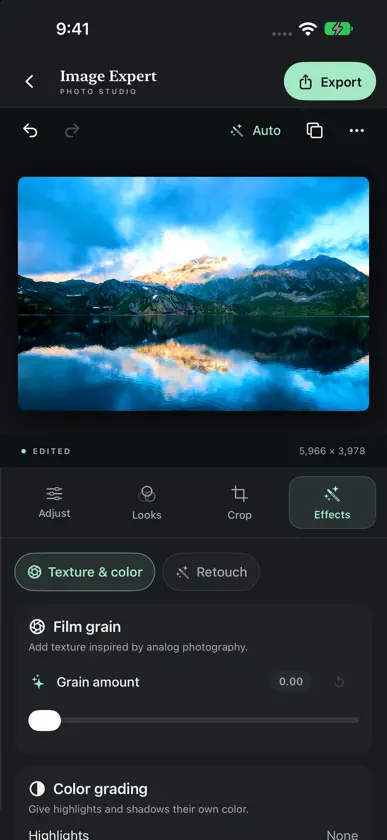
Turn the photo you took into the image you imagined. Image Expert gives you a focused photo studio for iPhone and iPad, with thoughtful controls for light, color, composition, and the finishing touches. START WITH A PHOTO Open an image from Photos or Files, use the camera, or explore the included sample photo. Pinch to inspect details and double-tap to zoom or fit your image. SHAPE LIGHT AND COLOR Balance tone and color with Auto Enhance, then fine-tune exposure, brightness, contrast, highlights, shadows, warmth, tint, vibrance, and saturation. Add sharpening or a vignette and use the histogram to inspect your edits. FIND YOUR LOOK Explore color, black-and-white, and film-inspired looks. Adjust a filter's strength and save your own combinations of filters and adjustments as reusable looks. Add film grain or give highlights and shadows their own color with color grading. REFINE THE FRAME Crop to common aspect ratios, zoom and reposition your photo, rotate, and use composition guides to find your framing. Soften a photo with blur, smooth portrait texture, or correct red-eye. EXPLORE WITH CONFIDENCE Compare your work with the untouched original. Undo and Redo restore both the image and its controls, and even Reset can be undone while the photo is open. The adaptive studio rearranges your photo and tools as the window changes size, with side-by-side editing on wider screens and separate photo and control areas around supported folds. Larger text and accessible controls help keep editing comfortable. EXPORT YOUR FINISHED COPY Preview your photo, check its pixel dimensions and actual file size, and choose JPEG, lossless PNG, or HEIC where supported. Set compression quality for JPEG and HEIC, choose whether to include photo metadata, and save a copy to Photos or share to Files and other apps. Editing happens on your device. No account, subscriptions, or in-app purchases are required. Your original photo stays unchanged. Export a finished copy before closing your photo or leaving the app; editing sessions are not saved as projects.
What's new
Version 3.1 · Nov 12, 2026
Image Expert 3.1 makes your photo studio more adaptable. • Fold-aware editing separates the photo and tools around supported screen divisions, including book and tabletop layouts. • Improved use of space in compact, expanded, landscape, and resizing windows. • More room for editing controls while keeping the photo visible. • Layout regression coverage for narrow screens, larger text, and folded configurations.
More from 福恩 毛


You might also like
All apps like Image Expert → Birthday Photo Frame - WishesKevin Rupareliya
 DI Cam - Cámara Instantánea路洋 邱
 Lovart IA - Generador de FotosIgnite Classes LLC
 CameraPixels LiteNatalya Petrenko
 Add Text on Photo Fonts for IG淑环 关
 广角相机康东 谭
 Grids - no crop photo editor晶 王
 Crisp Zoom CameraShota Abe
 AI Photos Editor+VIJAYKUMAR D AHIR
 Foto de Perfil: Marco CreadorDima Komar