
Incentify
GrandTechnology
No ratings yetBusinessAges 17+
Screenshots




About this app
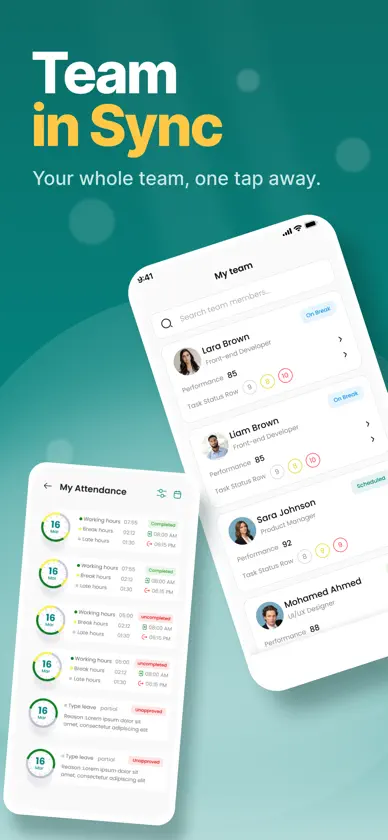
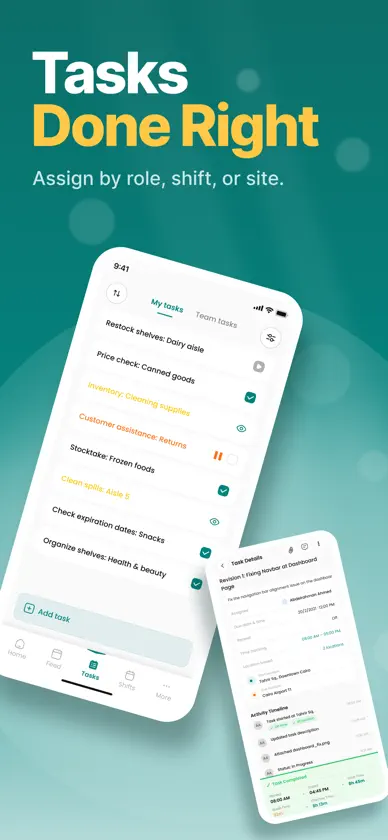
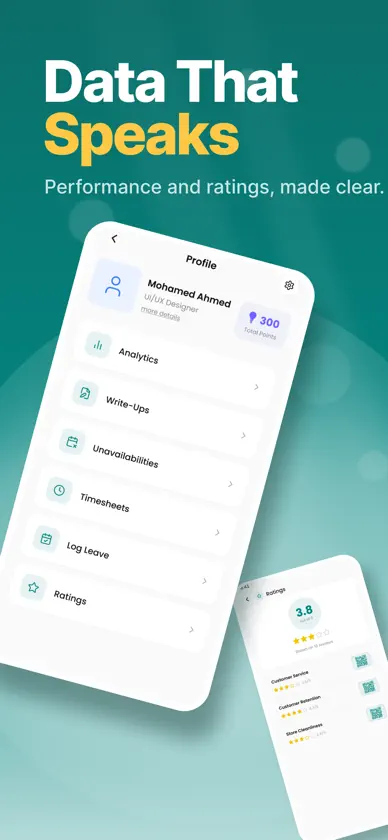
Incentify is the ultimate workforce motivation platform designed for modern teams. Whether you're managing retail staff, hospitality workers, or remote teams, Incentify helps you track performance, reward achievements, and improve operational efficiency through a simple, mobile-first experience. Drive Accountability. Boost Productivity. Reward Excellence. With Incentify, your team always knows what to do, when to do it, and how they’re performing—all while being rewarded for meeting expectations. => Key Features: - Task Management: Assign and track tasks by role, site, or shift. Employees can view and complete tasks directly from their mobile app, while managers monitor progress in real-time. - Performance Tracking: Set performance metrics tied to points and monitor team or individual progress. Create custom KPIs and keep your team aligned with measurable goals. - Incentive System: Employees earn points for completing tasks and hitting targets. Points can be redeemed for digital vouchers, bonuses, or custom rewards. - Shift Scheduling: Managers can create job-specific shifts per location and assign them to staff. Employees can view, confirm, or swap shifts on the go. - Manager & Employee Views: Managers access both "My Tasks" and "Team Tasks" tabs, while regular users see only "My Tasks"—keeping the experience clean and focused. - Notifications & Reminders: Stay on top of deadlines with push notifications for shift reminders, new tasks, and reward opportunities. - Analytics & Reports: Gain insights into productivity, attendance, and overall team performance. Optimize workflows with actionable data. Whether you’re scaling operations or just trying to run a tighter ship, Incentify brings transparency, accountability, and motivation into one intuitive platform. Download Incentify today—because performance should always be rewarded.
What's new
Version 1.5.3 · Nov 3, 2026
• Redesigned My Unavailability: a week and month calendar shows your unavailable days, your shifts and any conflicts • Add one-time or recurring unavailability, all day or for set hours, with different hours for each day • Choose a reason, and get a warning before saving over a published shift • Edit or delete a whole series or just one day • On tablets, it opens in a side panel, with date and time pickers right next to each field • Bug fixes and improvements
More from GrandTechnology


You might also like
 Kalkulator IKZE z ESALIENSESALIENS Towarzystwo Funduszy Inwestycyjnych SA
 EDGE Innovation CenterRaya for Buildings Development & Management
 Modus: AI Meeting AssistantNostrade Services Inc.
 ستايكس ناشرHouse Alkokab Altasii
 EagleCMMSTMA Systems, LLC
 AJIB TradingARAB Jordan Investment Bank
 nopCommerce mobile applicationnopCommerce
 Memphis Business JournalAmerican City Business Journals
 Moheet MobileAlmorisi For Exchange Company