
inkScript
Nikolay Nikiforov
No ratings yetProductivityAges 4+
Screenshots
About this app
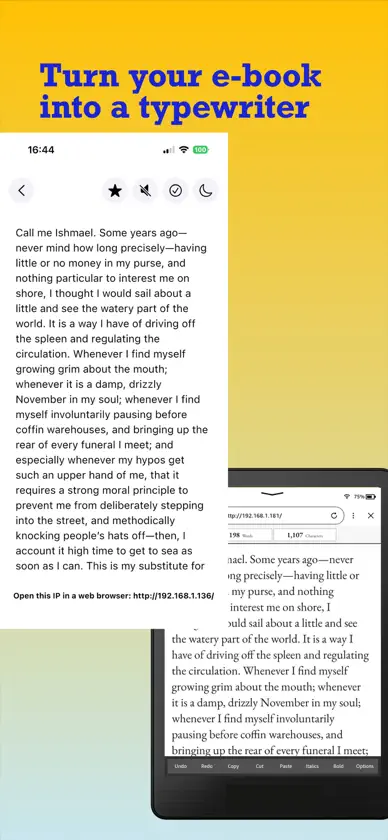
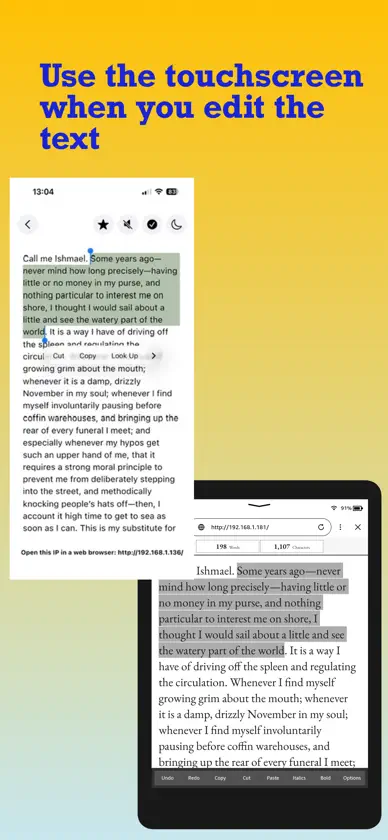
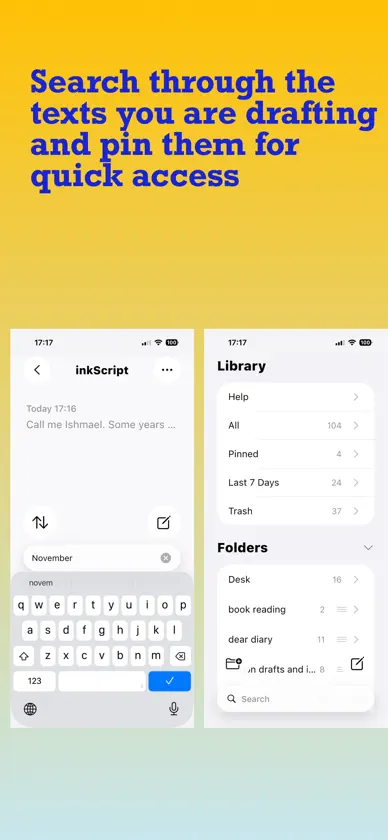
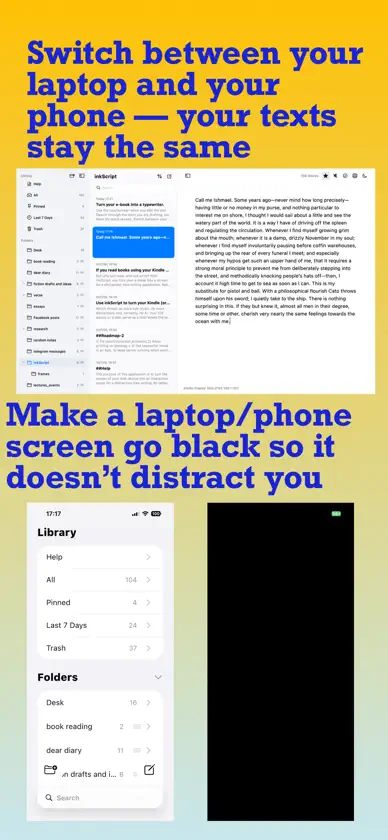
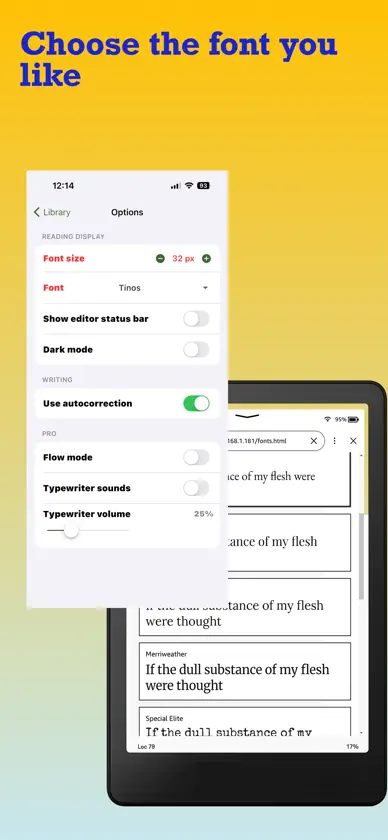
Use inkScript to turn your e-book device into a screen you look at as you type your text. This means no more eye-strain, no more distractions and, certainly, no AI. Your iOS device or a Mac serves as a host where the texts are stored, but you don’t ever have to look at its screen while typing. Setup takes a couple of minutes, and if you’re not yet ready to get a Bluetooth keyboard to connect to your iPhone, start with the Mac version; switching between iOS and Mac is seamless. Just push an icon to turn the laptop’s screen off so it doesn’t distract you. Your Kindle is not just a screen when writing with inkScript: you touch it to scroll through the text, move the cursor or select a fragment, to copy, paste, undo and redo the changes, etc. With a subscription active, you also have a wide choice of fonts; you can turn “flow mode” on to write the first draft with minimal editing and have the application imitate typewriter sounds. Your app is not there just to write drafts; you have a fully functional system to organise the texts into folders, preview them, search, pin the text you’re working on, etc. When you’re in a hurry and have trouble reaching for your Kindle, just use inkScript to jot down your thoughts the way you use a regular note-taking app. Every writer’s flow is personal, but if you are still looking for that perfect tool — one that lets your imagination step away from the digital noise but doesn’t feel ancient — try inkScript: this might well be it! Terms of Service: https://www.apple.com/legal/internet-services/itunes/dev/stdeula/
What's new
Version 1.4 · Sep 21, 2026
Added "indent paragraphs" and "justify text" to option
In-app purchases
The most popular purchases on the App Store.
- inkScript Pro yearlySubscription$499.00 / year
- inkScript Pro monthlySubscription$69.00 / month
You might also like
 墨流 - 极简 Markdown 编辑器PIX3L DESIGN STUDIO
 WriterosCarlos Fernando Flores Benavides
 ZenSlate: Just WriteSachin Kumar
 Still WritingJing Zhang
 Tori Baduk – Play Go with AIjihun kim
 Volt: Quick Notes & Fast JotMyworkingmemory LLC
 Write A Book: InkrunOtter Ridge Software, LLC
 Word Sprint: Write Your BookBRYAN M THOMPSON
 SolarWriterCool S, LLC
 Blazed: Kiln LogsStoned Studio LLC