
IP Inbound
Timothy Morgan
No ratings yetUtilitiesAges 4+
Screenshots




About this app
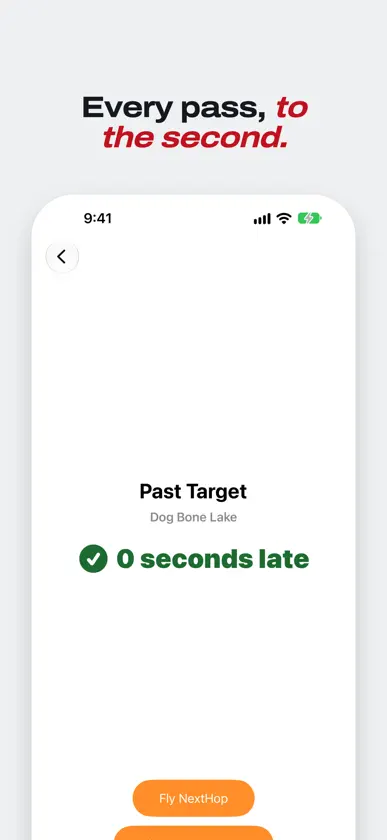
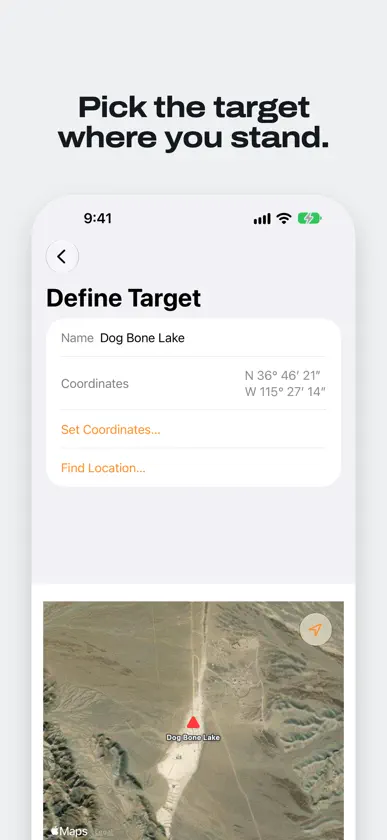
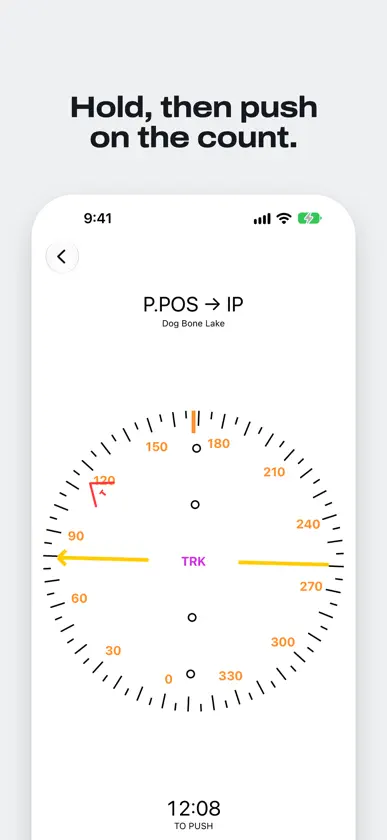
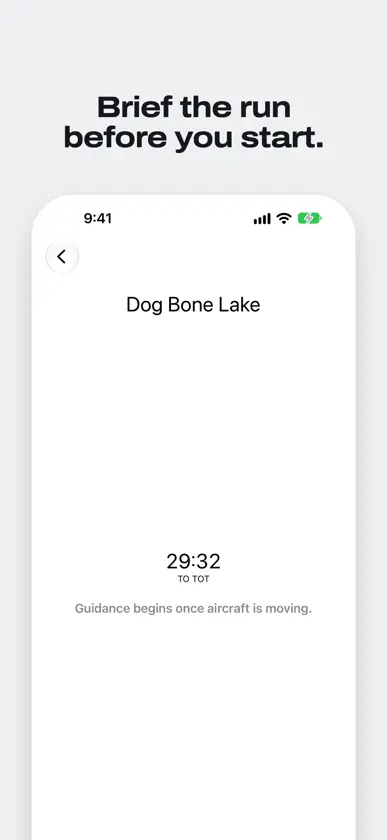
IP Inbound is an application that helps pilots fly an IP-to-target run to an accurate time on target. This application is useful for formation demo pilots, or pilots who participate in simulated tactical events, and need to be over a target at a precise time. THE PROBLEM Maybe you are lead of a formation flight over a ceremony and you have specific time on target (TOT), or you are being tested on your ability to put a flour bomb on a mock target at a precise moment. In either case, you are likely given three pieces of information: 1. Your target location 2. A desired time on target 3. An initial point (IP) or run-in direction Your job is to select a run-in speed, and plan your arrival over the IP so that you arrive over the target at TOT. For flights that must coordinate with a band or pyrotechnics display on the ground, or for aircraft that are being tested on their timing, seconds matter. THE SOLUTION This iOS application allows you to select or enter a precise target coordinate, choose an IP bearing and distance, and a desired ground speed, and then enter your TOT. It then provides you with useful information during each phase of your flight: ON THE GROUND, it shows you a countdown to your TOT for takeoff planning. AIRBORNE, PRE-IP it provides you with lateral guidance to the IP, and a countdown for when you must exit the IP to make your TOT. It will also automatically provide you with direct-to-target guidance if it calculates that you must skip your IP in order to make your TOT. AIRBORNE, POST-IP it provides you with lateral guidance for the IP-to-target run, and tells you to speed up or slow down to meet your TOT. The app automatically includes turning time in its calculations: For example, if you are running very early and opt to make a 360 or an S-turn during the IP-to-target run, it will include the time needed to complete the turn in its estimated-time-of-arrival (ETA) calculations, and airspeed guidance.
What's new
Version 3.0 · Nov 1, 2026
IP Inbound now requires iOS 27 and watchOS 27. If your iPhone or Apple Watch is on an older version, the App Store will keep offering you 2.1.0 and it will go on working — but this is where new versions stop until you update. • With your iPhone in landscape, the Dynamic Island shows your run as a target symbol and a ring that runs down to your time on target. • Siri and Shortcuts: ask Siri “Time on target in IP Inbound” to hear how long you have, or “End the run in IP Inbound” when you’re done. Each of your targets also appears as a shortcut in the Shortcuts app, which opens its Fly screen. On Apple Watch, ask Siri how long it is to your time on target. • Your targets turn up in Spotlight: search for one by name to open it. • The number pad for an IP’s bearing, offset and ground speed has a Done button, so you can put the keyboard away without scrolling or tapping elsewhere.
More from Timothy Morgan


You might also like
 My IP LiteRafal Rybnik
 Sentinel: Wifi Network ScannerALI EMIR CIHAN
 NetProbeX - Network ScannerAH SEN TEW
 Unspy: Detector Cámara OcultaAkbarali Xasanov
 OniNetwork: Network AnalyzerTAKAHIRO KISHIE
 Eclipse QRAEclipse Aerospace
 ACE-EditorPost River Software
 IPok: IP Risk & Leak Check正平 孙
 AircraftPower SJames Petty
 ChocLite - Network CompanionWATFAQ TECHNOLOGIES PTY LTD