
Screenshots
About this app
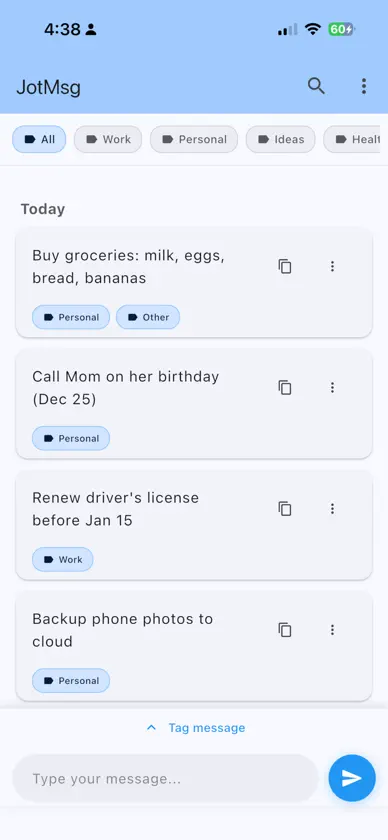
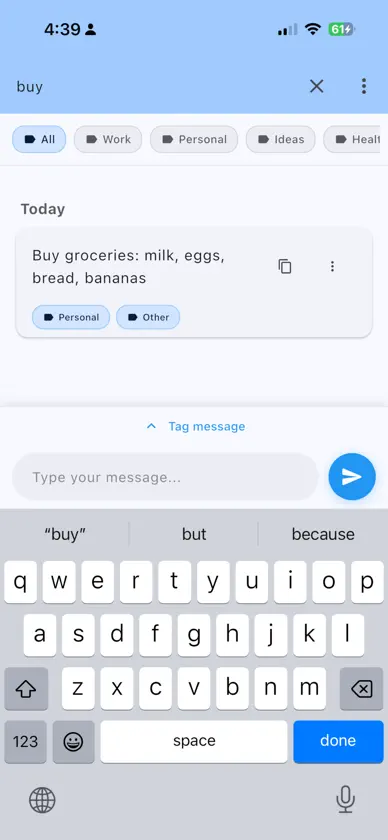
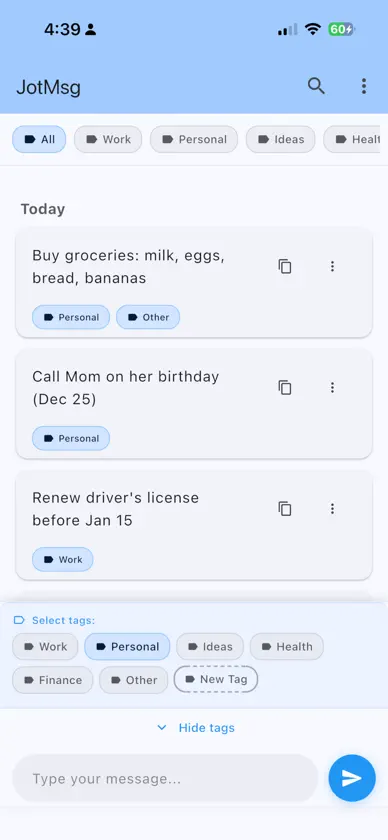
Create Messages: Type your message in the input box at the bottom and tap the send button to save it. Messages are automatically saved and persist when you reopen the app. Tag Messages: Tap "Tag message" above the input box to assign tags to your messages. You can select multiple tags per message to organize your notes effectively. Filter by Tags: Tap any tag at the top filter row to filter messages by that tag. Tap "All" to see all messages. The filter automatically resets to "All" after sending a new message. Message Grouping: Messages are automatically grouped by day ("Today", "Yesterday", or specific dates) for easy navigation. Persistent Storage: All messages and tags are saved locally and automatically restored when you reopen the app.
What's new
Version 1.1.0 · Nov 5, 2026
• New look: a clean black-and-white theme that's easy on the eyes in both light and dark mode. Prefer color? Pick any theme color in Settings. • New app icon. • Smoother scrolling: your latest note now stays at the bottom, just like a chat, with no jumping after you send. • Faster tagging: tags appear automatically while you type and hide when you're done. • Easier tag browsing: scroll through the tag bar at the top more easily. • Bug fixes and performance improvements.
More from OI FUNG HO


You might also like
 Data Guard by SmarToneConnect APAC Company Limited
 NekokoLPA 2Kosmoneko OÜ
 QR Code Maker ™Andy Sutanto
 OMSee小苗 周
 RTO Vehicle InformationsNalin Savaliya
 Dragon RewardsDragon Technology Group
 CommonScopeBaisstar(Shenzhen) Intelligent Co., Ltd.
 ifc mall (Hong Kong)International Finance Centre Management Company Limited
 Awesome Screen RecorderDiigo Inc.
 Biometric Passport ReaderIris Development AB