
LearnTogether: Study Room
TimeAwake Limited
No ratings yetProductivityAges 17+
Screenshots


About this app
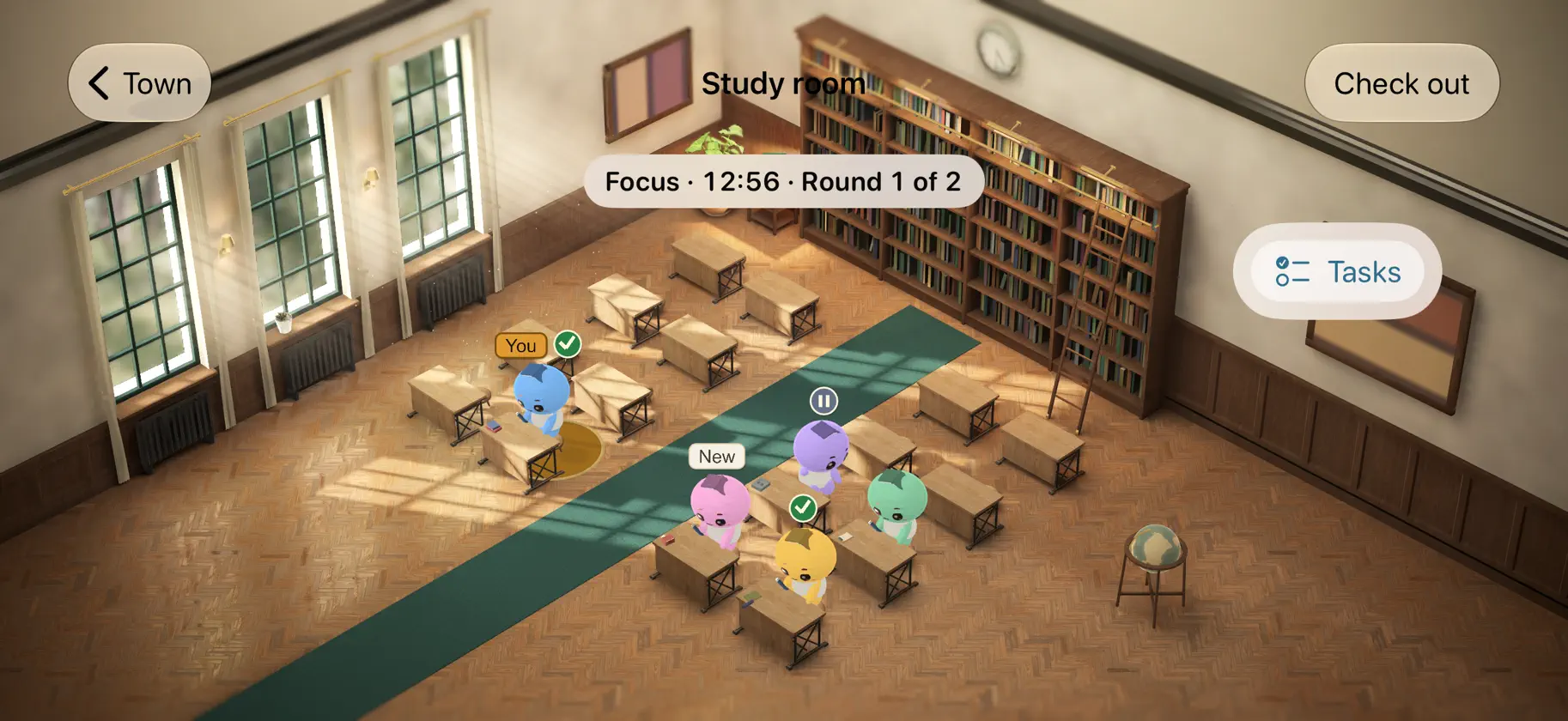
LearnTogether is a quiet study room you share with real people. Look around an illustrated town, take a seat in a shared classroom, and focus alongside everyone else. No cameras, no microphones and no chat. HOW IT WORKS • Everyone follows the same rhythm: 25 minutes of focus, then a 5-minute break, starting on the hour and the half hour. • The home screen is an illustrated town. Drag and pinch to look around, and tap a ribbon to open a place: Study Hall, Today's Tasks, the Wardrobe, Study Cottage or the Welcome Board. • In Study Hall, tap Take a seat and the app picks a room for you. Up to 16 people share a room. If nobody else is there yet, the room tells you so. You can start on your own, and others can join at any time. • Plan 1 to 6 rounds. In each break, tap "Continue to the next round" to keep your seat, or check out whenever you like. • If you turn on notifications, a silent notification tells you when your planned rounds are done. • While you have a seat, the Lock Screen can show the round and a Continue button. It stays on your iPhone. We don't send it from our servers. THE CLASSROOM • Taking a seat opens a shared 3D classroom: a sunlit room with oak desks, bookcases and plants. You see Booklings, not photos or video. • The light shifts softly between focus and the break. • Your own Bookling has an amber "You" label above it, so you can always find yourself. • The classroom picks a level of detail for your iPhone and lowers it on its own if things slow down. • During focus, tap someone to give them a quiet nod. During the break, tap someone to wave. • There is no free text between people and no private messages. Nicknames are made by the app. • See who is focusing, who is on a break and who will be right back. TODAY'S TASKS • Plan up to 4 tasks for today from preset choices, for example "Read 20 pages · Biology" or "Solve 15 problems · Math". • Tick them off as you go. Share them with your room or keep them to yourself. • See when people usually study, hour by hour, over the last 7 days. SEE YOUR PROGRESS • When you check out, see how many rounds counted, how many tasks you finished and how many people studied with you. • Tap "See you tomorrow" to plan to come back at the same time tomorrow, and see how many others plan to come. • My records shows your time and rounds for today and this week, the days you have studied and how many people you have studied with. There are no streaks to lose. YOUR BOOKLING • Pick one of 8 colours and an outfit for your Bookling, the figure that shows you in the classroom. LOOK AROUND FIRST • The first time you open the app, a short welcome tour shows how it works. The Welcome Board shows it again. • Browse the town and open its places without signing in. • To take a seat, sign in with Apple. We don't ask Apple for your name or email. SAFE BY DESIGN • LearnTogether is for people aged 16 and over. • Tap a classmate to report or block. A person reviews every report. • Export your data or delete your account at any time in the app. • No ads, no tracking and no in-app purchases. LearnTogether is free. It needs an iPhone with iOS 17 or later and an internet connection. Privacy Policy: https://learntogetherapp.com/privacy Terms of Use: https://learntogetherapp.com/terms Support: https://learntogetherapp.com/support


