
LockDown Browser
Respondus Inc.
1.2(305)EducationAges 4+
Screenshots



About this app
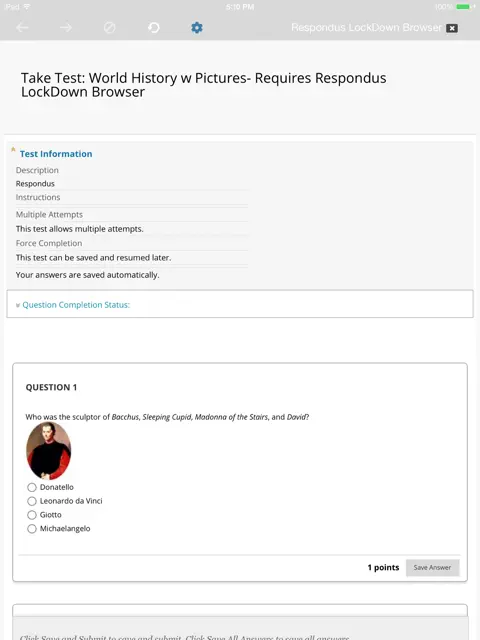
LockDown Browser is a custom browser that locks down the exam environment within specific learning and assessment systems. When LockDown Browser is used during an online exam, you are unable to go to other URLs, switch applications, take screenshots, copy questions or print. It essentially locks you into the exam until it’s submitted for grading. Important: This application can only be used with the Respondus Monitor proctoring system if your instructor has enabled the use of an iPad for the exam. If your instructor hasn't enabled the use of an iPad for the exam, you will be unable to use this application with it. While LockDown Browser isn’t the most exciting app available, it does make online assessments possible. And, hey, you can download it for free. This is NOT a limited-feature version and there are NO advertisements of any type.
What's new
Version 14.2 · Oct 8, 2026
- Minor bug fixes and enhancements
More from Respondus Inc.

You might also like
 Bluebook ExamsThe College Board
 Top Hat - Better LearningTop Hat Monocle
 Yuzu eReaderBarnes & Noble College
 Pearson+ | Study Prep & eTextsPearson Education, Inc.
 ExamplifyExamSoft Worldwide, Inc.
 Knowt: AI Flashcards & NotesKnowt Inc.
 StudyFetch: Make Learning EasyStudy Fetch
 Cengage ReadCengage Learning
 Elsevier eBooks on VitalSourceElsevier Inc.
 McGraw Hill Express LibraryMcGraw-Hill