
MapInk: Map Notes
MC Software Ltd
No ratings yetNavigationAges 4+
Screenshots


About this app
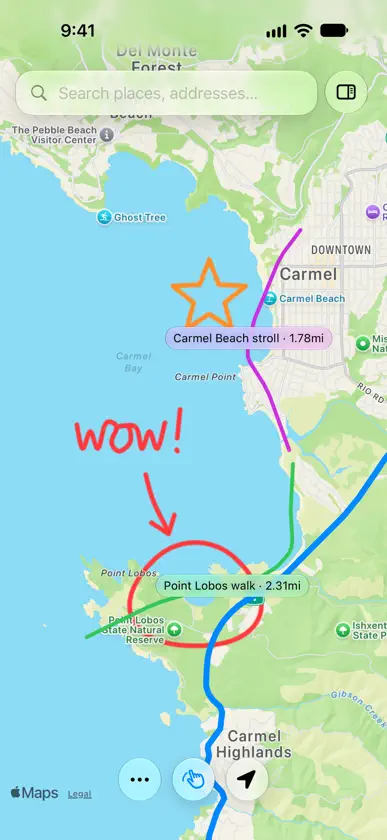
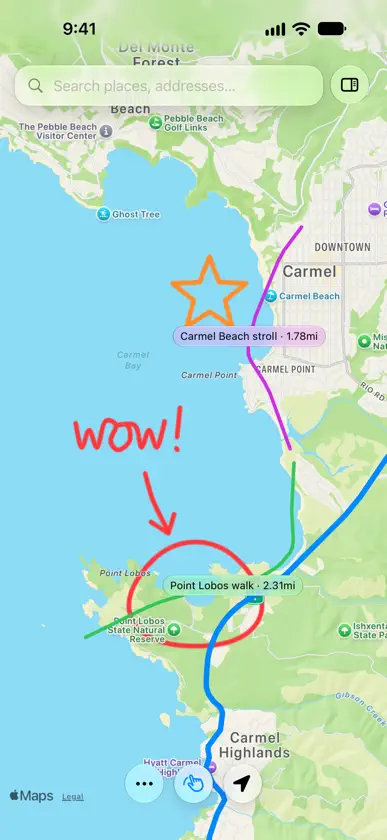
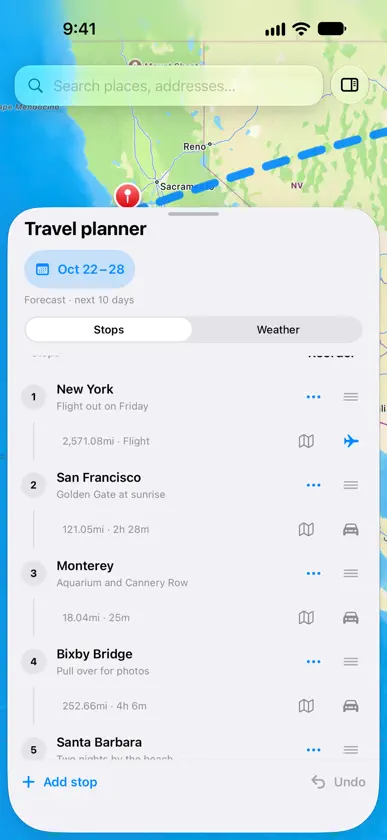
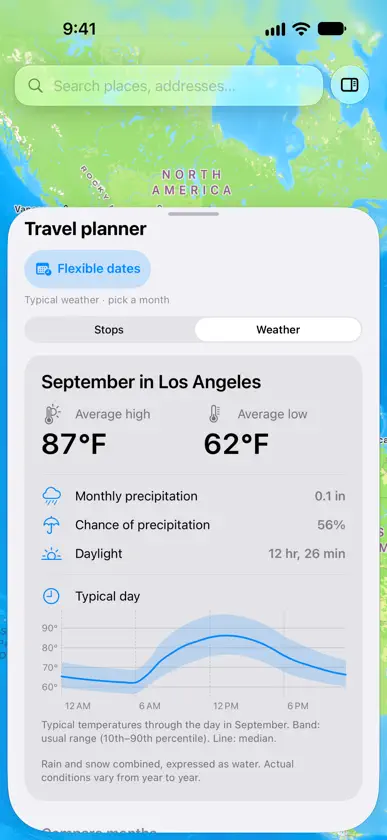
MapInk turns your iPhone and iPad into a map canvas for planning trips, marking places, and capturing handwritten notes exactly where they belong. Search for a place or address, drop pins, and sketch routes with Apple Pencil or your finger. Connect your pins into a Journey to drive, walk or fly between stops, and check the weather for every stop along the way. When you want to explain or remember a place, write directly on the map and share a snapshot. Plan a Journey - Connect your pins into a Journey and reorder stops anytime - Choose Drive, Walk or Fly for each leg; flights are drawn as arcs across the map - See the distance and travel time of every leg Weather for your trip - Add your travel dates to see the forecast at each stop - Choose Flexible dates to compare typical weather month by month - See rain, daylight and a typical-day temperature curve for any month - Turn weather off in Preferences if you don't need it Draw on the map - Sketch freehand lines and see their distances - Drive and Walk lines follow the roads through the corners you draw - Rest your pencil on the end of a line to keep drawing it - Erase whole lines or just part of one - Name your routes, group them, and give each Project its own colors Notes and projects - Drop titled pins with notes for stops, landmarks, ideas and meeting points - Write handwritten notes on the map with Apple Pencil or your finger - Save projects with lines, pins and notes together, and reopen them later - Switch between standard, hybrid and satellite map styles - Share annotated map images, with your Journey included Try MapInk free with up to five items on the map, then unlock unlimited items forever with a one-time purchase. MapInk is built for visual thinkers, travelers, field note takers, students, and anyone who plans better by drawing over real places.
What's new
Version 1.1.0 · Oct 22, 2026
MapInk 1.1 is our biggest update yet. • MapInk on iPhone: plan and sketch on your iPhone as well as your iPad. • Weather for your Journey: add dates to see the forecast at each stop, or choose Flexible dates to compare typical weather by month, with rain, daylight and a typical-day temperature curve. Turn weather off in Preferences if you don't need it. • Fly between stops: choose Drive, Walk or Fly for each leg. Flights are drawn as arcs, even across the Pacific. • Smarter drawn routes: Drive and Walk lines follow the corners you draw. Rest your pencil on the end of a line to keep drawing it. • Partial eraser: erase just part of a line, or switch back to erasing whole items. • Project colors: give each Project its own named colors. • Pan and zoom with your fingers while you draw. • Shared images now include your Journey, flights too. • Smoother drawing, erasing and map rendering, plus many fixes.
In-app purchases
The most popular purchases on the App Store.
- MapInk Lifetime UnlockConsumable$299.00


