
MarpUI
RICHARD JAMES HARVEY
No ratings yetProductivityAges 4+
Screenshots







About this app
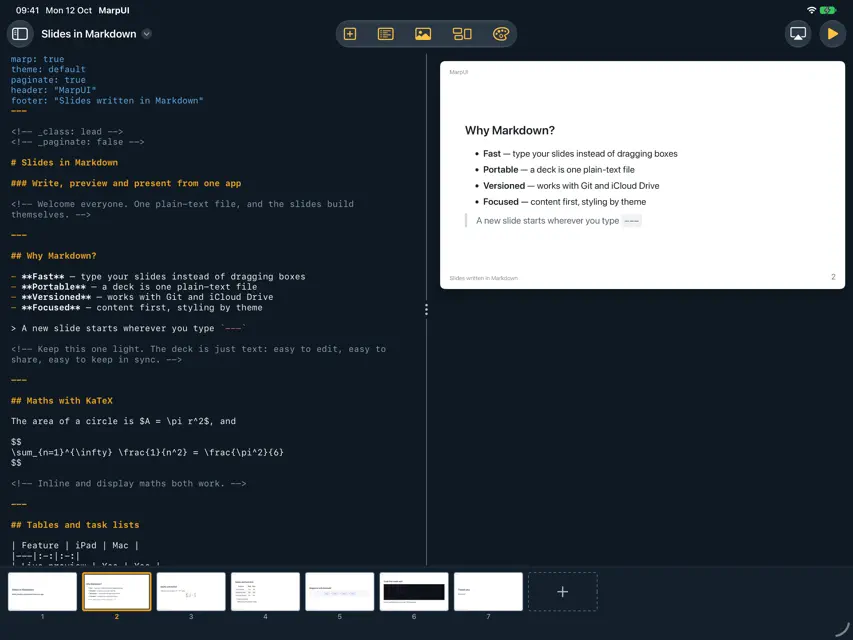
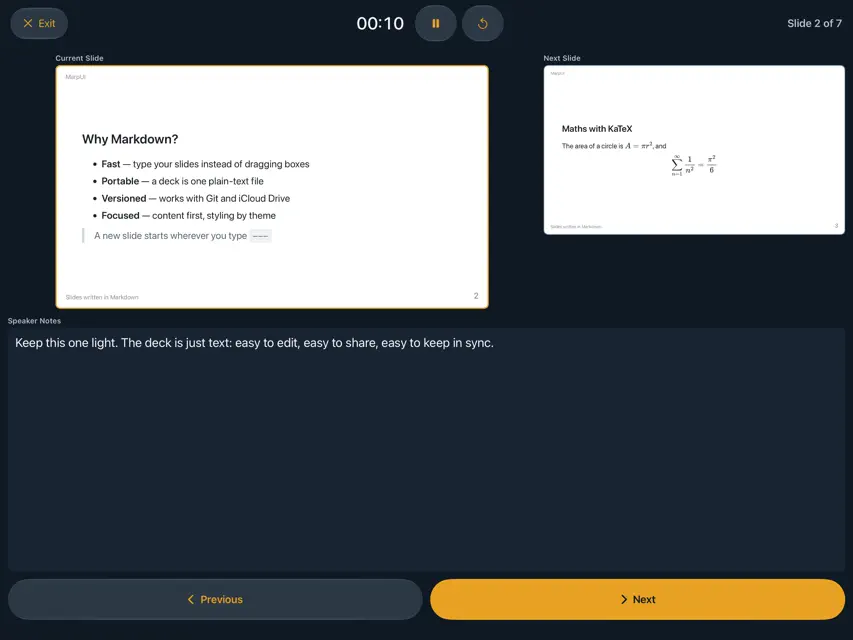
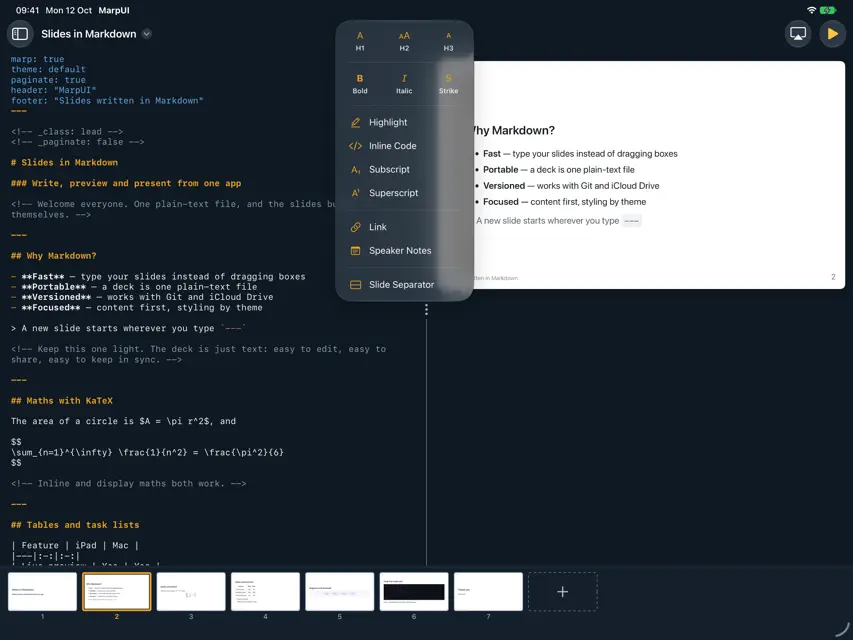
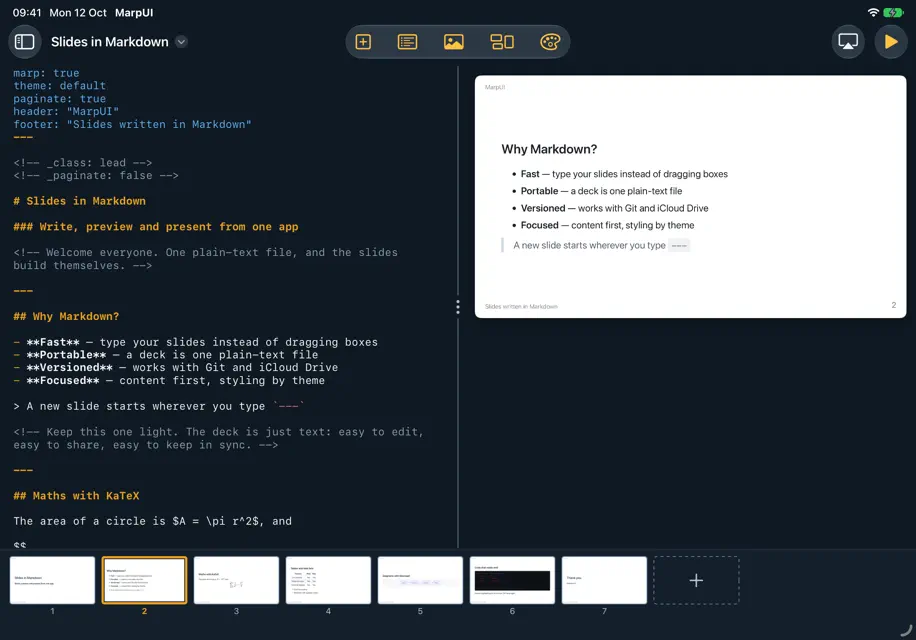
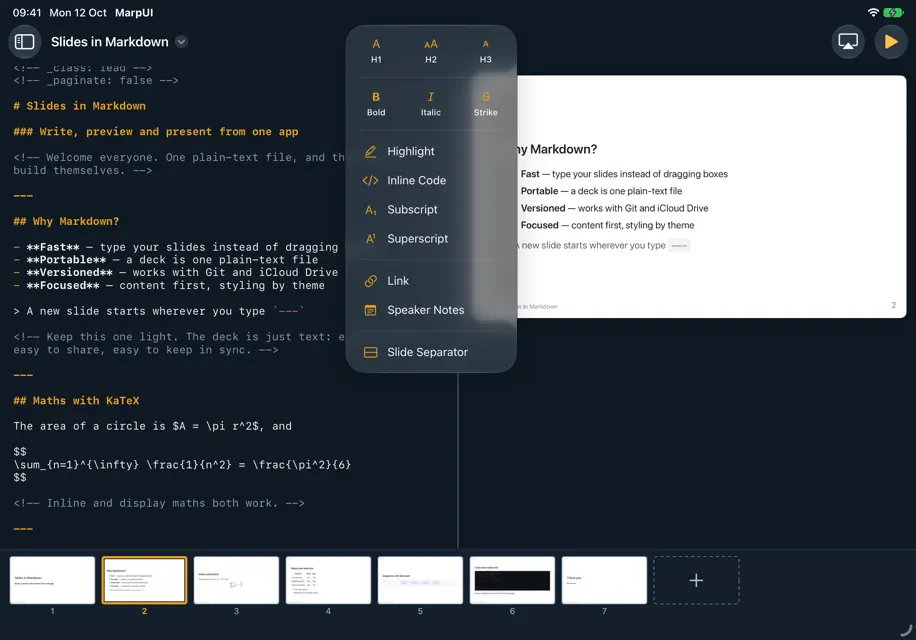
MarpUI is a native iPadOS presentation editor powered by Marp. Write your slides in Markdown, see them rendered in real-time, and present directly from your iPad. **Write slides effortlessly** The split-pane editor gives you a Markdown editor on the left and a live slide preview on the right. Use the Insert and Blocks menus to quickly add headings, formatting, lists, tables, code blocks, blockquotes, and more. Keyboard shortcuts like Cmd+B (bold) and Cmd+I (italic) keep you in the flow. **Rich Markdown extensions** Go beyond basic Markdown with subscript, superscript, highlights, strikethrough, footnotes, task lists, and GitHub-style alerts. Add Mermaid diagrams for flowcharts and sequence diagrams. Write math equations with KaTeX. Syntax highlighting supports 190+ programming languages. **Beautiful themes** Choose from built-in Marp themes or import your own custom CSS themes. Edit themes live with instant preview. Set fonts per slide or for the entire deck. **Present like a pro** Three presentation modes to suit any scenario: - Fullscreen slideshow with tap, swipe, and keyboard navigation - Presenter view with current slide, next slide preview, speaker notes, and a timer - External display mode: connect a USB-C HDMI adapter to show slides on a projector while your iPad shows the presenter view **Images with power** Insert images from your Photos library with one tap. Apply sizing, filters (blur, brightness, grayscale, sepia, and more), and background modes. Use split-screen backgrounds for striking visual layouts. **Export and share** Export your presentations as self-contained HTML files or PDF documents. Share via AirDrop, email, or any app on your iPad. **Sync with iCloud** Link your iCloud Drive MarpUI folder to access the same decks on your iPad and Mac. Changes sync automatically. Conflict detection alerts you when a file has been modified on another device. **Fully offline** MarpUI runs entirely on your device. No account required, no data uploaded, no internet needed after installation.
What's new
Version 1.3.0 · Oct 14, 2026
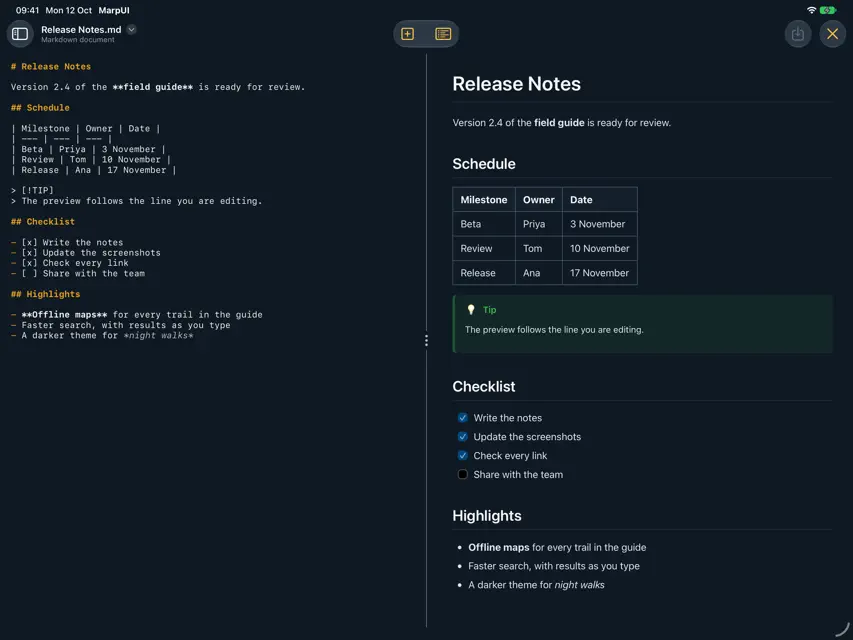
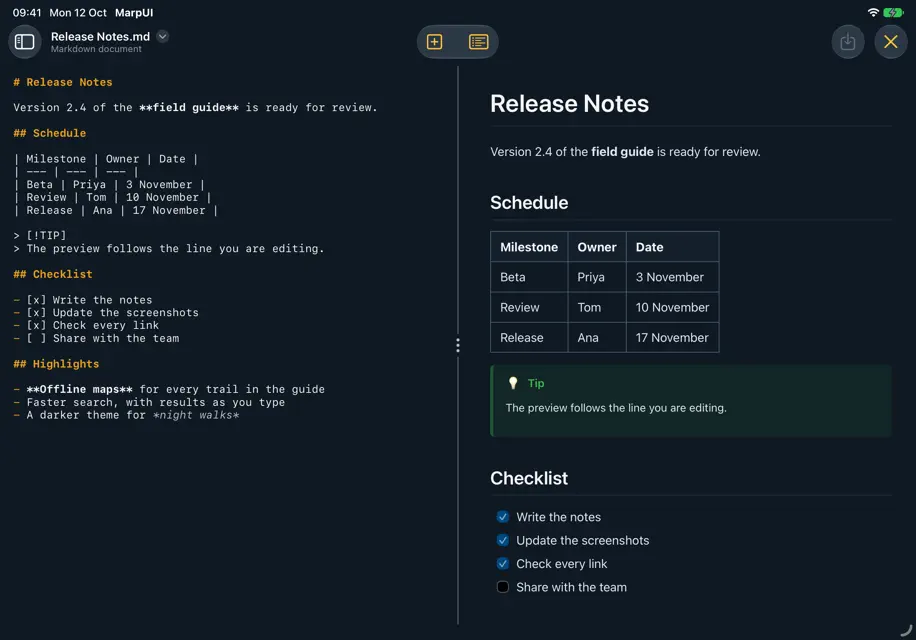
A new look, a layout for portrait, and a home for all your Markdown. Liquid Glass throughout MarpUI has been redrawn with Liquid Glass. The editor's controls now sit in the system toolbar, sized for touch, and the presenter view and slideshow controls have had the same treatment. Made for portrait too Hold your iPad upright and the slide now sits above your text, each at full width, instead of squeezing into half the screen. Drag the handle to give the slide more or less room. MarpUI remembers where you left it. See every slide at a glance The strip under the editor now shows a real thumbnail of each slide, redrawn as you edit. More than presentations MarpUI now opens Markdown files from the Files app. Presentations open as decks. Anything else opens as a plain document, with a live preview that follows the line you are editing. You can start a new document from the + menu too. Easier for everyone - The editor and the document preview follow your system text size - Clearer contrast throughout - Clearer VoiceOver names for the editor's controls - Slides can be reordered, and the panes resized, without dragging Polish & fixes - The exit button in the fullscreen slideshow now responds to taps - Slideshow bars are black rather than navy - Deleting a deck or a document asks first - The Insert and Blocks menus fit without scrolling Thanks for using MarpUI. As always, let us know what you'd love to see next.
More from RICHARD JAMES HARVEY


You might also like
 mrkdwn — Notas en MarkdownBuenaGames LLC
 Marp Slide AIYUKI TANAIKE
 DroplaGabriel Jourdan
 QuickHMI MobileIndi-An GmbH
 Marp Slide: Markdown PPTYUKI TANAIKE
 Editor Markdown: MD ReaderVictoria Rodriguez Diaz
 Visor y editor MarkdownZeeron Studio Pvt. Ltd.
 Deckset: Your Notes to SlidesPawel Dudek
 Offprint: Web to PDF & EPUBNikolai Rodionov
 LLM Hub: Chat IA sin internetYuan Qian