
Mixet VP
Gennadii Dudarek
No ratings yetMusicAges 4+
Screenshots








About this app
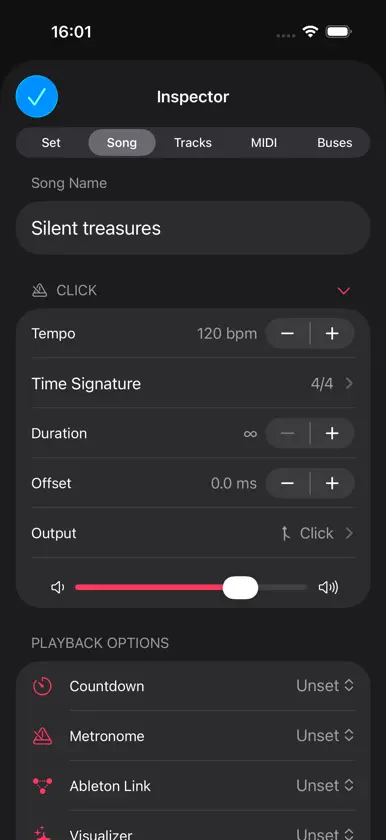
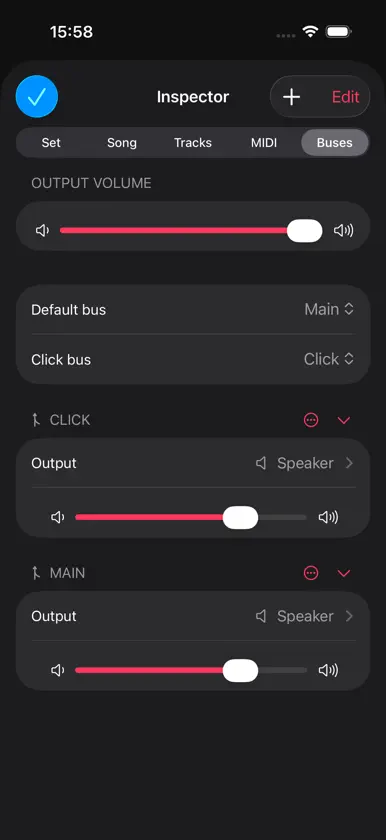
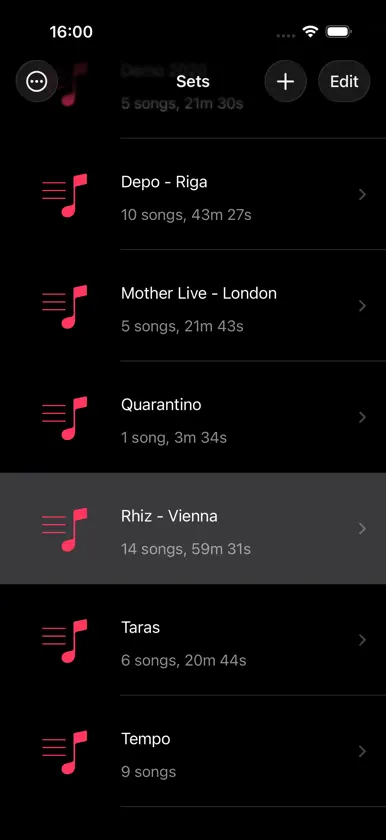
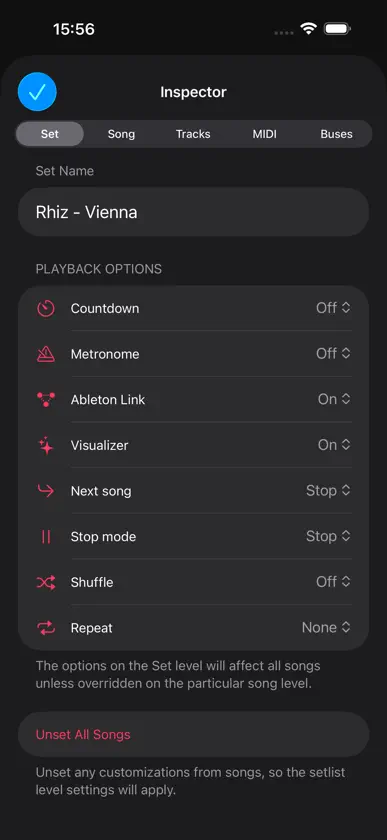
Mixet is a multichannel setlist player for bands and solo musicians who want to preprogram their show with presets and tempos and support their live performance with prerecorded backing tracks. Like many musicians, I play in a band where some members (mostly bassists and drummers) miss rehearsals. Sometimes we play a small venue or an art opening where drums are impossible. Or maybe you're the drummer and want to practice at home as if the band were there. Backing tracks are a great solution, but a standard music player isn't enough. We need control over how one song leads into the next. We need a metronome, a countdown, and a way to push the tempo to our plug-ins and bandmates. We need to send tracks to specific audio interface outputs to recreate the presence of a missing member: a bass track through a real bass amp sounds very different from a stereo mix through the PA. And most importantly, when we use plug-ins in apps like AUM, we need a simple way to load the right presets for each song. Mixet does all of this with a single gesture on iPhone, iPad, and Mac. It's built for simplicity. MAIN FEATURES • Sets, songs, and tracks: organize songs into sets, add tracks to songs, and send any track to any audio interface output or bus • Buses: change a bus's settings once to apply them to every track assigned to it • Virtual MIDI: send Program Change, Control Change, or Note messages when a song is selected, played, or stopped to load presets or adjust parameters in other apps • "MIDI Sent" notice confirms each send and warns if one fails • Sample-accurate metronome and countdown • Ableton Link to push the tempo to your plug-ins and bandmates • Visualizer that reflects the song's dynamics • Import tracks from Files, GarageBand, or other audio apps • Click tracks for practice, plus a built-in Mixet Tempos set from Larghissimo to Prestissimo • A large Play button you can't miss in the heat of the show • Change songs with one touch using the unique song picker • Auto-rewind, auto-progress, countdown, repeat, and more, set per setlist or per song • Keyboard shortcuts: Space to play or stop, arrow keys to move between songs • Remote control from Apple Watch and the Lock Screen • Home Screen widget with a play/stop button and playback status • Keep the screen awake always, while charging, or while playing • Back up and restore your entire library • Designed for every device size and orientation • No accounts, no uploads: your tracks stay yours ALL ACCESS Mixet is free to download. Hardware outputs, buses, song and track settings, playback options, and Ableton Link sync extras require an All Access subscription (monthly or yearly). Ableton Link tempo sync itself is free. VIRTUAL MIDI MESSAGING Mixet can send MIDI messages to other apps, so they react when you select, play, or stop a song. In AUM, for example, you can load sessions with presets, toggle effects, or change parameters. To set it up, choose Mixet as a MIDI source in the other app, then choose what each Mixet message should trigger. ABLETON LINK Auto-push tempo Mixet uses Ableton Link to push the current song's tempo to the Link session. Turn on Automatic Push to send the tempo automatically when playback starts. Mixet doesn't follow other peers' tempo changes. It's a great way to sync effects like delay and vibrato to your backing tracks and keep your show at its planned tempos. Start/Stop Sync Turn on Start/Stop Sync in Ableton Link settings (the Link icon in the Sets view) so every peer that supports it plays along with Mixet. Turn off Stop Sync to make sure no peer can accidentally stop your show. EXTRA SYNC OPTIONS Start-only sync: start all peers together, then stop any one of them while Mixet keeps playing. When to push: choose whether to push the tempo when you select a song or when you press Play. Terms of Use The standard Apple Terms of Use (EULA) apply: https://www.apple.com/legal/internet-services/itunes/dev/stdeula/ Enjoy!
What's new
Version 6.3 · Nov 2, 2026
- Redesigned with native iOS 26 navigation. On iPhone, leave the player with the standard back button or a swipe, and the song keeps playing. On iPad, the Sets list now slides over the player in any orientation. The set editor, song import, and backup and restore have been rebuilt too. - When another Ableton Link app starts playback, Mixet now starts right away without the countdown, so it stays in time. Ableton Link is updated to version 4.1. - Double-tapping a volume or pan slider's knob now resets it, just like double-tapping the slider's track. - Fixed typed tempo, duration, offset, and start-beat values going past their allowed range. They now stay in range and are saved when you finish typing. - Track settings now stay visible when a track is muted. - Fixed the visualizer showing the previous song after you change songs during playback. - Fixed the store screen staying open after All Access unlocks, and a second store sheet sometimes opening after a purchase.
More from Gennadii Dudarek

You might also like
 ListenAidMichael Reisigl
 SWAM Bass ClarinetAudio Modeling
 CueDeck: Live Backing TracksAttila Juhas
 AudioReverbHarry Gohs
 Mazetools Soniface ProEctoplastic
 Vocal Analyzer ZMasanori Katsuta
 Piano con banda – ChartKeysValentyn Danylchuk
 apeDelayapeSoft
 Lagrange - AUv3 Plug-in SynthiceWorks, Inc.
 SWAM Soprano SaxAudio Modeling