
Screenshots

About this app
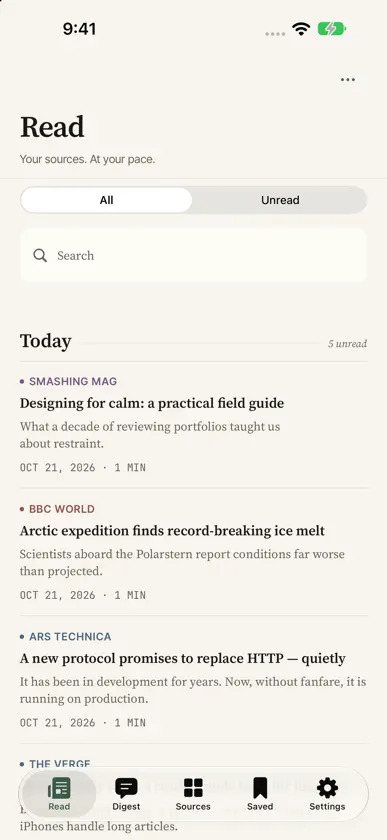
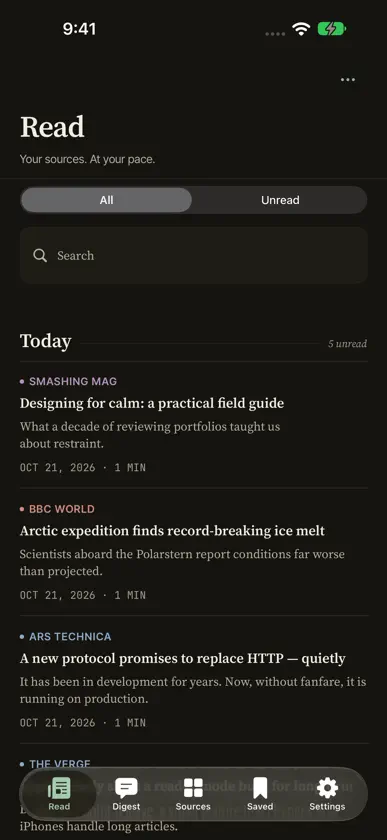
MyRssFeed is a simple RSS reader for following your favorite publications, blogs, and news sites at your own pace. Find a source by name or topic, or add an RSS, Atom, or JSON Feed URL. A getting-started guide helps you build your reading list. MADE FOR IPHONE, IPHONE DUO, AND IPAD Open iPhone Duo to browse stories beside the reader. Keep your article and reading position as you fold, unfold, or rotate. On iPad, browse your article list and reader in an adaptive layout. Read comfortably in portrait, landscape, or a smaller window. READ YOUR WAY • Browse articles from all your sources in one place • Filter unread stories and search your articles • Save articles for later and read downloaded content offline • Enjoy clear typography and light or dark mode KEEP YOUR SOURCES ORGANIZED • Group sources into folders • Mark a source’s articles as read with a swipe • Import and export subscriptions using OPML • Refresh your feeds to check for new stories YOUR DIGEST On supported devices with Apple Intelligence enabled, get on-device summaries of recent article previews. When a selection cannot be summarized, Digest can show clearly labeled headlines and excerpts from your sources instead. Open any story to read the original. SIMPLE AND PRIVATE No MyFeed account, ads, or tracking. Your library is stored on your device by default. If you enable optional iCloud sync, your feeds, folders, reading state, saved articles, and reading positions sync through your private iCloud database, managed by Apple. MyFeed does not operate a server that stores this data. Turning sync off keeps your local library and iCloud copy. Feed downloads and linked websites still contact their publishers. Requires iOS 18 or later. AI summaries require iOS 26 or later and a device with Apple Intelligence available and enabled.
What's new
Version 1.4.0 · Oct 22, 2026
Designed for iPhone Duo. • Open your phone to browse stories beside a comfortable reader. • Keep your article and place as you fold, unfold, or rotate. • Enjoy native controls that adapt to the available space. • Larger accessibility text switches to a focused, full-width view. • Refined navigation and reading layouts across iPhone and iPad.
More from Zhengda Lu

You might also like
 Flowist: RSS ReaderMEHMET RECEP ESER
 WeaveRead: Lector RSS y Feeds杭 李
 RSS, News & Podcasts - uRSSTheodore Lee
 FeedDeck RSSZabir Raihan
 Saturn: RSS ReaderZach Olsen
 Tessera News - Lector RSSThe Moonshot Lab
 SereneReader: RSS Feed ReaderJonesLabs LLC
 RSS - Noticias & LectorClimb App
 opencast: podcast playerConnor Larkin
 Aruvi RSSAananta Co