
Screenshots


About this app
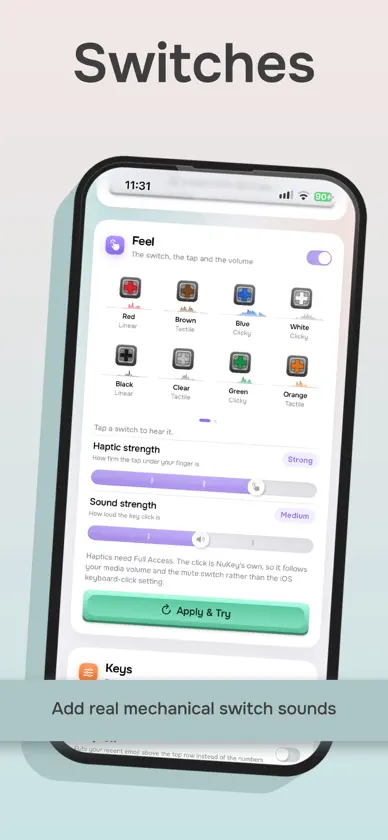
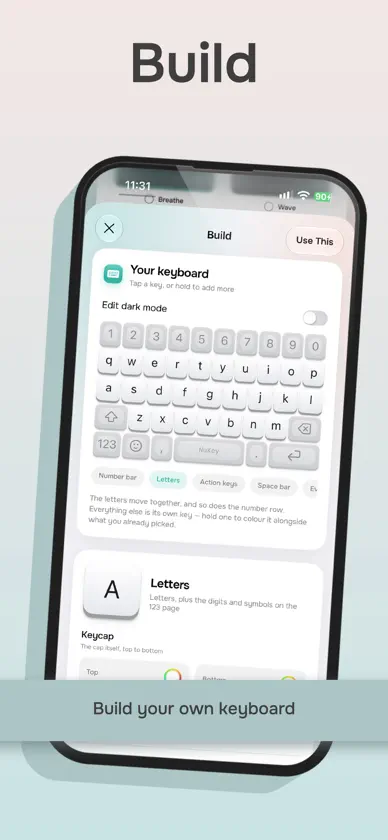
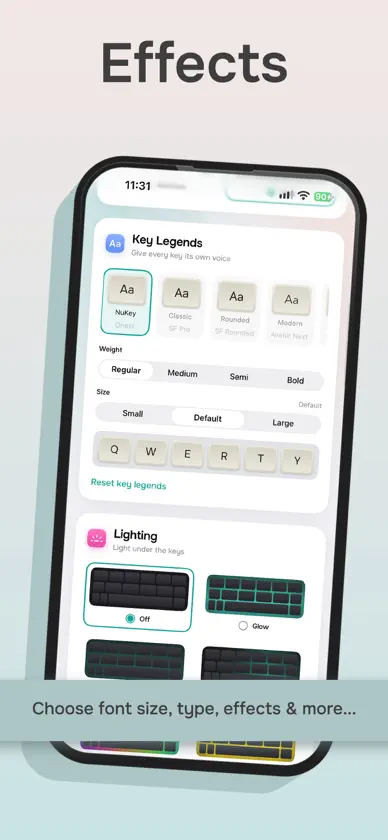
NuKey transforms your iPhone keyboard into a personalised typing experience that looks, sounds and feels like your own. Create a custom keyboard by choosing colours, key styles, legends and animated lighting effects. Add satisfying mechanical switch sounds inspired by popular switch types, then preview your creation before you start typing. Features include: • Build and save custom keyboard designs • Choose from ready-made themes • Add animated keyboard lighting effects • Enjoy a collection of mechanical switch sounds • Personalise key legends and layouts • Browse and type emoji with ease • Add your own words for a more personal typing experience • Select your preferred keyboard language • Share keyboard designs using QR codes • Preview sounds and themes inside the app Whether you prefer a clean, understated keyboard or something colourful and expressive, NuKey gives you the tools to make every tap your own. Some themes, sounds and customisation features may require NuKey Pro.
What's new
Version 2.0.4 · Nov 6, 2026
What's New in NuKey DICTATION Speak and NuKey types for you. Tap the new Dictation control on your board and a recorder opens. Your words are transcribed on your iPhone, so no audio leaves the device, then land in the text field you were typing in. Choose how the text comes out: • Verbatim – exactly what you said • Tidy – fillers removed, punctuation and capitals added • Message, Email, Bullets or Prompt – your rambling turned into a short message, a clear email, a bullet list or a clear instruction for an AI assistant Dictation is a board control, so you can place it where you like and reorder it with the rest of your controls. There's also a Dictate with NuKey action for Shortcuts and Siri. SOCIAL POSTS Turn a rough draft into a post ready to publish. Pick a goal (Engagement, Announcement, Promotion, Question, Story, Thank you, Humour or Professional), add tweaks (Fix grammar, Stronger hook, Call to action, Add emoji, Shorter, Keep my voice) and get three different takes, each with a note on what changed. Long-press the emoji key to open it from any app. It runs on-device with Apple Intelligence. SIRI & SHORTCUTS Ask Siri to change your keyboard without opening the app: • Apply any keycap theme by name • Switch your key sound • Build a surprise keyboard Dictate with NuKey is also available as an action. NEW KEYBOARD EXTRAS • Astromech – a three-legged droid rolls across your board, turns its dome to look out of the screen, then rolls off. • Bomber – a tank rolls on and shells your keys, leaving scorched craters. The keys are rebuilt afterwards and keep typing throughout. • Updates to Claw and Pacman, with new settings. THEMES Duplicate any built-in theme (long-press it and tap Duplicate) and edit the copy to make it your own. DICTATION The Dictation section has had a revamp is so much better. Multi language support and lightning fast translation. SMOOTHER APP A refreshed interface, with faster, smoother scrolling throughout the app.
In-app purchases
The most popular purchases on the App Store.
- NuKey ProConsumable$199.00
- LegendConsumable$199.00
- Very KindConsumable$99.00
- Nice OneConsumable$39.00
More from Sean Kelly


You might also like
 EFKey – Teclado Swipe & IAPeter Feranc
 MyKeyboard LegacyFiveSheep OU
 Carpeta de apps: WidgetLoftMucahit KOKDEMIR
 Klava KeyboardNikita Shimkus
 Cling: Pin AnythingWilliam Whitehouse
 Fade: Temp Mail, Fake EmailMohit Gaddam
 Fotos Repetidas: SpaceFreshNitin Gohel
 EveryCord: En vivo con amigosSymaro, LLC
 Cambio de UbicaciónAbax LKM OU
 MergeKeyAndrei Achziger