
Screenshots


About this app
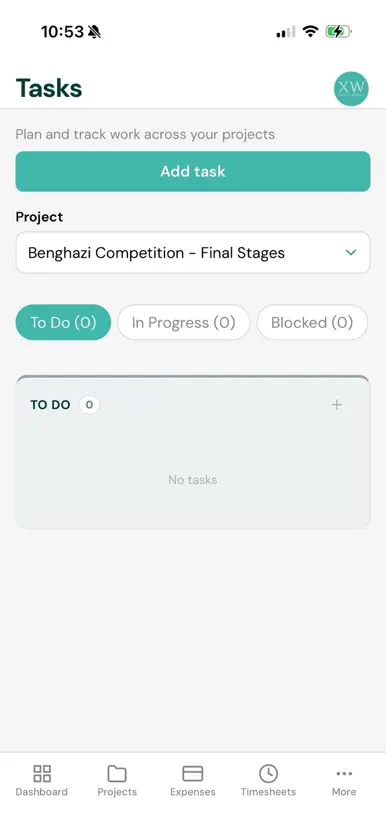
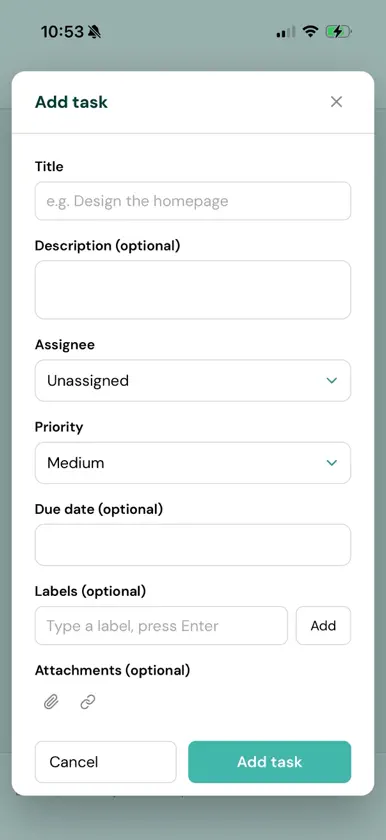
On-Trak is the staff management system used by Cross Works Ltd. It brings the everyday administration of working life into one place, so that booking time off, completing a timesheet, claiming an expense and keeping track of your work no longer mean four different systems. Access is by invitation only. Accounts are created by an administrator at Cross Works and there is no public registration. 1. Time off: Request annual leave, sick leave, compassionate leave, unpaid leave, study leave and time off in lieu. Your remaining balance and any days carried forward are shown as you book, with a warning if a request would take you past your allowance. Requests go to your approver, and you are told as soon as a decision is made. 2. Timesheets: Record your hours against the projects and phases you worked on, one day at a time. Add a note describing what you did, submit the week once it is complete, and see at a glance which weeks are still outstanding. 3. Expenses: Submit a claim with the amount, a description and a photograph of the receipt, taken with your camera or chosen from your photo library. Follow the claim through to approval and payment. 4. Shared calendar: See who is away and when, so that cover can be arranged in advance. Birthdays appear alongside, for colleagues who have chosen to share them. 5. Tasks: Create tasks, assign them, comment, mention a colleague and attach files. Everything stays with the task, so the history of a piece of work is in one place. 6. For managers and administrators: Approve leave and timesheets, review overtime, manage staff records and projects, and produce monthly reports. Reports and applications for payment can be exported and shared through the standard iOS share sheet. 7. Made for working away from a desk: Information you have already loaded is kept on your device, so screens appear immediately and the app stays usable when the signal does not. Receipts and attachments open without leaving the app.
What's new
Version 1.0.2 · Nov 2, 2026
- Request work from home and work from abroad straight from the app. Both sit under Type when you book, next to the usual leave options. - Remote work is a working day: your timesheet stays open, and nothing comes off your allowance. Remote days are tagged on the timesheet and shown in blue on the calendar. - Approvers now see half days and leave awaiting a decision, plus a new card showing who is working remotely today.
More from Cross Works


You might also like
 NEOM ProgressNEOM Company
 CutOff - App & Website BlockerBobvi Thomas
 MY LEARNING AT NEOM.NEOM Company
 Hayot Birja (XT-Xarid)Tender Pro
 MyPlace ConciergeDwellant
 Authenticator - 2fa, mfaPetr Polasek
 Print KioskExactPrint
 Host StaffingHost Staffing Limited
 Lloyds Bank InternationalLloyds Bank Corporate Markets plc
 Lopay: Payments & POSLOPAY LTD