
ONELock Access
Robert Kapp
No ratings yetBusinessAges 4+
Screenshots


About this app
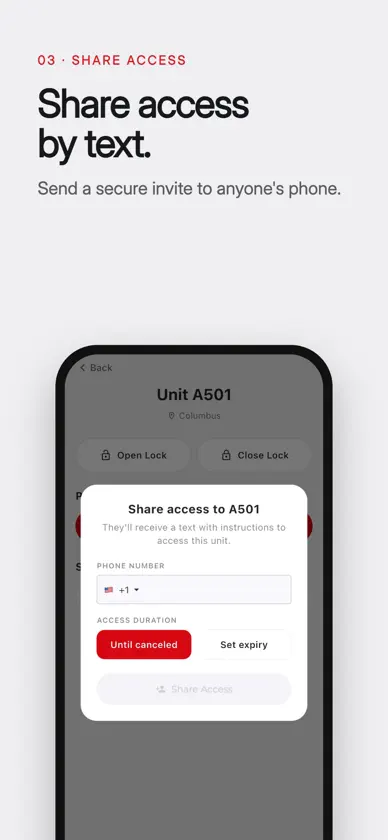
ONELock Access turns your phone into the key for your storage unit. If your storage facility runs on KISS, just sign in and tap your phone to the lock to open your door. No physical keys to lose and no keypad codes to remember. HOW IT WORKS 1. Sign in with your phone number or email. We send you a quick code to confirm it is you. 2. Choose your unit, tap Open, and hold your phone to the lock. 3. The door unlocks in seconds. WHY ONELOCK ACCESS - Your phone is your key. Nothing extra to carry. - Works offline. Your access is saved to your phone, so you can get in even in a dead zone or a metal building with no signal. - All your units in one place. Rent more than one space and switch between them with a tap. - Share access. Give a family member, business partner, or employee access to your unit by their name and phone number, and remove it whenever you want. - Private and secure. Your access is tied to your account and your phone. ONELock Access uses the NFC reader built into your phone, so please make sure NFC is turned on.
What's new
Version 2.3.1 · Oct 31, 2026
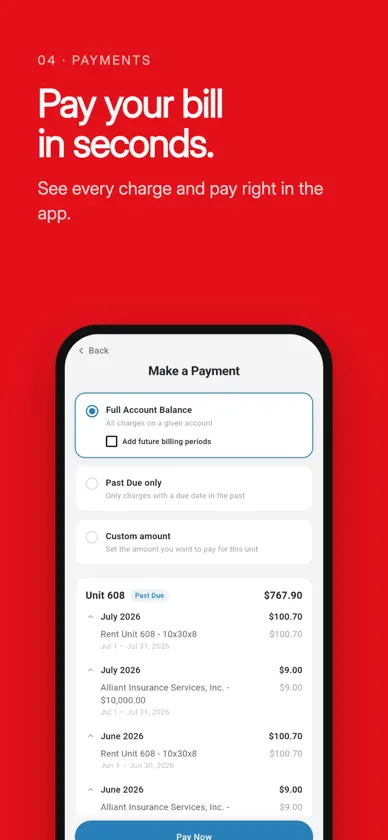
All your locations in one place -If you rent at more than one location or with more than one storage company, switch between them by tapping the location name at the top of Home. Each location shows its own units, gates and hours. -Have units at more than one location? When you pay, the app asks which unit you’re paying for. Opening gates from your phone -When you open a gate over the internet, the app asks for your location so the facility can confirm you’re there. Tapping your phone on the gate’s reader never needs your location. -If a gate can’t open, the app tells you why: Location is off, you’re outside access hours, or you’re too far from the facility. Over-tightened locks -If a lock didn’t close and you answer “No, not locked,” the app can offer a quick motor setting that helps the lock close. -Fixed: setting the lock motor from Profile now works reliably on iPhone.
More from Robert Kapp


You might also like
 StorIDPTI Security Systems
 Manager GenieOpenTech
 ISS World ExpoInforma Exhibitions U.S. Construction and Real Estate, Inc.
 U of I Community Credit UnionUniversity of Illinois Community Credit Union
 DaVinci Lock MobileDaVinci Lock, LLC
 Spoke PhoneSpoke Network, Inc.
 U.S. Bank Instant Card™U.S. Bancorp
 StorLogix Mobile 2PTI Security Systems
 First Financial of New MexicoFirst Financial Credit Union of New Mexico