
Screenshots



About this app
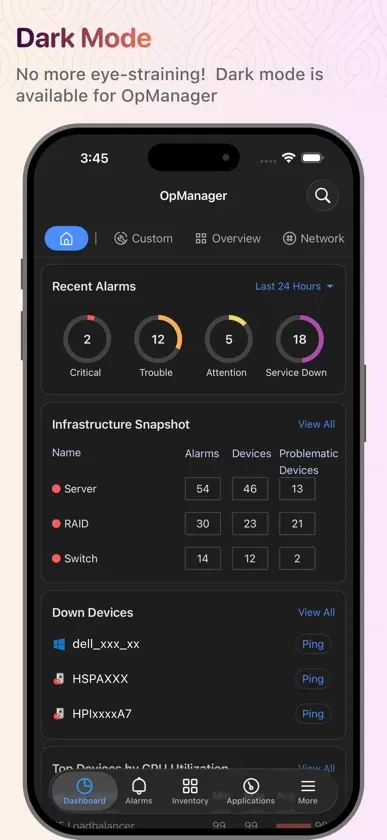
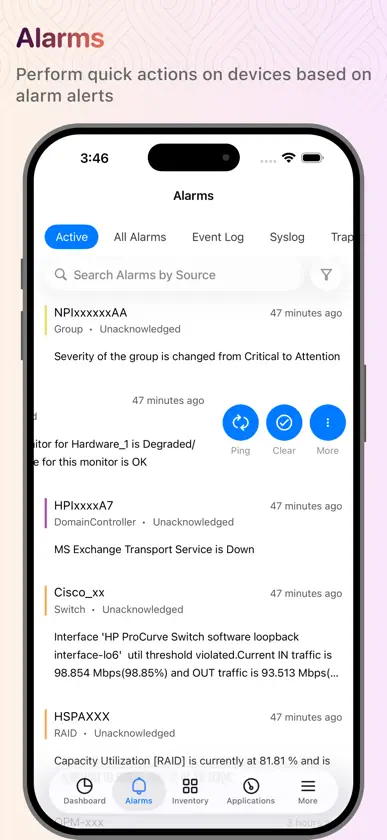
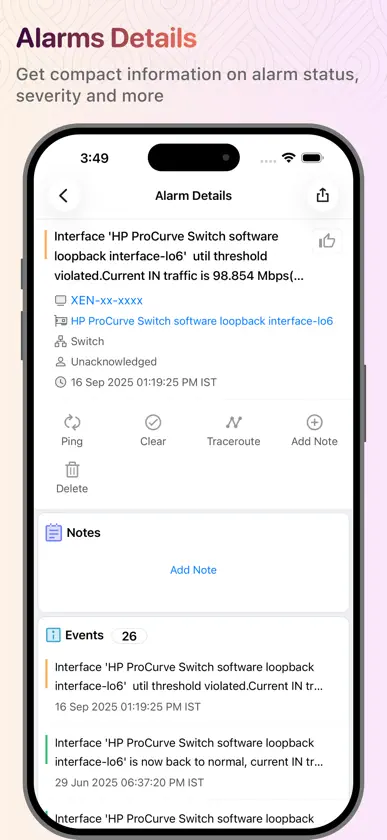
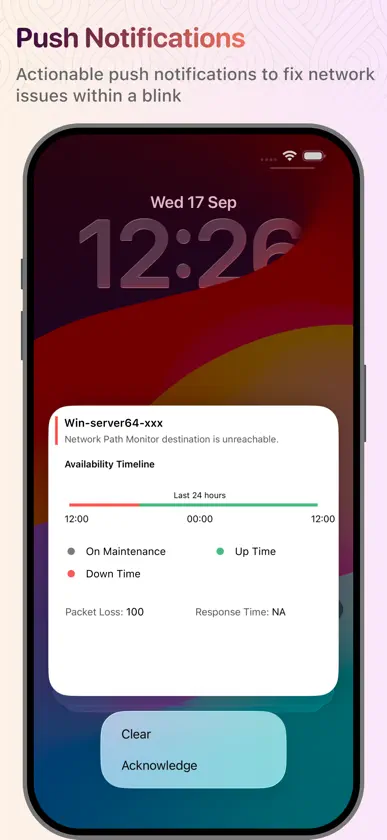
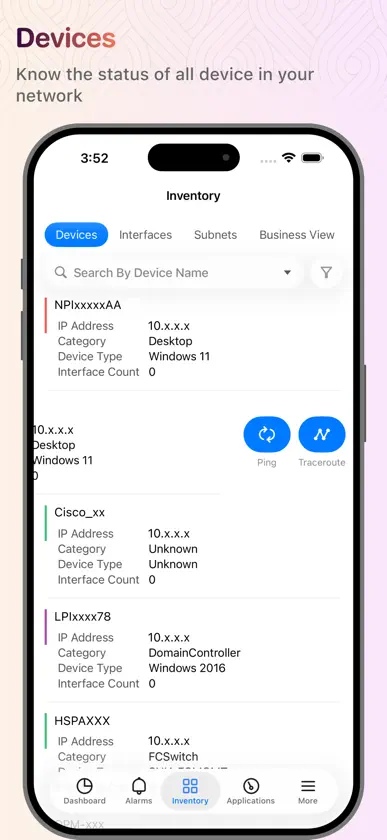
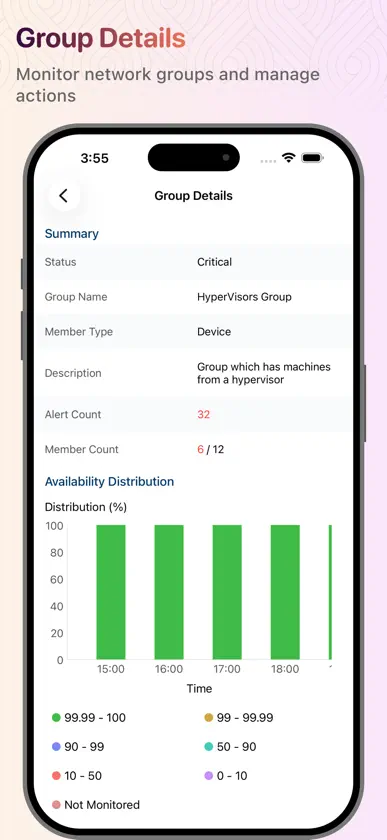
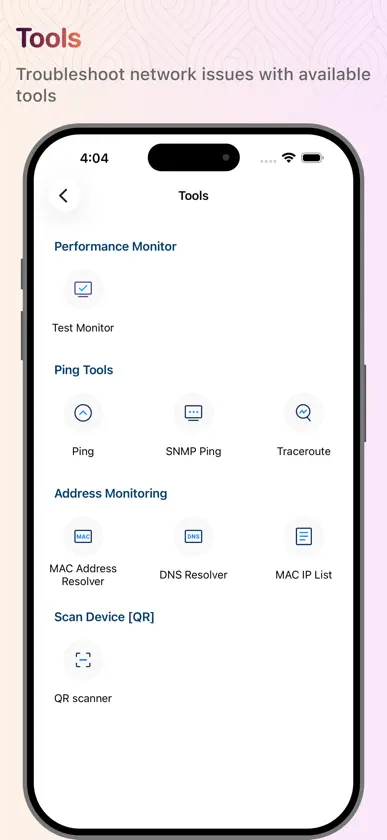
You need to run ManageEngine OpManager server to work with this app. OpManager is complete, end-to-end network monitoring software that offers advanced fault and performance management functionalities across critical IT resources such as routers, WAN links, switches, firewalls, VoIP call paths, physical servers, virtual servers, domain controllers, and other IT infrastructure devices. You are only able to access your machine setup using this app if you're already running OpManager on-premises, and you can use this app to access the machine setup from your Apple device (iPad and iPhone). This app helps data center administrators stay connected to their IT and access it from anywhere, anytime. It offers quick access to the OpManager on-premises tool to view the performance of devices and troubleshoot faults instantly. This app is not stand-alone. Features Lists all the devices in your network based on category, groups, business view, type, vendor, apps, protocol, severity. Lists alarm and their causes based on the time and severity (Critical, Attention, Trouble, Service Down) Lists all the down devices and their corresponding alarms in your network Search for a particular device in your network and know its detail and status Perform Test Monitor, Ping, Traceroute, and Workflow actions on devices Perform actions such as Clear Alarm, Acknowledge Alarm, Delete Alarm, Suppress Alarms, and Add Notes on alarms Push notifications for getting timely notifications on events that are generated in the OpManager server With the help of Siri Shortcuts, execute actions to show a list of down devices, and filter alarms based on severity, category, time, acknowledged/unacknowledged Home screen widgets to have a quick overview of alarms, down devices. Applications Manager Plugin support Ping Tools and Address Monitoring Tools Support for Https AD and SAML authentication support. Compatible with OpManager and OpManager plus versions 12400 and later. Want to try OpManager on-premises? https://www.manageengine.com/network-monitoring/download.html?appstore
What's new
Version 5.2.4 · Oct 27, 2026
What's New: Siri & Shortcuts Check your network and manage alarms by voice or from the Shortcuts app, without opening OpManager. • Get answers: Ask “Alarm summary in OpManager,” “Any down devices in OpManager,” or “Group summary in OpManager.” View results in a quick card with a spoken summary. Tap the card to jump to the relevant device, alarm, or group in the app. • Act on alarms: Acknowledge or clear an alarm, or add a note to it. • Device actions: Unmanage a device or temporarily suppress its alarms. • Run tools: Ping a host directly from Siri. • Automate it: Use these actions in the Shortcuts app to get a daily alarm summary or include a device or group summary in your routine. • Action button: Acknowledge alarms or run other OpManager actions with a single press. Find the Siri & Shortcuts guide under More > Others for suggested phrases and step-by-step automation instructions.
More from Zoho Corporation
 Notebook - Notas y TareasZoho Corporation
 Zoho Mail - Correo electrónicoZoho Corporation
 Authenticator App - OneAuthZoho Corporation
 Zoho Meeting - Meet VirtuallyZoho Corporation
 Zoho CRM - Ventas y marketingZoho Corporation
 Zoho CliqZoho Corporation
 Gestión trabajos Zoho ProjectsZoho Corporation
 Accounting App - Zoho BooksZoho Corporation
You might also like
 PRTG - MonitoringPaessler AG
 Network Utilities & AnalyzerDayana Networks Ltd
 PulsewayMMSOFT Design Ltd.
 EcoStruxure ITSchneider Electric SA
 OpenManage MobileDell Inc.
 Ericsson NetCloud MobileEricsson Enterprise Wireless Solutions, Inc.
 Delinea CredentialsDelinea Inc
 ExtremeCloud IQ CompanionExtreme Networks
 Network Ping LiteMochaSoft
 Secure DNS & FirewallFlinteger LLC