
Pixel Painter
光建 张
No ratings yetGraphics & DesignAges 4+
Screenshots





About this app
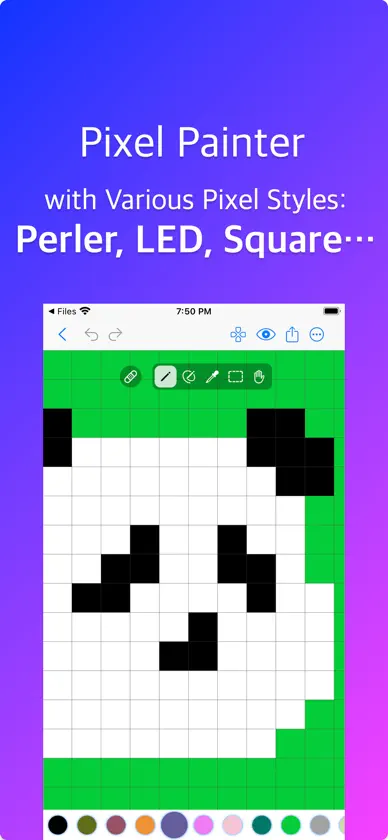
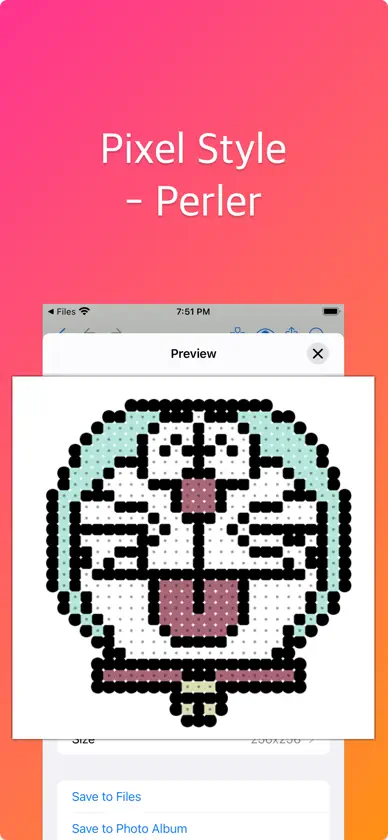
Create pixel art with various pixel styles. Pixel Painter is an easy to use pixel art editor, with these main features: • Basic Tools: pencil tool, block tool, color bucket tool, selection tool, eyedropper tool, scroll tool. • Pixel Styles: apply a style to pixels when export, such as perler, circle, square. • Erase Mode: in this mode, pencil, block tool and color bucket tool are used to clear colors. • Selection: crop to selection, duplicate selected pixels, or remove selected pixels. • Scrollable Canvas: the canvas is scrollable, which allow you create repeatedly patterns more easier. • Color Palette: select a builtin color palette, then customize it if you like. • Downsample/Upsample pixels to get less/more pixels. If you have any questions, please contact me at email: arrowgraphics@icloud.com
What's new
Version 1.4 · Jun 10, 2025
Bug fixes.
In-app purchases
The most popular purchases on the App Store.
- Size Limits RemovalConsumable$39.00
More from 光建 张


You might also like
 Pintor de píxeles青兆 李
 Pixel Paint (Ape Apps)Brandon Stecklein
 Pixelverse: Pixel Art MakerGehui Liu
 Pixel Art Kitharry bloch
 Pixator: Fotos en pixel artGEORGY OSTROBROD
 Inktica - editor de píxelesRobert Filip Odrowaz-Sypniewski
 Pixel Art Studio for drawingRoman Kotov
 PixelPencil - Pixel art editorYosuke Seki
 Pixen - pixel art editorFurnace Creek Software LLC
 Stitcher Pixel ArtHarry Shamansky