
Points, please!
YARON AMIR BENJAMIN DR. GOLDSTEIN
No ratings yetEducationAges 4+
Screenshots


About this app
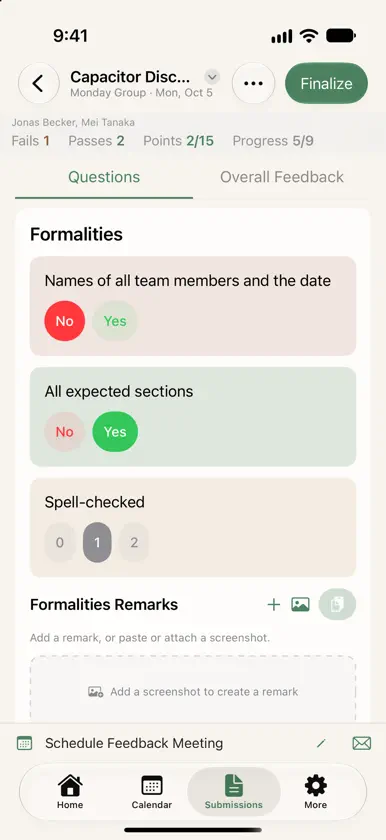
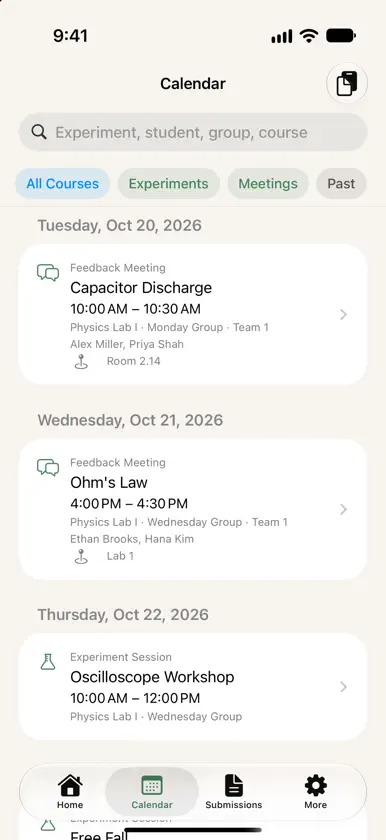
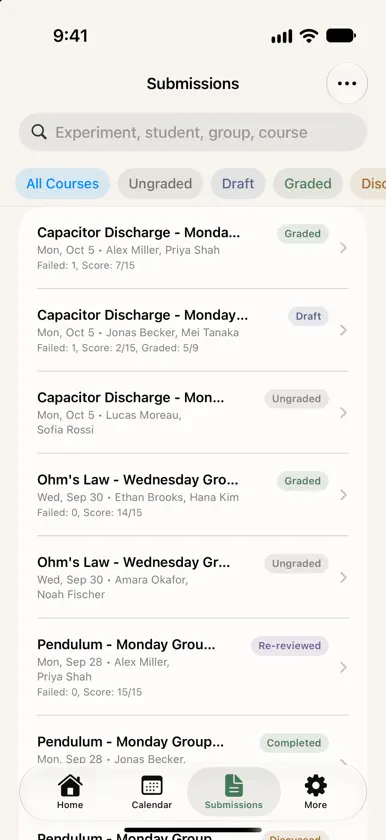
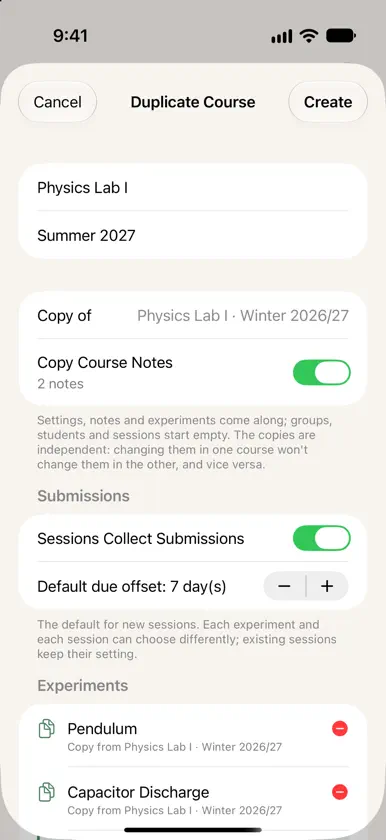
Grading lab reports is already thankless work. PointsPlease at least makes it fast. The app gives teaching assistants and instructors a single place to record everything about a submission: rubric scores, the reasoning behind each score, and screenshots pulled straight from the student's report. No more cross-referencing PDFs, paper forms, and scattered notes weeks after the fact. When a student shows up at office hours asking why they lost points, you open PointsPlease and have the full picture right there. **Set up once, grade all semester** Define your course structure once — groups, students, experiments, session dates — and PointsPlease handles the real-world messiness that comes with lab courses: fixed groups that split into smaller teams per experiment, makeup sessions, substitutions. It all fits without workarounds. **Rubrics that work the way you do** Build rubrics from scratch or import them via JSON. Each criterion supports its own mix of pass options, fail options, and point values. Export and share with your fellow TAs so the whole team grades consistently — no more "how did you interpret question 3?" conversations. **One view, start to finish** Mark a submission as draft while you're mid-way through, finalize it when done, and after the feedback meeting, jot down notes from the conversation and mark it as discussed. Every submission has a full history, always on-device. **Built for iPad** Use Split View to keep the student's PDF open alongside PointsPlease — grade without switching contexts. Also runs natively on Mac via Designed for iPad. **Stays on your device** No accounts, no cloud sync, no third-party servers. Your grading data is yours. --- *Works for anything with a recurring, structured report format — physics, chemistry, engineering student lab reports, and beyond.*
What's new
Version 1.3.1 · Oct 20, 2026
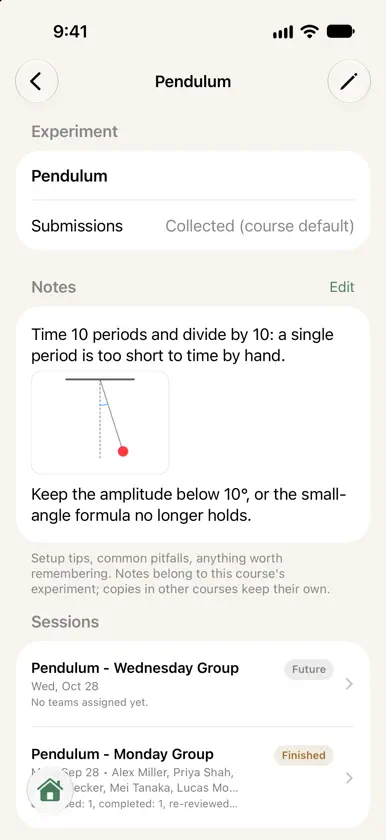
• Fixed: adding a note could remove your other notes. Sorry about that! • Notes open read-only, so nothing changes by accident. Tap Edit to change them; Mark Up works right from a full-screen screenshot. • Courses without submissions no longer ask for a rubric. • Ready for iPhone Duo: side-by-side columns meet at the fold, so nothing runs across it. • Each course has its own time zone. Sessions and meetings keep theirs when you travel or change settings. • The calendar shows which time zone it uses; tap to switch. Time zones are easier to find, with offset and local time. • Take a photo straight into a remark or note, or pick several photos at once. • Paste a whole class list with groups and email addresses from a spreadsheet or your learning platform. To redo it, delete all students not yet in a session. • Set default session and meeting lengths in Settings or per course. New sessions start on the full hour, or at the group's usual time.
More from YARON AMIR BENJAMIN DR. GOLDSTEIN
 Save the KetsYARON AMIR BENJAMIN DR. GOLDSTEIN
 TeaLoveTimerYARON AMIR BENJAMIN DR. GOLDSTEIN
 Markdown My WordsYARON AMIR BENJAMIN DR. GOLDSTEIN
 Ket StepsYARON AMIR BENJAMIN DR. GOLDSTEIN
 David's Dual Time KeeperYARON AMIR BENJAMIN DR. GOLDSTEIN
 YARON FAYARON AMIR BENJAMIN DR. GOLDSTEIN
 σTYARON AMIR BENJAMIN DR. GOLDSTEIN
 TeaLoveLogYARON AMIR BENJAMIN DR. GOLDSTEIN
You might also like
 Gradebook: GPA & Class PlannerManuel Parcon
 GradeBook Pro: Teacher ToolkitRingtones LLC
 GradeView: Course Grade DataGradeview LLC
 TeacherEase - Admins/TeachersCommon Goal Systems Inc.
 Teacher Aide (nube)Glen Botha
 PHYWE measureAPPPHYWE Systeme GmbH & Co. KG
 Profesor Ayudante ProGlen Botha
 Luz LED - Luces LEDSushmita Kumari
 Museum BarberiniMuseen der Hasso Plattner Foundation gGmbH
 Additio App, Cuaderno profesorDidactic Labs, S.L.