
Prismedia
Paul Davis
No ratings yetEntertainmentAges 4+
Screenshots




About this app
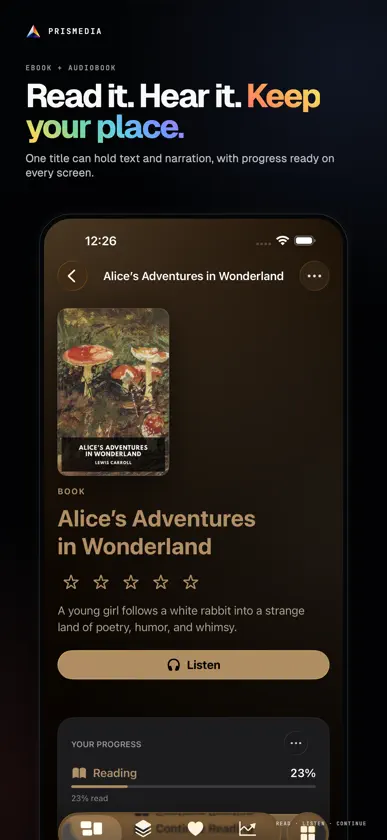
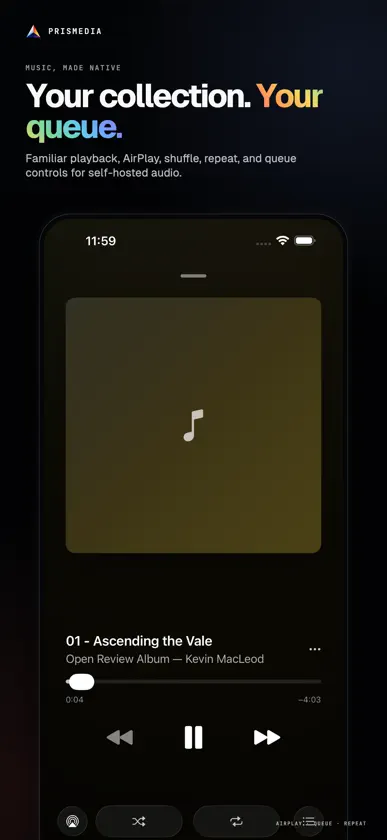
Your media is already one collection. Prismedia gives it one private home. Connect the native app to the Prismedia server you host, then browse, watch, listen, and read without handing your library to an advertising platform. Movies, series, music, audiobooks, ebooks, comics, images, and galleries keep their own purpose-built experiences while sharing one identity, one account, and personal progress. WATCH IN FULL FIDELITY Prismedia uses a custom native player built around the codecs and playback capabilities of your Apple devices. Supported sources can direct-play at original quality, including lossless audio, while the server can remux or transcode when the device needs another format. Paused playback keeps title, timeline, stream state, resolution, audio, subtitles, and speed controls readable. READ YOUR WAY Open EPUB, PDF, and comic archives in a native reader. Choose typography, theme, margins, spacing, pagination, or continuous scrolling. A book can also carry an audiobook edition, keeping reading and listening progress together so you can move between text and narration. LISTEN NATIVELY Browse artists and albums, manage a queue, and control music or audiobooks with familiar native playback surfaces. Artwork, chapters, progress, shuffle, and repeat stay close at hand. BUILT FOR EVERY SCREEN Use touch-first browsing and reading on iPhone and iPad, then move to a focus-first living-room experience on Apple TV. Personal accounts keep playback and reading progress with the right member of the household. SELF-HOSTED BY DESIGN Prismedia connects to a server you operate. The server centralizes library scanning, metadata, files, requests, acquisition, streaming, and background work. The native app has no advertising, cross-app tracking, or developer analytics. Requires a reachable Prismedia server and a Prismedia account. Server software, installation instructions, and source are available from the Prismedia website.
What's new
Version 1.19 · Nov 4, 2026
• Audiobooks with chapters, such as M4B files, now play chapter by chapter. Next and Previous move between chapters, and Now Playing, the mini player and the Lock Screen show each chapter's title and time, named after the matching ebook chapter when the book has one. • Built for iPhone Duo. The open display keeps buttons and text off the fold, and when you hold it like a book, the sidebar takes the left side so pages stay on the right. • On iPad and iPhone Duo, the mini player is a single bar that collapses to floating artwork you can drag to either corner, and Now Playing shows the player beside the queue. • Half closed on a table, iPhone Duo plays full-screen video on the raised half with large controls on the flat half. • Books, PDFs and comics show two pages side by side in landscape. Comics gain an Automatic page layout, now the default. • On wide displays, the release calendar shows the month beside the selected day, Favorites, Stats, detail pages and sign-in split into two panes, and list view shows rows in columns. • Detail pages place the poster beside the title on wide displays. • Video controls stay visible while you scrub, and Search uses the standard search field on iPad and iPhone Duo.
More from Paul Davis


You might also like
 FinStreamZabir Raihan
 Plivot - Universal IPTV PlayerCedric Schoenecker
 WatchQueue: TV WatchlistJEFFREY PINILLA
 Photon PlayerOliver Walton
 Riveo: Media PlayerR17 GEEK DEVELOPMENT SRL
 Watchly – ReproductorMakshay Bhadiyadra
 Nexios - M3U/XTREAM/SMB PlayerNexios Media LLC
 QueueTube: cliente PeerTubeKindred Code
 Plio: Universal Media PlayerReTwo LLC
 throwback: retro & vintage appApp Star Family