
ProPaving
DrillerDB, LLC
No ratings yetBusinessAges 4+
Screenshots



About this app
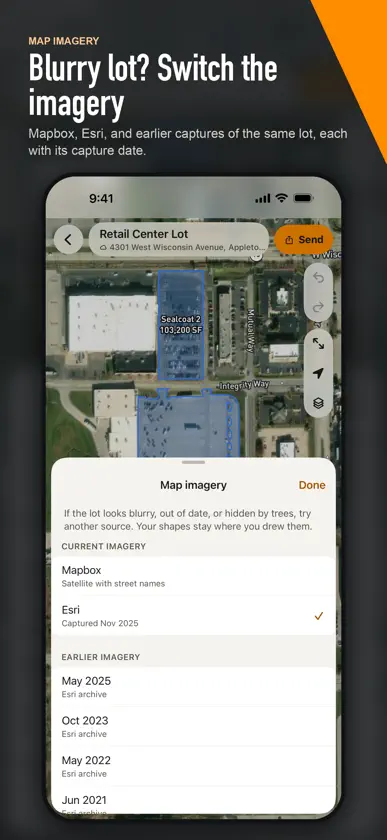
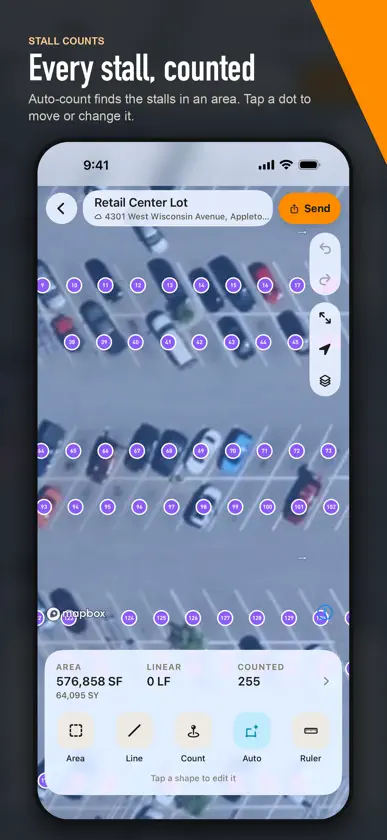
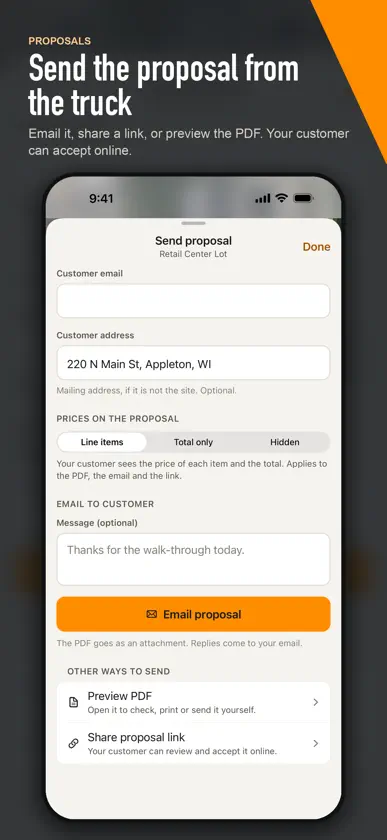
ProPaving measures parking lots, drives, and paved areas from satellite imagery, so you can bid a job without a measuring wheel. Measure - Tap around the pavement to measure its area. Edge lengths and the total update as you tap. - Drag corners to adjust them. A magnifier shows exactly where the corner lands. - Cut out islands, planters, and buildings. - Measure striping and curb with lines, and count stalls, ADA spaces, and other items. - Check any distance with the ruler. Auto-measure - Tap a lot once and Auto-measure outlines the pavement for you. Review it, adjust it, and keep it. - Auto-count finds the stalls in an area and adds them to your counts. Clear imagery - Switch between Mapbox and Esri satellite imagery. - Look at earlier captures of the same lot, each with its capture date, when trees, cars, or new work hide the pavement. Send - Add your customer and send the proposal by email or as a link, or preview the PDF first. - See when the customer accepts. Built for the field - Works offline. Everything saves on your phone and syncs when you have signal. - Undo and redo every change. - Your projects stay in sync with ProPaving on the web. A ProPaving account is required. You can create one in the app.
What's new
Version 2.0.0 · Sep 28, 2026
ProPaving 2.0 is a new app, rebuilt from the ground up. - Draw faster: tap around the pavement and see each edge length and the total area while you draw. Tap the first point to finish. - Drag any corner to adjust it, with a magnifier under your finger. Drag a midpoint to add a corner. - Auto-measure outlines a whole lot from one tap, and Auto-count finds the stalls. - Switch map imagery: Mapbox, Esri, or earlier captures of the same lot, each with its capture date. - Cut out islands and buildings, measure lines, count items, and check a distance with the ruler. - Undo and redo every change. - Send the proposal from the map: email it, share a link, or preview the PDF. - Works offline. Your changes save on your phone and sync when you have signal. - New: create an account in the app.
More from DrillerDB, LLC

You might also like
 TruTecTruTec.ai, Inc.
 PavementSoftpavementsoftwaresolutions
 QuoteIQ: Contractor CRMQuoteIQ LLC
 Parceled Land MapUri Nemirovsky
 SR Measure: Stockpile VolumeEveryPoint
 Cat® SIS2GOCaterpillar Inc.
 Spotlight by Verizon ConnectVerizon Connect Inc.
 BluebeamBluebeam, Inc.
 Cat® CentralCaterpillar Inc.
 Land id®MapRight, LLC